Unread message count
The unread message count is a default Chat UI feature that shows users the number of unread messages in each channel.
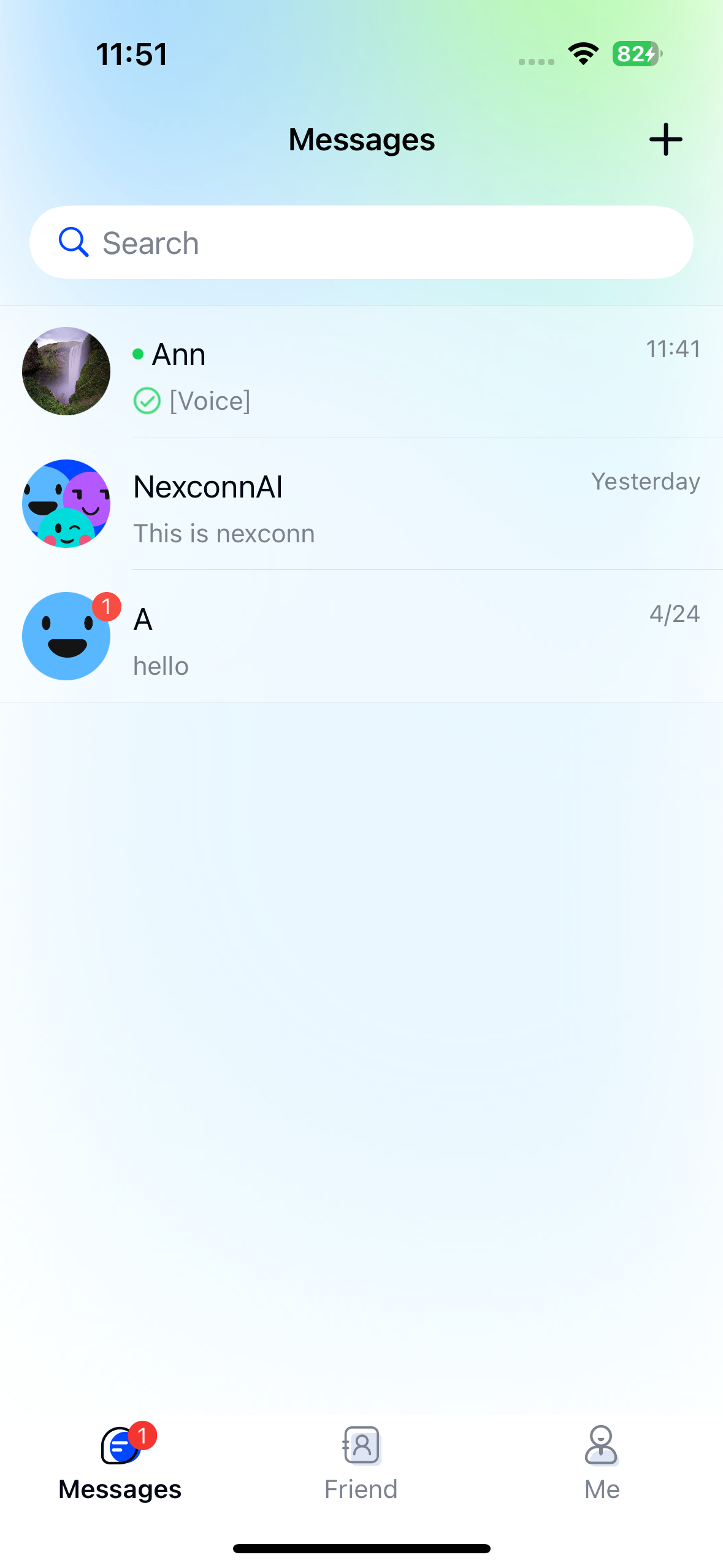
The count displays in NCChannelListCell within the NCChannelListViewController class. Each channel's unread count appears in the top-right corner of its icon. When the count exceeds 100, it shows as 99+.
To use the unread count feature, you must first build the channel list page. Chat UI does not implement unread count display in the Tab Bar by default.
Usage
Chat UI SDK provides complete logic for fetching and displaying unread counts. When using default channel list and channel pages, no additional API calls are needed.
Chat UI automatically clears unread counts when users enter direct channels, group channels, or system channels. For multi-device login scenarios, Chat UI synchronizes read status across devices. You can disable this feature if needed—see Multi-device read status sync.
Customization
If Chat UI's default implementation doesn't meet your needs, use these APIs from Chat UI or Chat SDK.
Get or clear unread counts
Chat UI provides unread count APIs through NCBaseChannel. For custom requirements, use Chat SDK methods like:
- Get first unread message:
-getFirstUnreadMessageWithCompletion: - Get unread @mentions:
-getUnreadMentionedMessagesWithCompletion: - Clear single channel unread count:
-clearUnreadCountWithCompletion:
In NCChannelViewController subclasses, access the current channel via self.currentChannel.
For core classes, APIs, and usage, see NCBaseChannel and NCMessagesQuery in Chat SDK documentation.
Chat SDK methods don't provide page refresh capability—implement custom notification mechanisms as needed.
Show badge without count
To display only a red dot without the numeric count in NCChannelListCell, override willDisplayConversationTableCell:atIndexPath: in NCChannelListViewController and set isShowNotificationNumber to NO.
- (void)willDisplayConversationTableCell:(NCChannelListBaseCell *)cell atIndexPath:(NSIndexPath *)indexPath {
    // Set to NO to show red dot only without count
    ((NCChannelListCell *)cell).isShowNotificationNumber = NO;
}
Customize unread badge UI
The unread badge in NCChannelListCell is controlled by the cell's bubbleTipView property. Modify it by overriding willDisplayConversationTableCell:atIndexPath:.
Method prototype
/// Callback before displaying cell
/// - Parameter cell:        Cell to display
/// - Parameter indexPath:   Index path of channel data model
/// Modify cell display properties here
- (void)willDisplayConversationTableCell:(NCChannelListBaseCell *)cell atIndexPath:(NSIndexPath *)indexPath;
Key properties
| Item | Property | Type | Default |
|---|---|---|---|
| Position | bubbleTipAlignment | NCMessageBubbleTipViewAlignment | NC_MESSAGE_BUBBLE_TIP_VIEW_ALIGNMENT_TOP_RIGHT |
| Text color | bubbleTipTextColor | UIColor | whiteColor |
| Background | bubbleTipBackgroundColor | UIColor | redColor |
Replace read status icon with text
By default, read messages show a checkmark icon. To display "Read" or "Unread" text instead:
- Remove the default icon when displaying cells
- Add your text label
See Customizing message cell display in Channel page documentation for steps.
Multi-device read status sync
When users log in on multiple devices, Chat UI SDK syncs message read status across devices by default. This feature is enabled by default.
NCChatUIConfigCenter.message.enableSyncReadStatus = YES;
Unread message bubble reminders
Chat UI shows unread message bubble reminders in channel pages (NCChannelViewController).
Unread count reminder
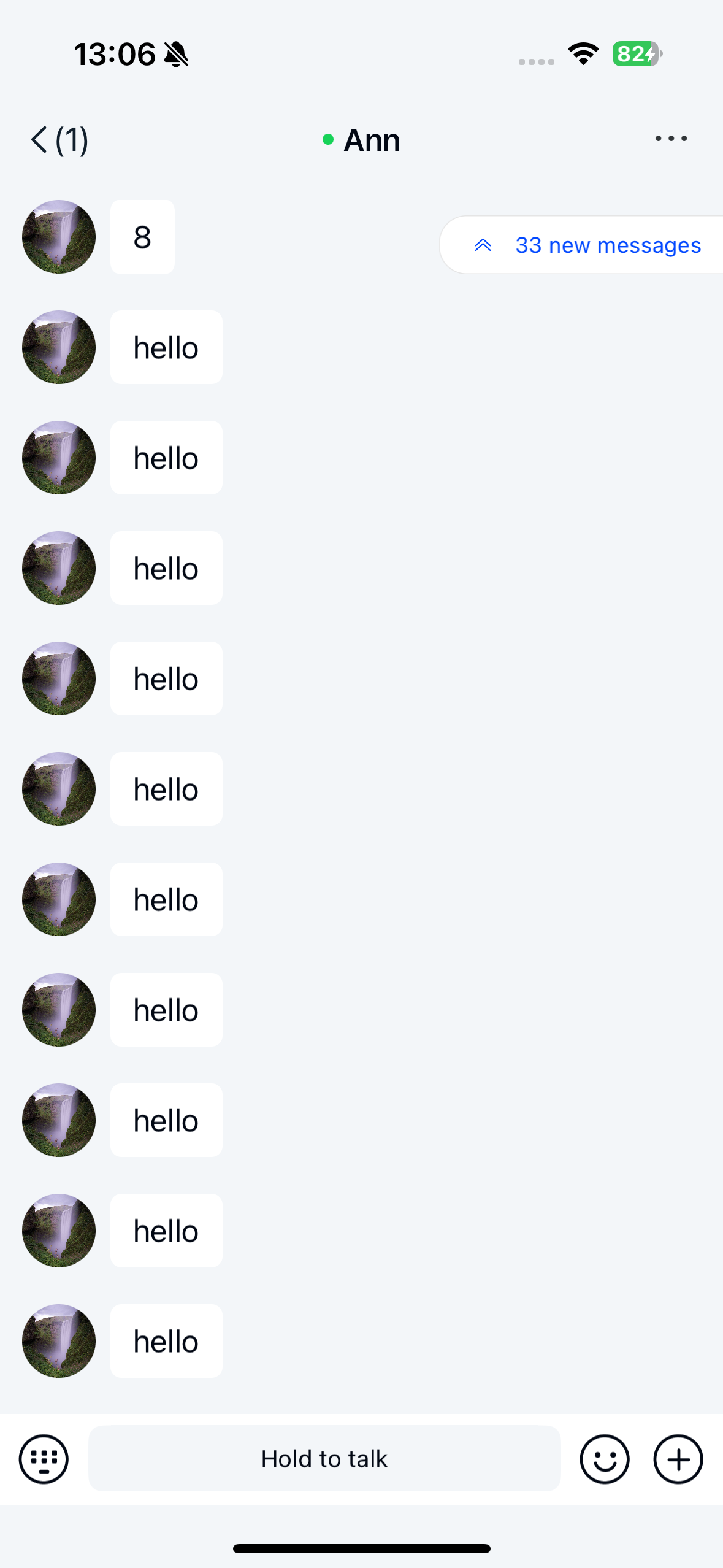
When a channel has over 10 unread messages, a bubble reminder appears in the top-right corner. Tapping it jumps to the first unread message.
Disabled by default. Enable by setting enableUnreadMessageIcon to YES before entering the channel page.
@property (nonatomic, assign) BOOL enableUnreadMessageIcon;
Unread @mention reminder
When a channel has unread @mentions that aren't visible on screen, a bubble shows the count. Tapping it jumps to the oldest unread @mention.
Enabled by default. Disable by setting enableUnreadMentionedIcon to NO.
@property (nonatomic, assign) BOOL enableUnreadMentionedIcon;
New message reminder
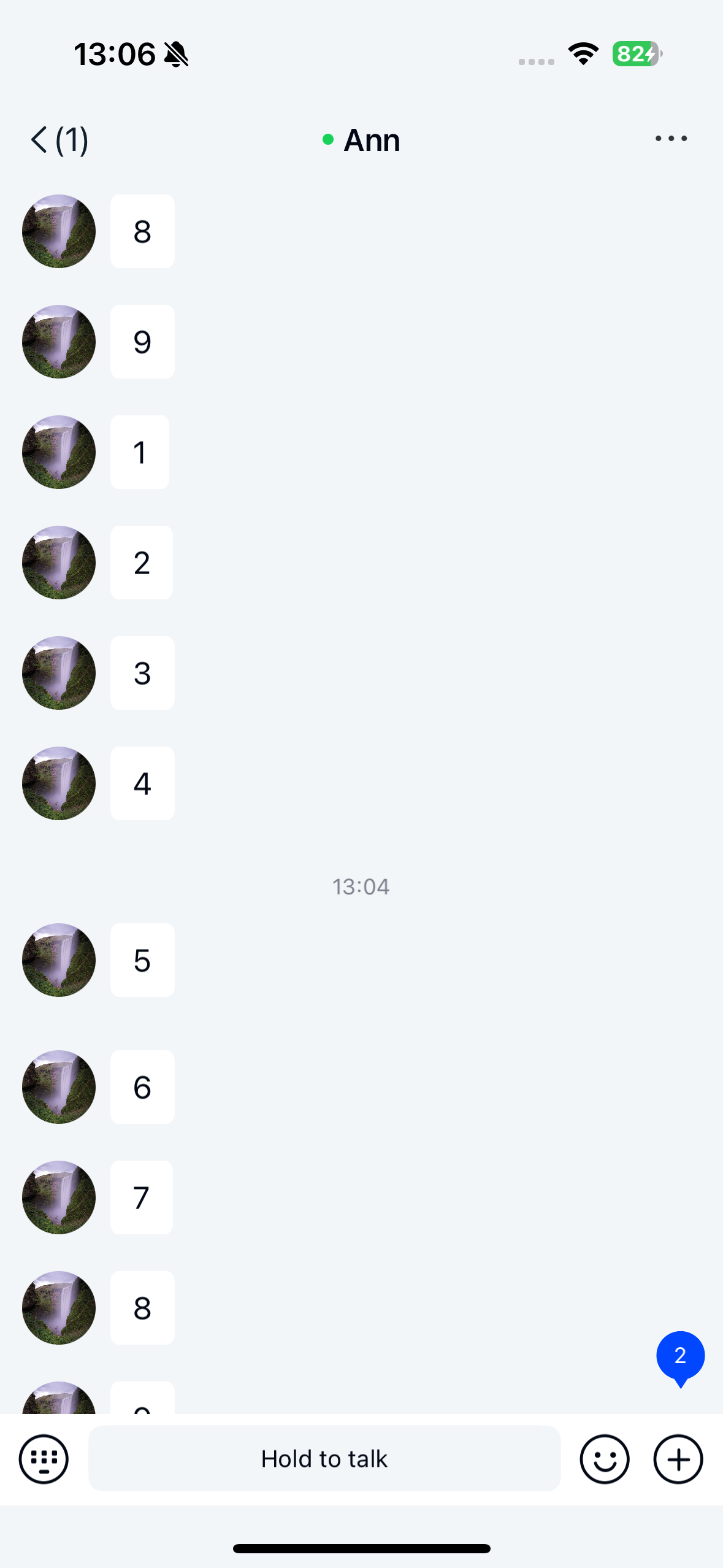
When viewing historical messages (not at latest messages) and new messages arrive, a "X new messages" bubble appears in the bottom-right corner. Tapping it scrolls to latest messages.
Disabled by default. Enable by setting enableNewComingMessageIcon to YES.
@property (nonatomic, assign) BOOL enableNewComingMessageIcon;
Customize top-right bubble
Customize the top-right unread bubble's appearance:
- (void)viewWillAppear:(BOOL)animated {
    [super viewWillAppear:animated];

    // Change text color
    [self.unReadMessageLabel setTextColor:[UIColor redColor]];

    // Change background image
    [self.unReadButton setBackgroundImage:[UIImage imageNamed:@"your_image"]
                                forState:UIControlStateNormal];

    // Change arrow icon
    [self.unReadButton.subviews enumerateObjectsUsingBlock:^(__kindof UIView * _Nonnull obj, NSUInteger idx, BOOL * _Nonnull stop) {
        if ([obj isKindOfClass:[UIImageView class]]) {
            UIImageView *imageView = (UIImageView *)obj;
            UIImage *image = [UIImage imageNamed:@"your_arrow_image"];
            image = [image resizableImageWithCapInsets:UIEdgeInsetsMake(image.size.width * 0.2, image.size.width * 0.8,
                                                                        image.size.width * 0.2, image.size.width * 0.2)
                                          resizingMode:UIImageResizingModeStretch];
            imageView.image = image;
            *stop = YES;
        }
    }];
}
Customize bottom-right bubble
Modify the new message reminder's appearance:
- (void)viewWillAppear:(BOOL)animated {
    [super viewWillAppear:animated];
    // Change text color
    [self.unReadNewMessageLabel setTextColor:[UIColor redColor]];
}