Per-message read receipts
- New AppKeys automatically enable per-message read receipts, making the legacy channel-level read receipts obsolete.
- To use the legacy channel-level read receipts instead, submit a support ticket to request switching.
Chat UI implements per-message read receipts by default. When a recipient views a message, the system sends a read receipt for that specific message. The sender receives this receipt callback and updates the message's read status indicator (e.g., changing from a gray circle to a green checkmark).
Read receipt triggering logic: In direct or group channels, receipts are only sent when received messages become visible on screen.
Read receipt display toggle
When per-message read receipts are enabled, Chat UI shows read receipts by default in both direct and group channels.
You can modify supported channel types. For example, configure receipts to only display in direct channels by setting the following. Pass an empty array to disable read receipt display entirely.
NCChatUIConfigCenter.message.enabledReadReceiptConversationTypeList = @[ @(NCChannelTypeDirect) ];
Direct channel read receipts
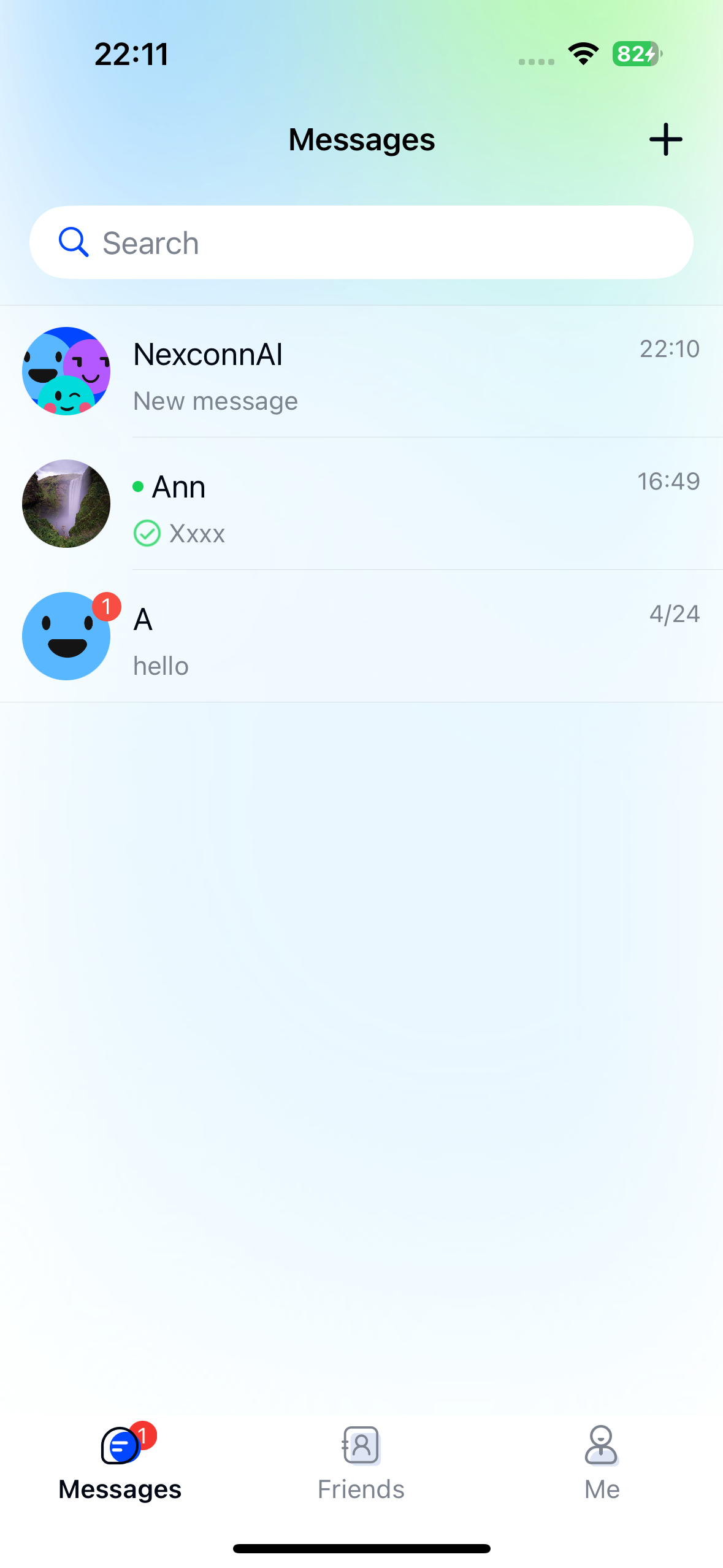
In direct channels, senders receive real-time updates about message read status. Chat UI displays this status in two places:
-
Channel list page: Each channel shows a preview of its last message. If you sent the last message in a direct channel, it displays a read receipt indicator:
- Gray circle: Message unread by recipient
- Green checkmark: Message read by recipient
-
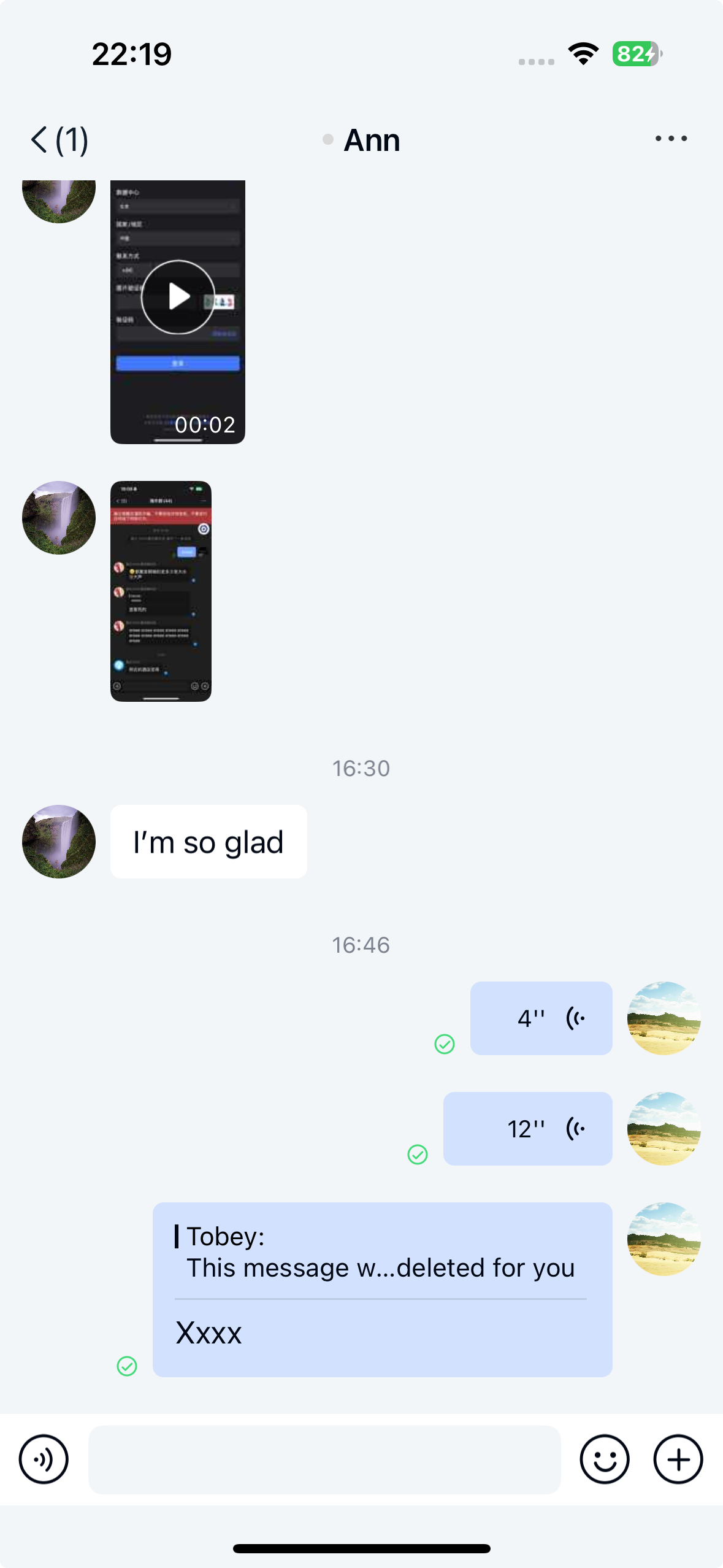
Message list page: In the sender's direct channel view, messages show a checkmark (read) or gray circle (unread) in their bottom-left corner.
Group channel read receipts
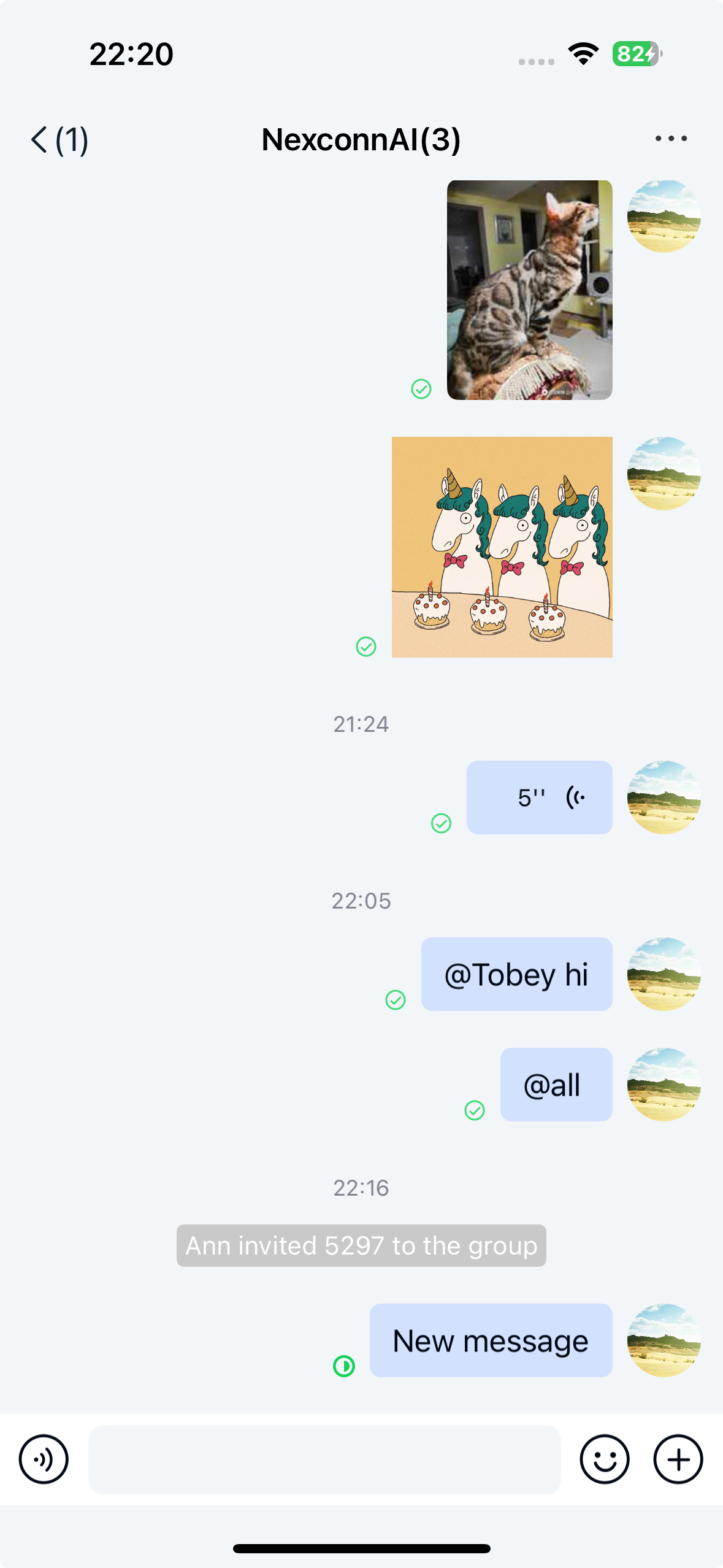
In group channels, senders receive real-time read status updates. Chat UI displays this in the message list page as indicators in each message's bottom-left corner:
- Gray circle: No members have read
- Green pie chart: Shows read ratio (members read/total members)
- Green checkmark: All members have read
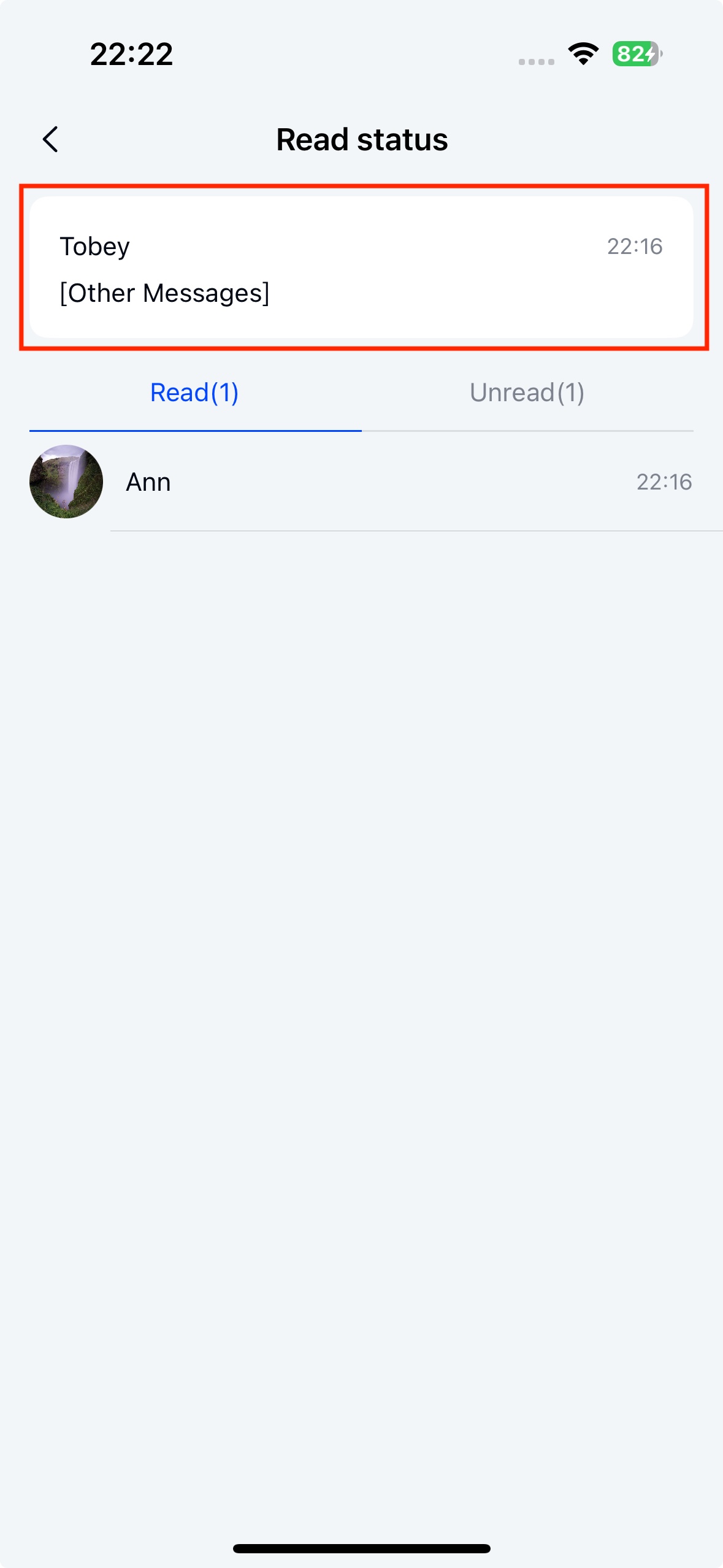
Read receipt details page
Tap the read status indicator (except in direct channels) to view the read receipt details page.
Key components:
- NCMessageReadDetailViewController: Displays read receipt details
- NCMessageReadDetailViewModel: Manages read receipt data
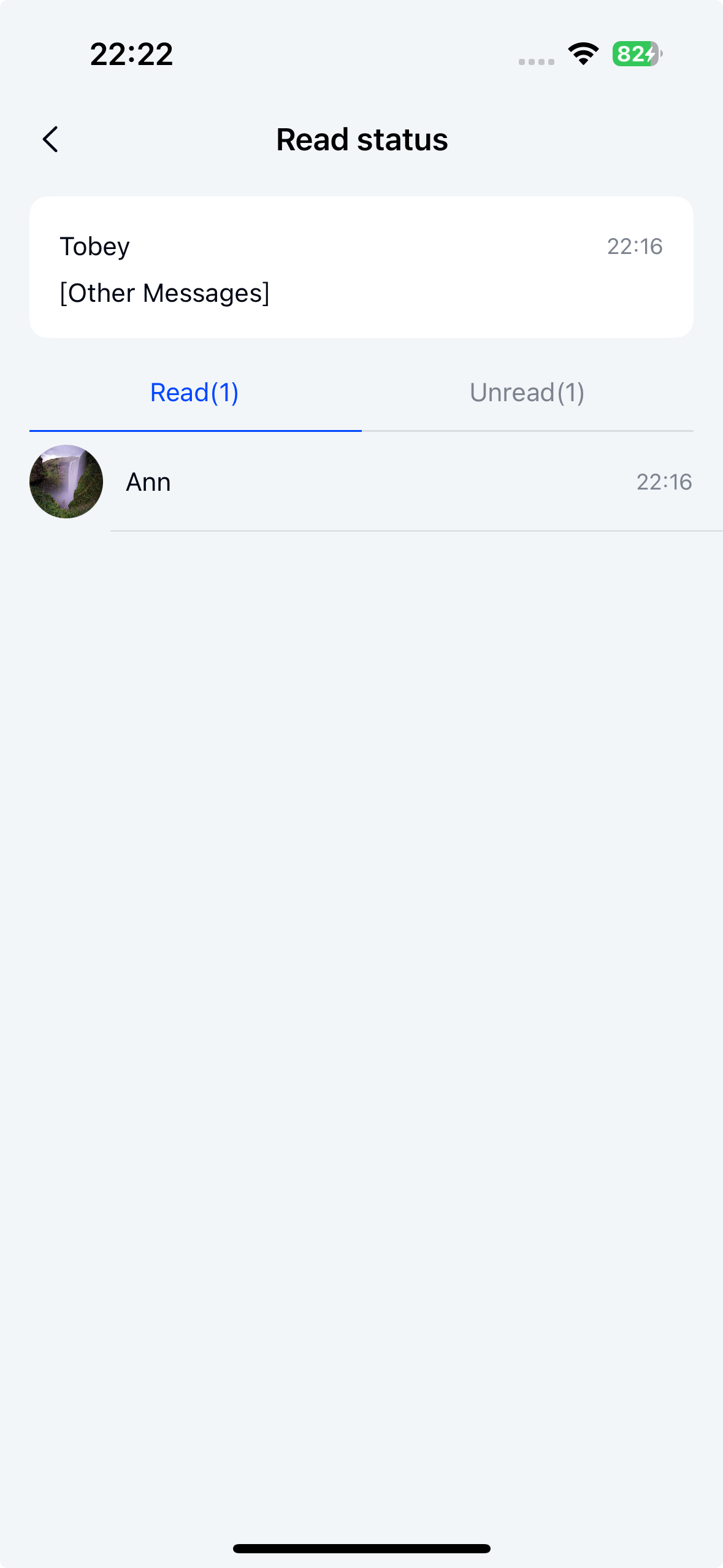
Customizing receipt button actions
Override didTapReceiptStatusView: in your NCChannelViewController subclass to customize tap behavior:
- (void)didTapReceiptStatusView:(NCMessageModel *)model {
    // Initialize viewModel
    NCMessageReadDetailViewModel *viewModel = [[NCMessageReadDetailViewModel alloc] initWithMessageModel:model config:nil];
    // Initialize details page
    NCMessageReadDetailViewController *vc = [[NCMessageReadDetailViewController alloc] initWithViewModel:viewModel];
    // Set data source (allows custom header views)
    vc.dataSource = self;
    // Navigate to details page
    [self.navigationController pushViewController:vc animated:YES];
}
Page customization
Implement the data source protocol in your custom didTapReceiptStatusView: method. Use viewController:headerViewWithMessage: to return a custom header view:
- (UIView *)viewController:(NCMessageReadDetailViewController *)viewController headerViewWithMessage:(NCMessageModel *)messageModel {
    CustomReceiptHeaderView *view = [[CustomReceiptHeaderView alloc] init];
    view.messageModel = messageModel;
    return view;
}
Example result: