User online status
Feature description
The Chat UI SDK supports displaying online status for both contacts and non-contacts, with real-time status updates.
This feature is disabled by default. You can enable it through NCChatUIConfigCenter.
When display user online status is enabled, online status indicators appear in:
- Channel list
- Contact list
- Channel page
- Profile page
When disabled, these indicators are hidden.
Online status indicator meanings:
- Green circle: User is online
- Gray circle: User is offline
Visual examples
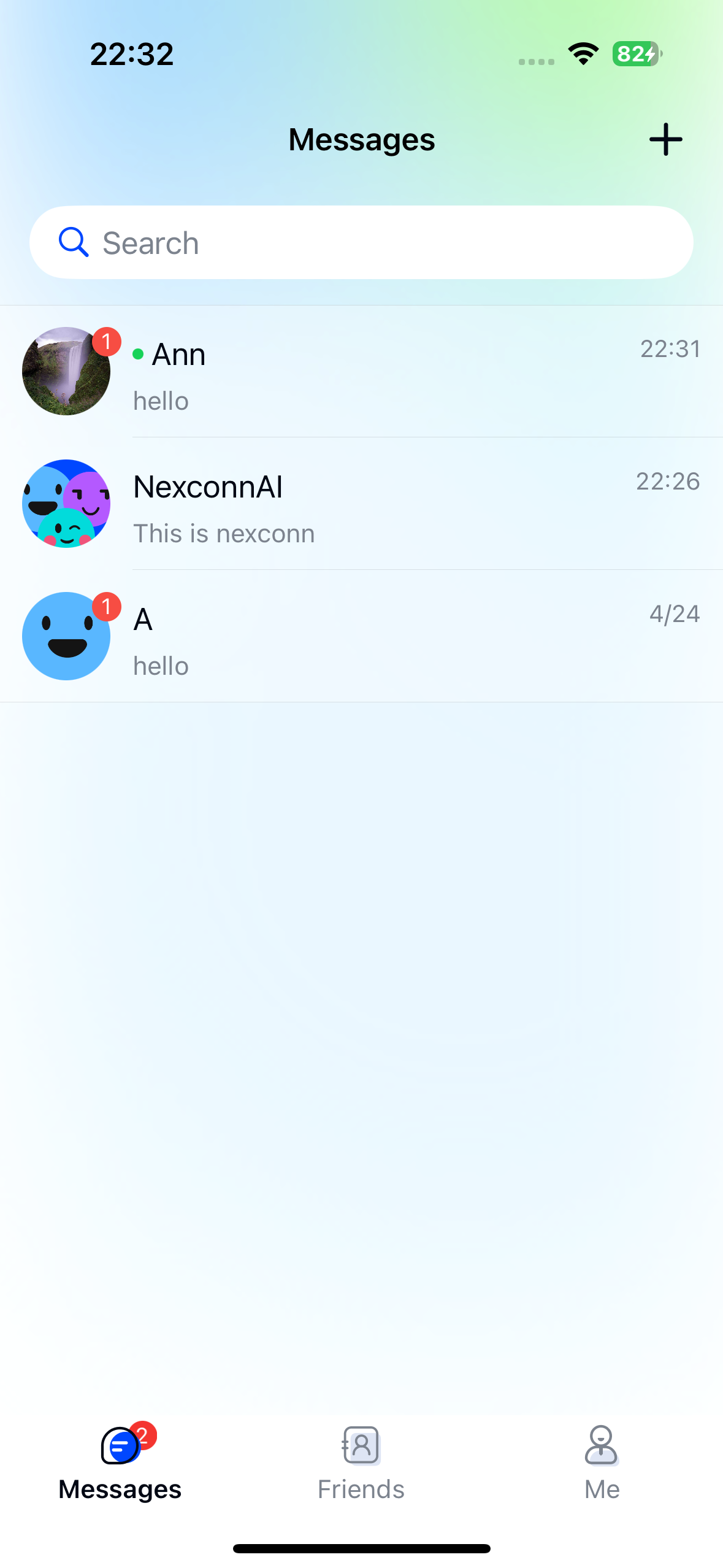
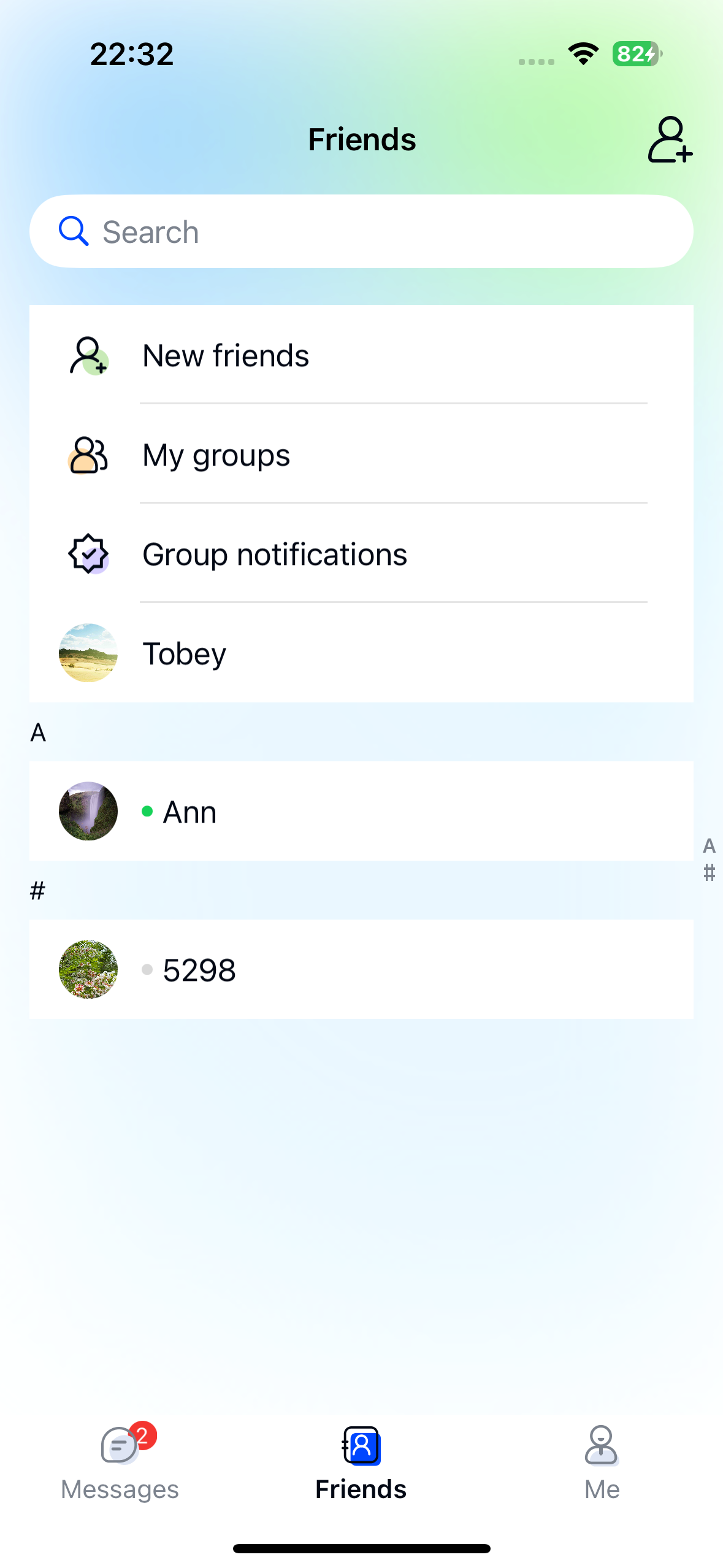
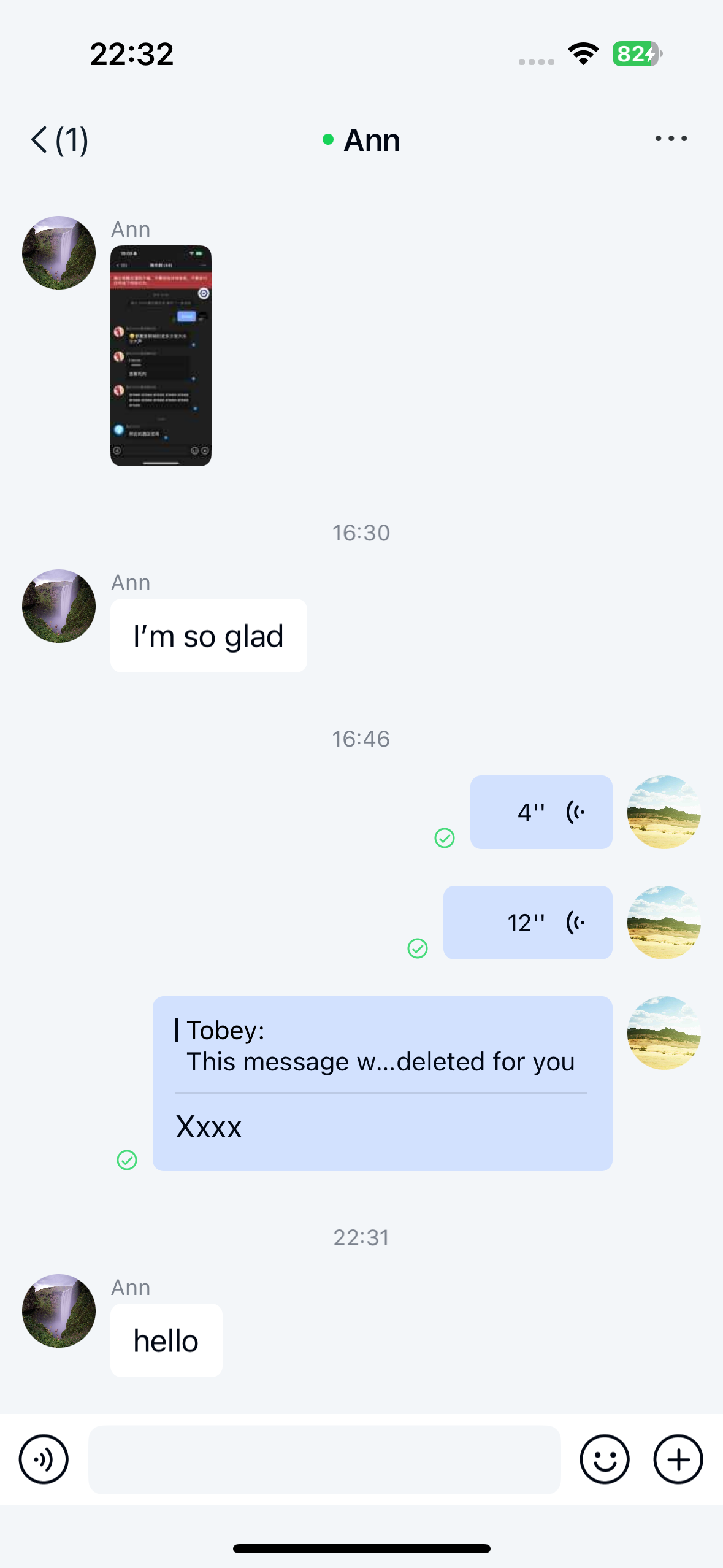
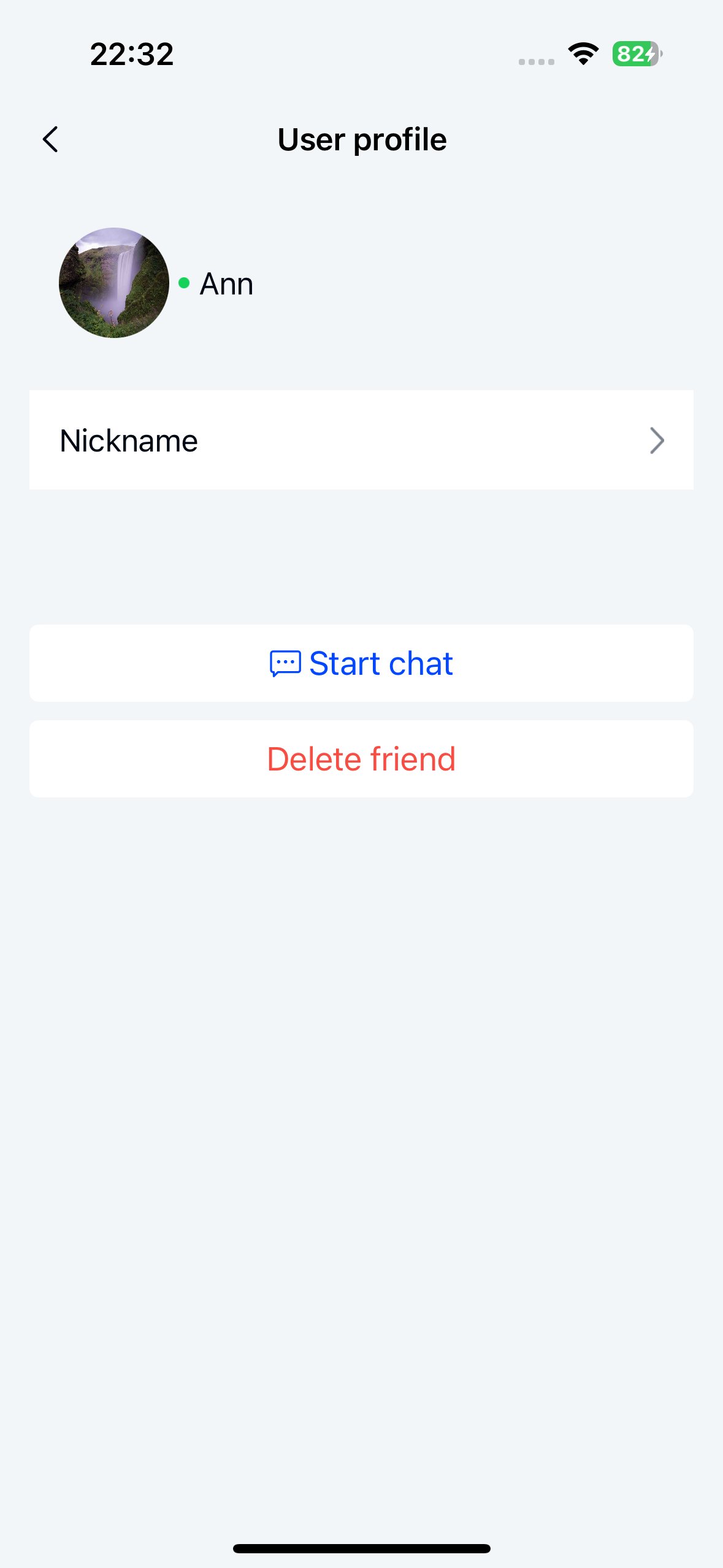
Enable user online status display
Chat UI hides online status by default. Enable this feature using NCChatUIConfigCenter.
caution
You must configure this setting before initialization for it to take effect.
Objective C
NCChatUIConfigCenter.ui.enableUserOnlineStatus = YES;
Configuration guide
Requirements for contact online status
Both conditions must be met:
-
Chat UI's
enableUserOnlineStatusis set toYES -
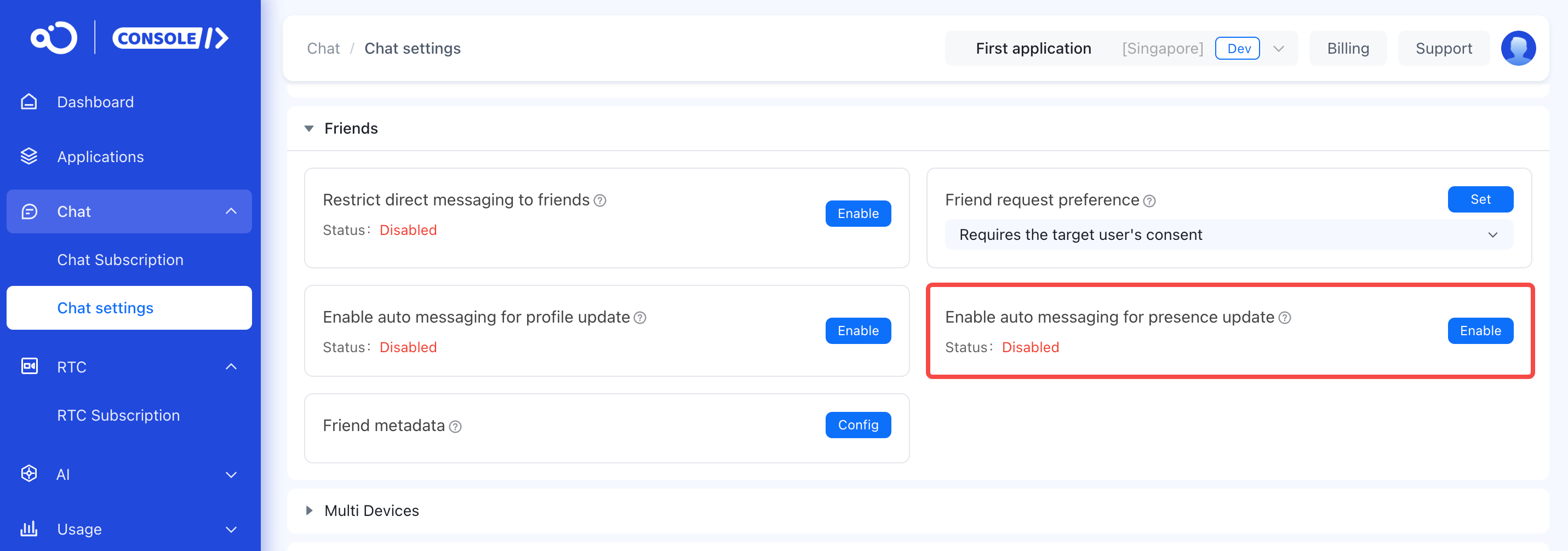
In the console, turn on Enable auto messaging for presence update:
- Navigate to Chat > Chat settings > Friend > Enable auto messaging for presence update
Requirements for non-contact online status
Both conditions must be met:
- Chat UI's
enableUserOnlineStatusis set toYES - Enable User online status subscription service (refer to Subscribe user online status documentation)
Online status display logic
Chat UI shows online/offline indicators when:
enableUserOnlineStatusisYES- At least one of these services is enabled:
- Enable auto messaging for presence update
- User online status subscription
Important notes
- When only one service is enabled:
- With only auto messaging for presence update enabled, non-contacts always appear offline
- With only subscription service enabled, contacts always appear offline
- Chat UI displays online status for only the most recent 1000 direct channels with non-contacts. Older channels show as offline. This limit doesn't apply to contacts.