Typing status
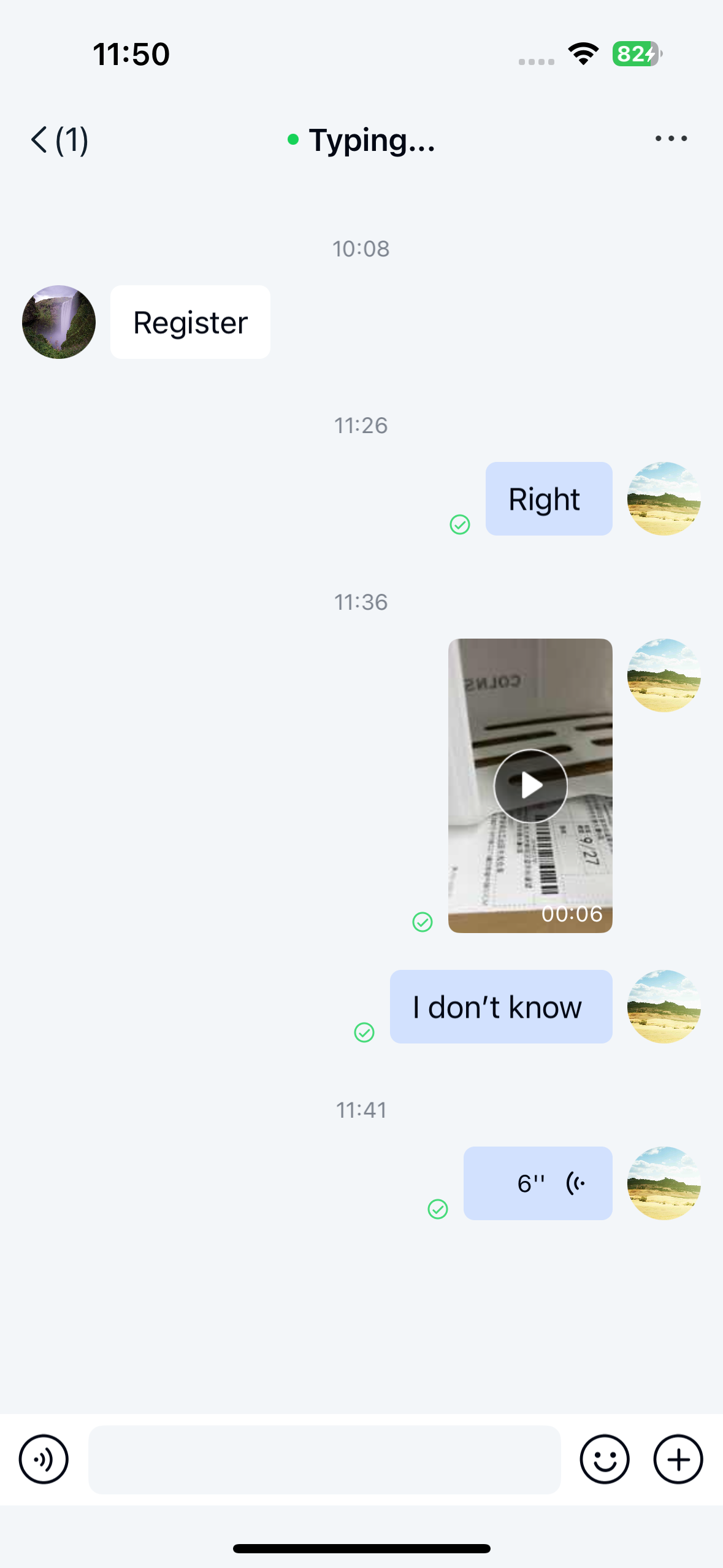
The typing status feature provides visual feedback when other users are composing messages. When a user is typing, the title bar displays "User is typing" until the message is sent or the text is completely deleted.
If the user stops typing for more than 6 seconds, the indicator disappears. By default, the Chat SDK sends an internal typing status message to the recipient when text changes occur in the input field.
Chat UI's NCChannelViewController uses the system navigation bar. When typing status is enabled in direct channels, the SDK automatically updates the title bar to show the typing status of the other participant.
Limitations
- Only supported in direct channels
- Since user input behavior can't be precisely determined, this feature may generate numerous status messages. To prevent excessive messaging, only one typing status message is sent per 6-second interval regardless of multiple typing changes
- This feature may generate significant status message traffic. Consider disabling if not needed
Usage
Typing status is enabled by default in Chat UI and requires no additional setup.
Customization
Adjust the default typing status message interval
Chat UI doesn't provide methods to modify the default 6-second interval.
Disabling typing status
Chat UI enables typing status by default. You can disable it through the global configuration:
NCChatUIConfigCenter.message.enableTypingStatus = NO;