Message mentions
Mentions (@) are a common feature in group channels that allow you to notify specific users or all group members within a channel, enhancing message visibility. When using the mention feature, the message content includes an additional NCMentionedInfo object. Chat UI enables mentions by default.
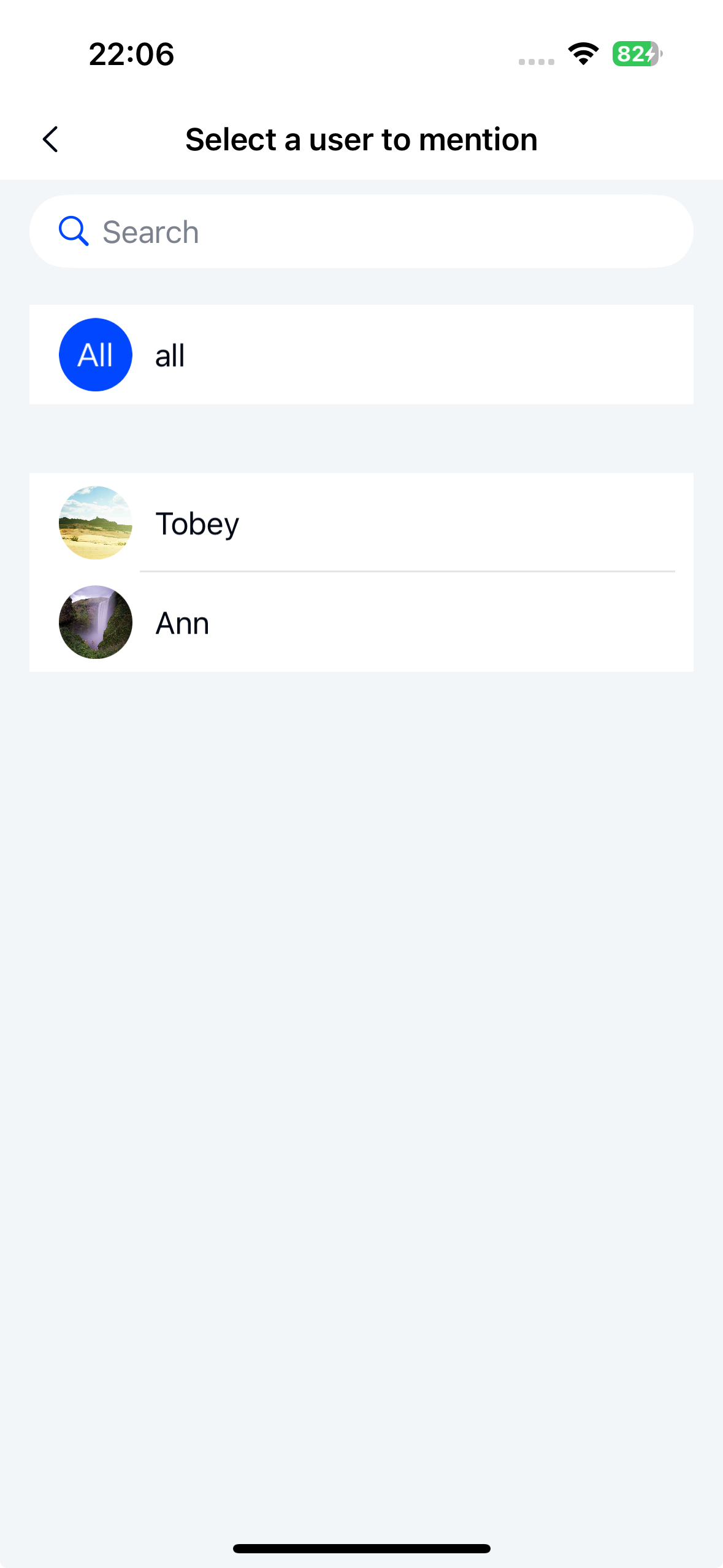
Chat UI does not implement the @all functionality. The "@all" reference in the diagram is for design illustration only. The contact selection page requires your application to provide member data, otherwise it will display an empty list.
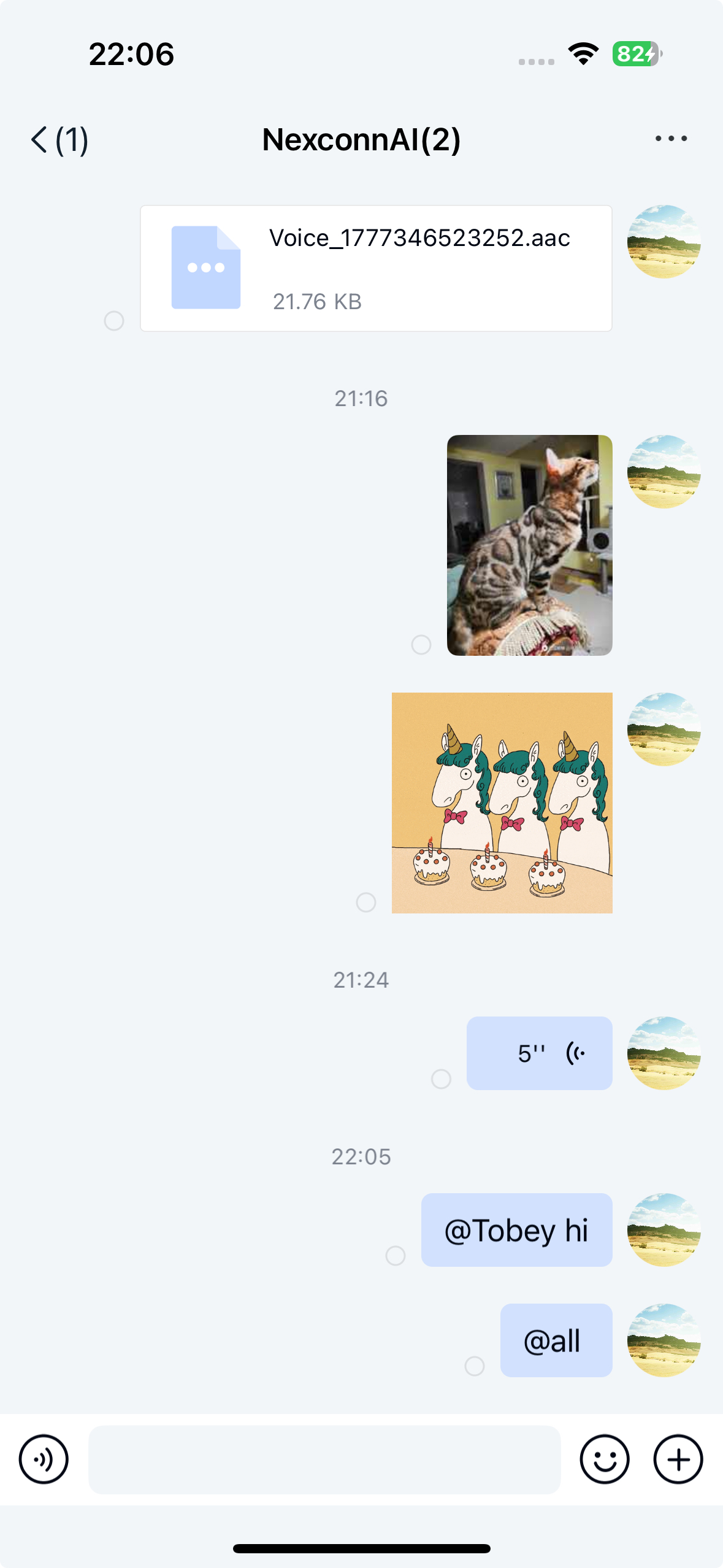
Limitations
- Only supported in group channels
- Chat UI only implements mentions for text messages and quoted messages by default
- Chat UI does not support @all functionality
- Mentioned messages can be forwarded, but only as plain text without mention functionality
Usage
If you're not using the information entrustment service, you must implement NCChatUIGroupMemberDataSource and set the group member list delegate for Chat UI before using mentions. See user information for details.
Chat UI enables mentions by default in its configuration. To use mentions:
- Long-press a user's avatar in the channel view to edit a message and mention (@) that user
- When typing the @ symbol in the channel view, Chat UI navigates to the member selection page:
- If using the information entrustment service, the SDK displays group member information by default
- Without information entrustment, you must set the group member list delegate. Chat UI retrieves member data through the
getAllMembersOfGroup:result:method of theNCChatUIGroupMemberDataSourceprotocol and displays it in the list. Otherwise, the page shows an empty list
Customization
Custom member selection interface
To replace the default member selection interface, override the showChooseUserViewController:cancel: method in your NCChannelViewController subclass. Present your custom interface and call selectedBlock with the selected user when complete, or cancelBlock when selection is cancelled.
- (void)showChooseUserViewController:(void (^)(NCChatUIUserInfo *selectedUserInfo))selectedBlock
                              cancel:(void (^)(void))cancelBlock;
Implementing @all
Chat UI doesn't include @all functionality in its UI. You can implement it by creating an NCMentionedInfo object with type NCMentionedTypeAll and including it in your message content. Construct an NCChatUISendMessageParams object and send it using sendMessageWithParams.
Example code
NCTextMessage *textMessage = [[NCTextMessage alloc] initWithText:@"Test text message"];

NCMentionedInfo *mentionedInfo = [[NCMentionedInfo alloc] initWithType:NCMentionedTypeAll
                                                            userIdList:nil
                                                      mentionedContent:@"Test text message"];
textMessage.mentionedInfo = mentionedInfo;

NCChatUISendMessageParams *params = [[NCChatUISendMessageParams alloc] initWithContent:textMessage];
params.channelType = NCChannelTypeGroup;
params.channelId = @"targetId";

[[NCChatUI shared] sendMessageWithParams:params
                              completion:^(NCMessage * _Nullable message, NCError * _Nullable error) {
        if (error == nil) {
            // Success
        } else {
            // Failure
        }
    }];
Disabling mentions
Chat UI enables mentions by default. You can disable this feature through global configuration.
NCChatUIConfigCenter.message.enableMessageMentioned = NO;