User overview
App users must connect to Chat to send and receive messages. A user is an app user who holds a valid access token issued by the Nexconn server and connects to Chat.
Register users
Your application server sends the app user's user ID (userId) to the Nexconn server to obtain a unique access token. For the Nexconn server, obtaining a token with userId is registering a user. Your app server must call the Server API to complete this step.
The client application must hold a valid access token to connect to Chat and use messaging services. When an app user signs in, your application server verifies the request and returns a token to the client.
Registered user limits
- The development environment? has a maximum limit of 100 registered users.
- In the production environment?, there is no limit on registered users after upgrading to a Starter or Pro plan.
Delete users
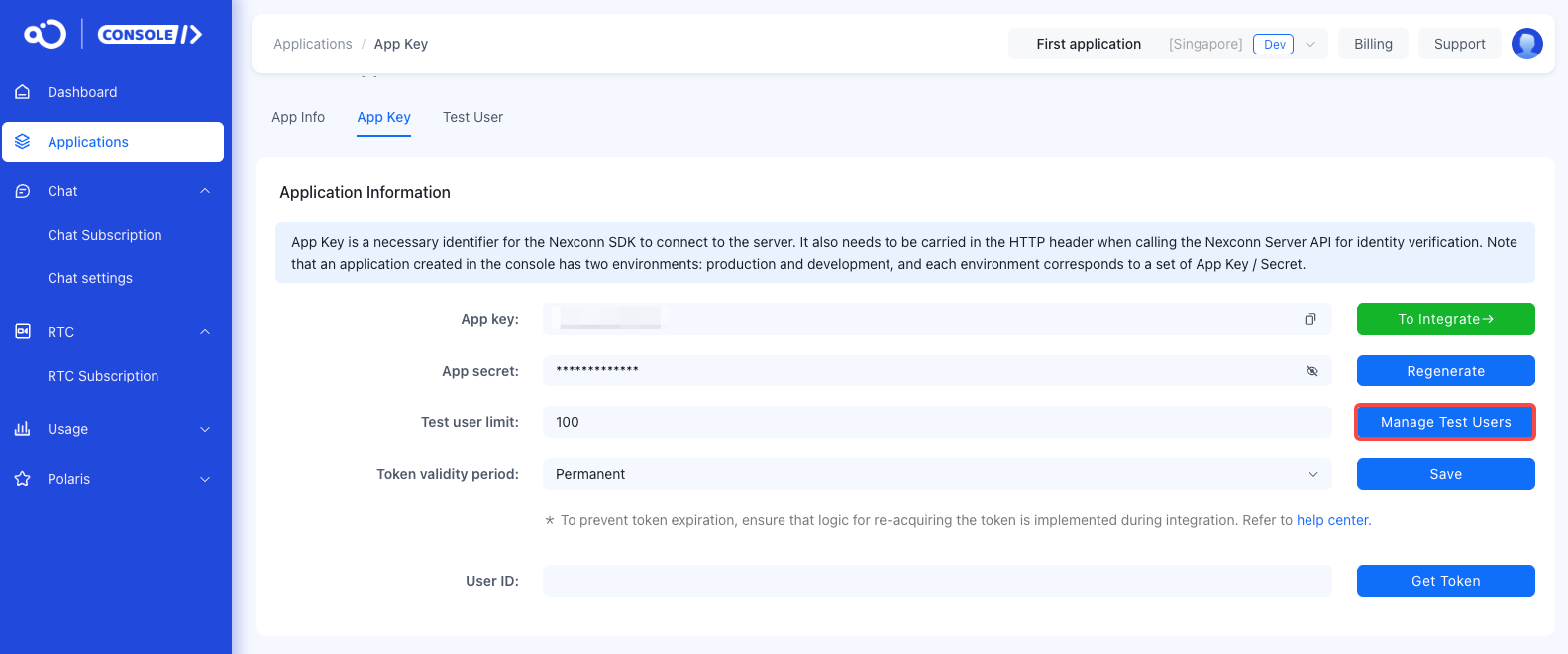
Deleting users refers to removing registered test users in your application's development environment through the console to control the total number of test users. This operation is not supported in production environments.
Deactivate users
Deactivating a user permanently deletes user data from Chat. Apps can use this capability to implement account closure and meet app store or compliance requirements.
After the Nexconn server returns a successful deactivation result, all data associated with the user ID is deleted. You can query all deactivated user IDs. If needed, you can reactivate a deactivated user ID, but the user's personal data cannot be recovered.
These capabilities are only available through the Chat Server API.
User information
User information includes nicknames, avatars, group nicknames, and group avatars. By default, NEXCONN does not store or maintain your application's user information. Your application must maintain this data. If you want NEXCONN to store user profile information, enable the information hosting service.
Friend relationships
By default, Chat does not synchronize or store friend relationship data from your app. Your application server must maintain this data. If you need friend relationship management, enable the Nexconn information hosting service.
If you do not use NEXCONN friend management but need to restrict messaging between users, consider using the user whitelist service. After the service is enabled and configured, users can receive messages only from whitelisted users.
When you use Nexconn friend relationship management, non-friends can message each other by default. To restrict direct channel messages to friends only, enable Restrict direct messaging to friends in the Nexconn Console under Chat > Chat settings > Friends.
User management APIs
| Category | Description | Client API | Server API |
|---|---|---|---|
| Register user | Obtain a token using the app user's ID. | Not available | Register user |
| Delete user | See Delete users. | Not available | Not available |
| Expire token | Invalidate tokens obtained before a specific time. | Not available | Expire token |
| Deactivate user | Deactivate a user ID in Chat and delete personal data. | Not available | Deactivate user |
| Query deactivated users | Get a list of deactivated user IDs. | Not available | Query deactivated users |
| Reactivate user ID | Reactivate a deactivated user ID in Chat. | Not available | Reactivate user ID |
| Set local user info | Set a user info provider, where the application layer provides the data. | Set user info provider | Not available |
| Set server user info | Set the username and avatar used in NEXCONN push services. | Not available | Update server user info |
| Get local user info | Get user avatars, nicknames, etc. displayed in channels and friend lists. | Get local user info | Not available |
| Get server user info | Get user registration information from NEXCONN, including creation time and the username and avatar URL used for push notifications. | Not available | Get server user info |
| Update local user info | Modify locally stored user nicknames and avatars. | Refresh user info | Not available |
| Update server user info | Modify the username and avatar used in NEXCONN push services. | Not available | Update server user info |
| Block user | Prevent a user from connecting to Chat and immediately disconnect the user. The user can be unblocked after a specified duration or manually. You can also query blocked user IDs and block end times. | Not available | Block user, Unblock user, Query blocked users |
| Check online status | Check a user's online status. | Not available | Check online status |
| User blocklist | Add/remove users to/from a blocklist. Blocked users cannot message the blocker. Query blocklist info. Chat UI does not provide standalone UI for this feature. These client APIs are from Chat SDK. | NCEngine.userModule addToBlocklistWithUserId:completion:, removeFromBlocklistWithUserId:completion:, checkBlockedWithUserId:completion:, getBlocklistWithCompletion: | Add to blocklist, Remove from blocklist, Query blocklist |
| User whitelist | When enabled, users can only receive messages from whitelisted users. | Not available | See User service configuration. |