Forward messages
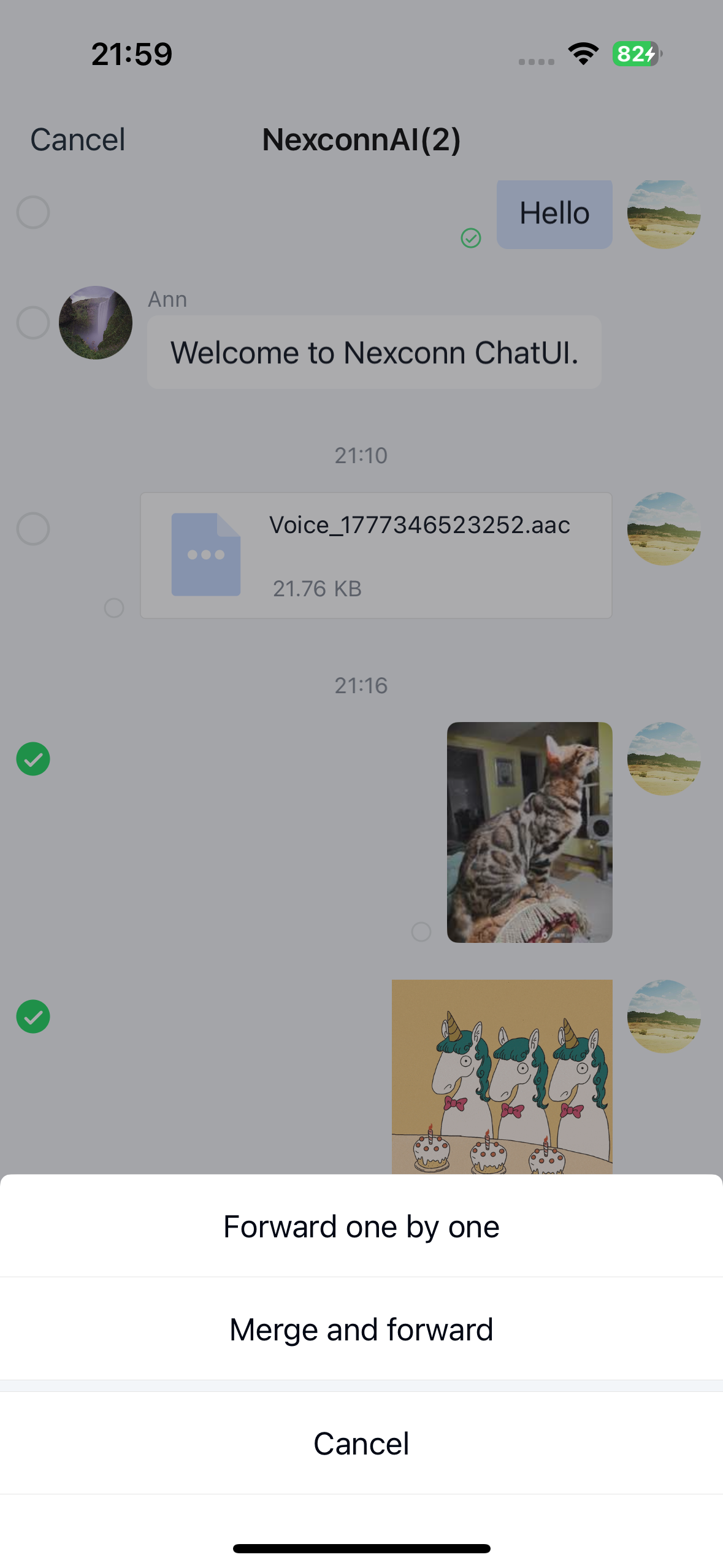
Chat UI supports forwarding single messages and provides two forwarding modes for multiple messages: individual forwarding and combined forwarding. Users can forward messages from a channel to other channels. Forwarded messages will appear in the message list component of the target channel.
Chat UI disables combined forwarding by default. You can enable this feature as needed. The sample app in the screenshot below has combined forwarding enabled, showing both individual forwarding and combined forwarding options.
Limitations
- Not all message types support combined forwarding.
- Supported message types: text, images, image-text posts, GIFs, stickers, business cards, locations, short videos, files, standard voice messages, HD voice messages, and call summaries.
- Unsupported cases: message types not in the supported list (such as quoted messages) and special cases like unsent messages. Custom messages do not support combined forwarding.
Usage
Chat UI enables message forwarding by default in channels. Users can long-press a message, select More in the popup menu, and choose forwarding options.
- Individual forwarding: Enabled by default. Forwards single or multiple messages to target channels.
- Combined forwarding: Disabled by default (hidden). When enabled, the SDK combines selected messages into a single
NCCombineMessage. UseNCMessageType.combinewhen you need the message type identifier. Combined messages appear collapsed by default and can be expanded with a tap.
Enable combined forwarding
Chat UI supports combined forwarding but disables it by default. Modify the global configuration to enable this feature.
NCChatUIConfigCenter.message.enableSendCombineMessage = YES;
Customization
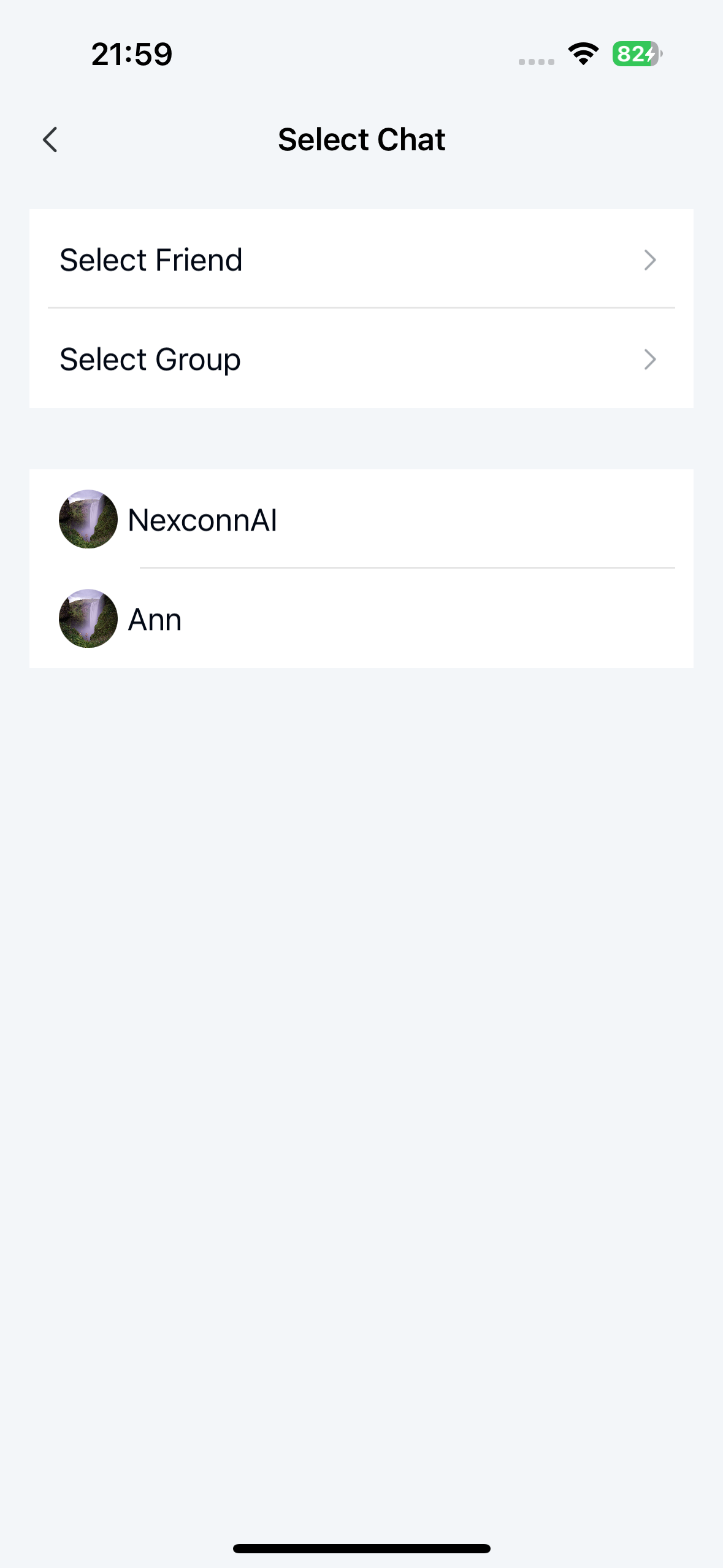
Customize the forwarding channel list
After selecting individual or combined forwarding in Chat UI, the forwarding interface displays the SDK's locally stored recent channels list by default.
To redirect to a custom channel selection page in your app, override the following method in NCChannelViewController. Implement your custom channel selector and pass the selected channels back to the Chat UI SDK.
 @param index            0 for individual forwarding, 1 for combined forwarding.
 @param completedBlock   Returns the list of target channels for forwarding.

 @discussion
 To replace the default channel selection interface, override this method to present your custom interface. After selection completes, invoke completedBlock with the selected channels.
 */
- (void)forwardMessage:(NSInteger)index completed:(void (^)(NSArray<NCBaseChannel *> *conversationList))completedBlock;
@end
Example implementation:
- (void)forwardMessage:(NSInteger)index completed:(void (^)(NSArray<NCBaseChannel *> *conversationList))completedBlock {
    AppChannelPickerViewController *picker =
        [[AppChannelPickerViewController alloc] initWithCompletion:^(NSArray<NCBaseChannel *> *channels) {
            if (completedBlock) {
                completedBlock(channels ?: @[]);
            }
        }];

    UINavigationController *navigationController =
        [[UINavigationController alloc] initWithRootViewController:picker];
    navigationController.modalPresentationStyle = UIModalPresentationFullScreen;
    [self.navigationController presentViewController:navigationController animated:YES completion:nil];
}
AppChannelPickerViewController is an app-defined channel selector. It only needs to return the selected NCBaseChannel objects to Chat UI through completedBlock.