Short video messages
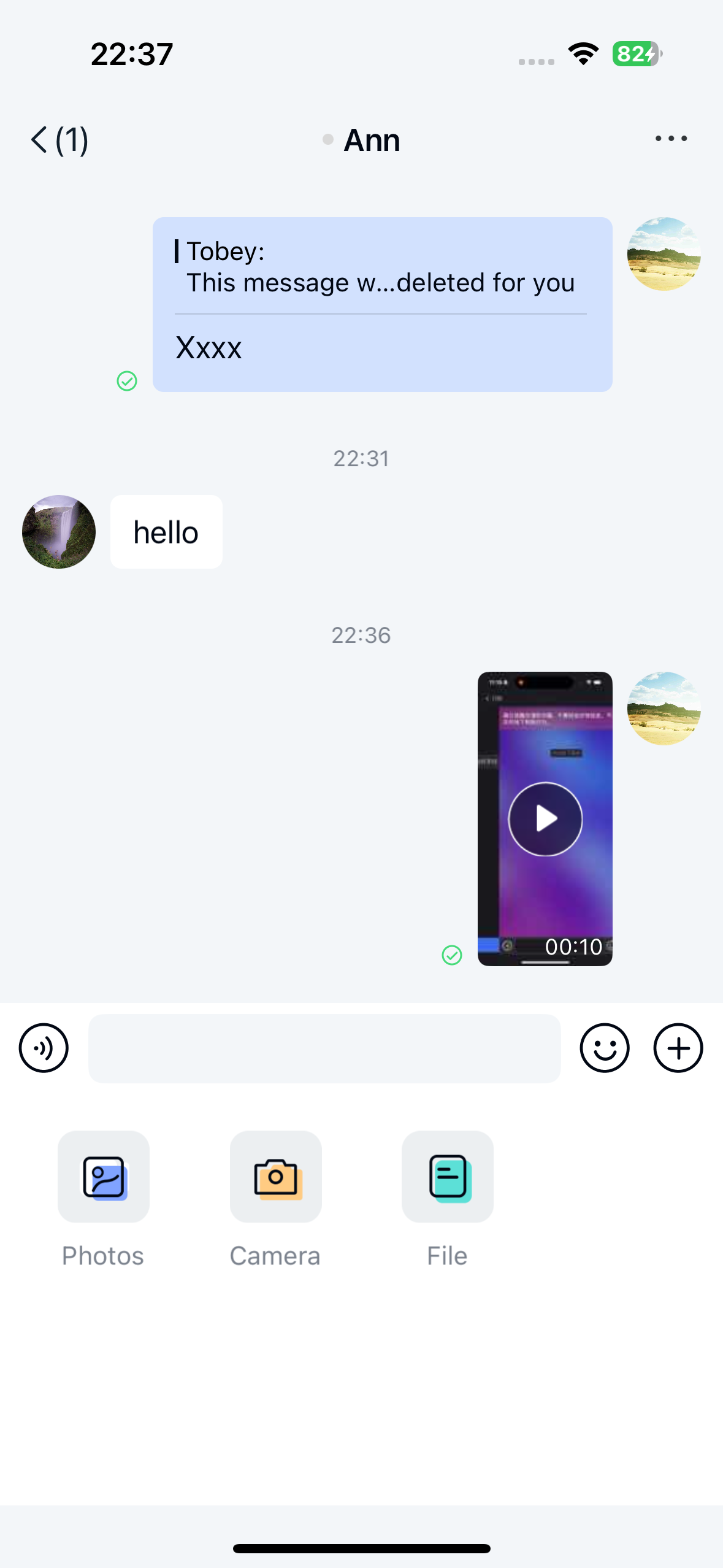
Users can send short video messages through the Chat UI gallery (local album) or the short video plugin. Messages appear in the message list component on the channel page. By default, the plugin sends messages containing a short video message content object [ShortVideoMessage].
Limitations
The short video feature currently has the following limitations:
- Chat UI supports sending short video messages only in direct channels and group channels.
- If you use the short video plugin for recording, the maximum recording length is 10 seconds.
- If you select a video file from the local album, note that the default server-side video duration limit is 2 minutes. Contact sales to adjust this limit.
- Only video files encoded with
H.264+AACare supported, because Chat UI's short video recording and playback only implement support for this encoding combination. - If your App Key uses a Starter or Pro plan, the default file storage duration is 180 days (excluding short video files, which are stored for 7 days). For details about plan features and pricing, see the Nexconn official pricing page.
Usage
We recommend using the short video message feature by integrating the Chat UI short video plugin.
Integrate the short video plugin
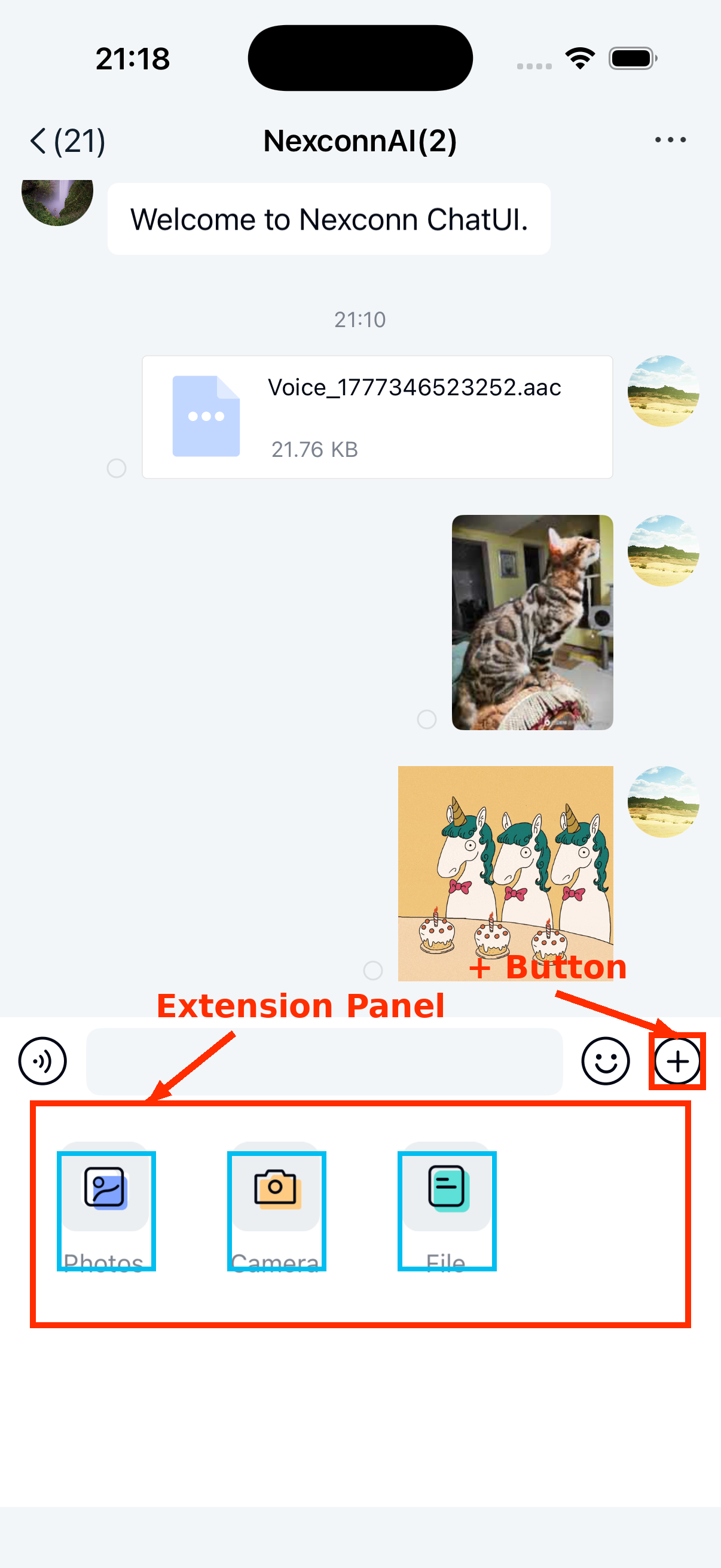
The Chat UI short video plugin implements message registration, recording, and playback for short video messages. After integrating the short video module, an entry for sending short video messages automatically appears in the extension panel of the input area for direct and group channels.
-
Add the short video dependency to your application's
build.gradlefile.Groovydependencies{
// The plugin version must match the main SDK version.
api 'ai.nexconn.chat:sight:x.y.z'
}
The latest version numbers for each SDK may differ and may also be in the format x.y.z.h. Check the Nexconn official SDK download page or Nexconn Maven repository for the current version.
-
Register the short video module
ShortVideoExtensionModulewith the Chat UI input area throughNCExtensionManager. This module addsShortVideoMessageItemProviderduring initialization and addsShortVideoPluginto the extension panel.JavaNCExtensionManager.getInstance().registerExtensionModule(new ShortVideoExtensionModule());
Select short videos from the local gallery
Prerequisite: After integrating the Chat UI short video plugin, the plugin automatically registers the [ShortVideoMessage] type. Complete the plugin integration before proceeding with the following configuration.
When you open the local album through the gallery plugin ImagePlugin in the Chat UI input area, video files are not included by default, and users cannot select video files to send.
You can modify the global configuration to include video files in the local album.
NCChatUIConfig.channelConfig().NC_media_selector_contain_video = true;
If you modify the Chat UI default configuration through XML resources, create an nc_config.xml file in your application's res/values directory and add the following configuration:
<bool name="nc_media_selector_contain_video">true</bool>
If your project does not use ShortVideoExtensionModule, the current SDK still includes ShortVideoMessage and ShortVideoMessageItemProvider by default. In this case, you need to provide your own video recording/selection entry point and call the message sending process yourself.
Send short video messages
Users can tap the + button on the right side of the input bar to expand the extension panel, then tap the Image or Short Video icon to send short video messages.
Customization
Modify the short video file save location
When Chat UI records or compresses a short video before sending, the SDK uses the path configured by nc_video_default_saved_path as the local working directory. You can create a res/values/nc_config.xml file in your application directory to globally modify this path:
<string name="nc_video_default_saved_path">/Nexconn/Video/</string>
When a user long-presses a received short video and saves it, the SDK saves the video to the system album instead of this configured path.
Adjust short video compression quality
Short video files are compressed to a resolution of 544 * 960. The first frame of the short video is used to generate a thumbnail displayed in the chat interface. By default, the SDK generates a thumbnail at 30% of the original image quality that meets the standard size requirements before uploading and sending. The longest edge of the thumbnail does not exceed 240 px.
In general, we do not recommend modifying the SDK's default compression configuration. If you need to adjust the SDK compression quality, see the knowledge base article How to modify the SDK's default image and video compression configuration.
Customize the short video message UI
Chat UI generates and sends short video messages (RC:SightMsg) by default, using the ShortVideoMessageItemProvider template to display them in the message list.
All message display templates inherit from BaseMessageItemProvider<CustomMessage>. You can inherit from BaseMessageItemProvider<CustomMessage> to implement your own short video message display template class and provide this custom template to the SDK.
You can also directly replace the style resources, string resources, and icon resources referenced in the short video message display template. See the resources referenced in the Chat UI source code ShortVideoMessageItemProvider.java.
For example, you can copy the entire contents of nc_item_sight_message.xml from the Chat UI source code, create a /res/layout/nc_item_sight_message.xml file in your project, and modify the style values defined in it. Do not remove the SDK's default controls or arbitrarily modify view IDs.
If you want to modify the recording and playback UI, refer to the short video source files in the Chat UI SDK source code.
Dynamically hide the short video entry
To dynamically hide the short video feature entry in the input area extension panel, create a custom extension panel configuration class MyExtensionConfig that inherits from DefaultExtensionConfig and override its getPluginModules() method. See Input area.