Per-message read receipts
The Chat UI SDK built-in pages implement per-message read receipts by default. When a recipient views a message, the SDK sends a read receipt. The sender receives the callback and the message status icon updates to show the message has been read.
Read receipts are sent only when a received message appears on screen after entering a direct or group channel page.
Read receipt display toggle
After the per-message read receipts feature is enabled, the Chat UI SDK displays read receipts by default in both direct and group channels.
To disable read receipt display, set the following variable to false in nc_config.xml under res:
<bool name="nc_read_receipt">false</bool>
When set to false, per-message read receipts are disabled in both direct and group channels.
You can also configure which channel types support read receipt display before entering the channel list page:
// Configure per-message read receipts to display only in direct channels
NCChatUIConfig.channelConfig().setSupportReadReceiptConversationType(ChannelType.DIRECT);
Direct channel read receipts
In direct channels, the sender receives real-time updates on message read status. The Chat UI SDK built-in pages display direct channel read status in two places:
-
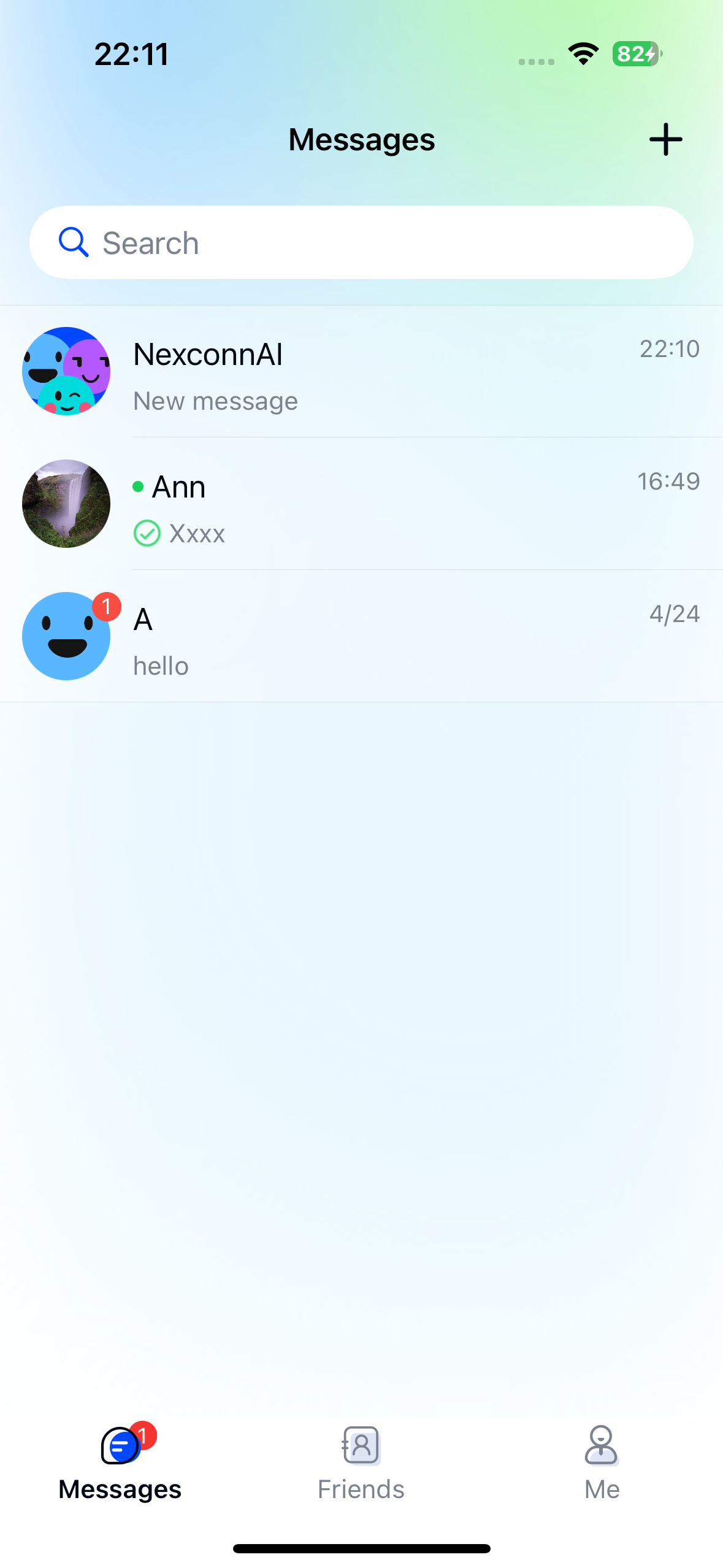
Channel list page: Each channel displays a preview of the last message. If you sent the last message in a direct channel, a read receipt status icon appears.
- Gray circle icon: The other party has not read the message.
- Green checkmark icon: The other party has read the message.
-
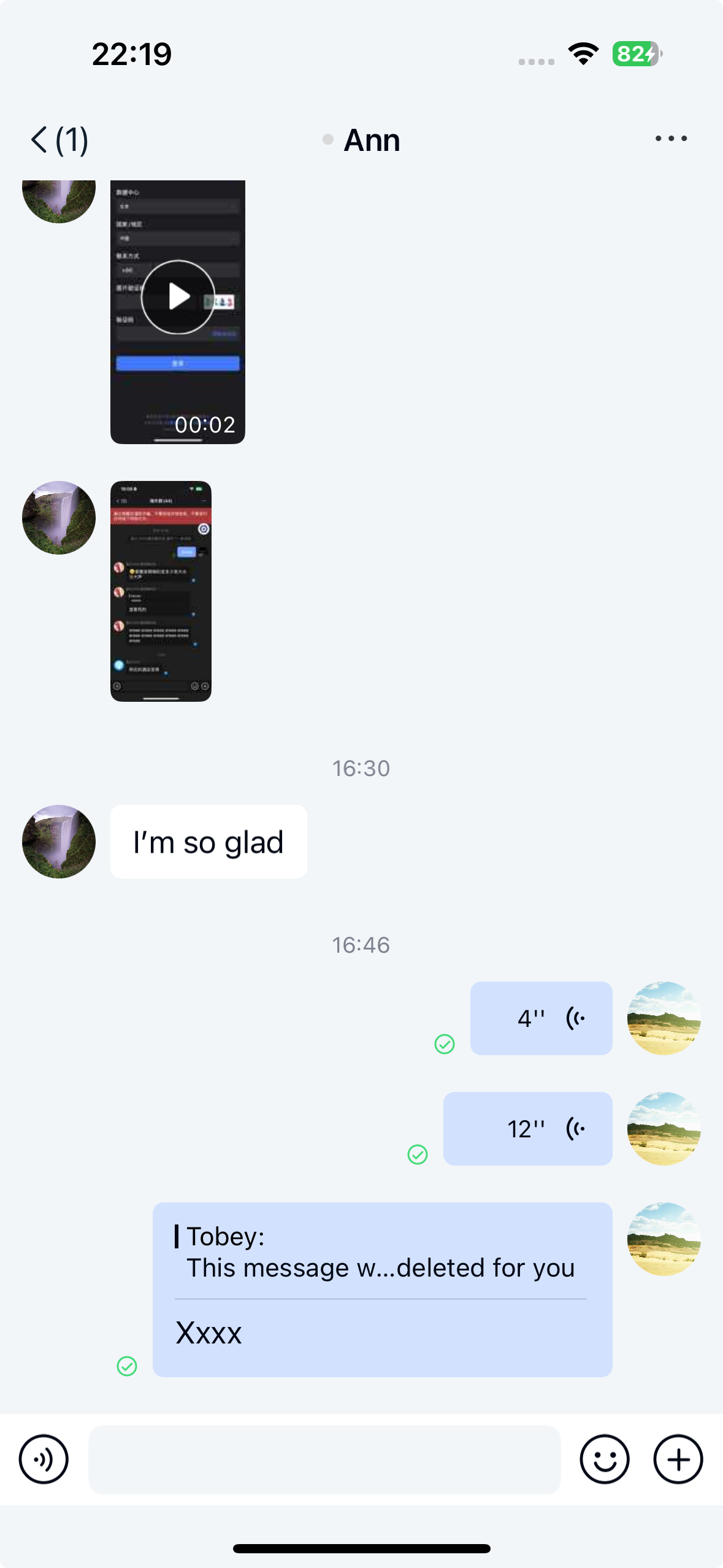
Message list page: In the sender's direct channel page, a checkmark in the lower-left corner of the message indicates the other party has read it. A gray circle indicates the message is unread.
Group channel read receipts
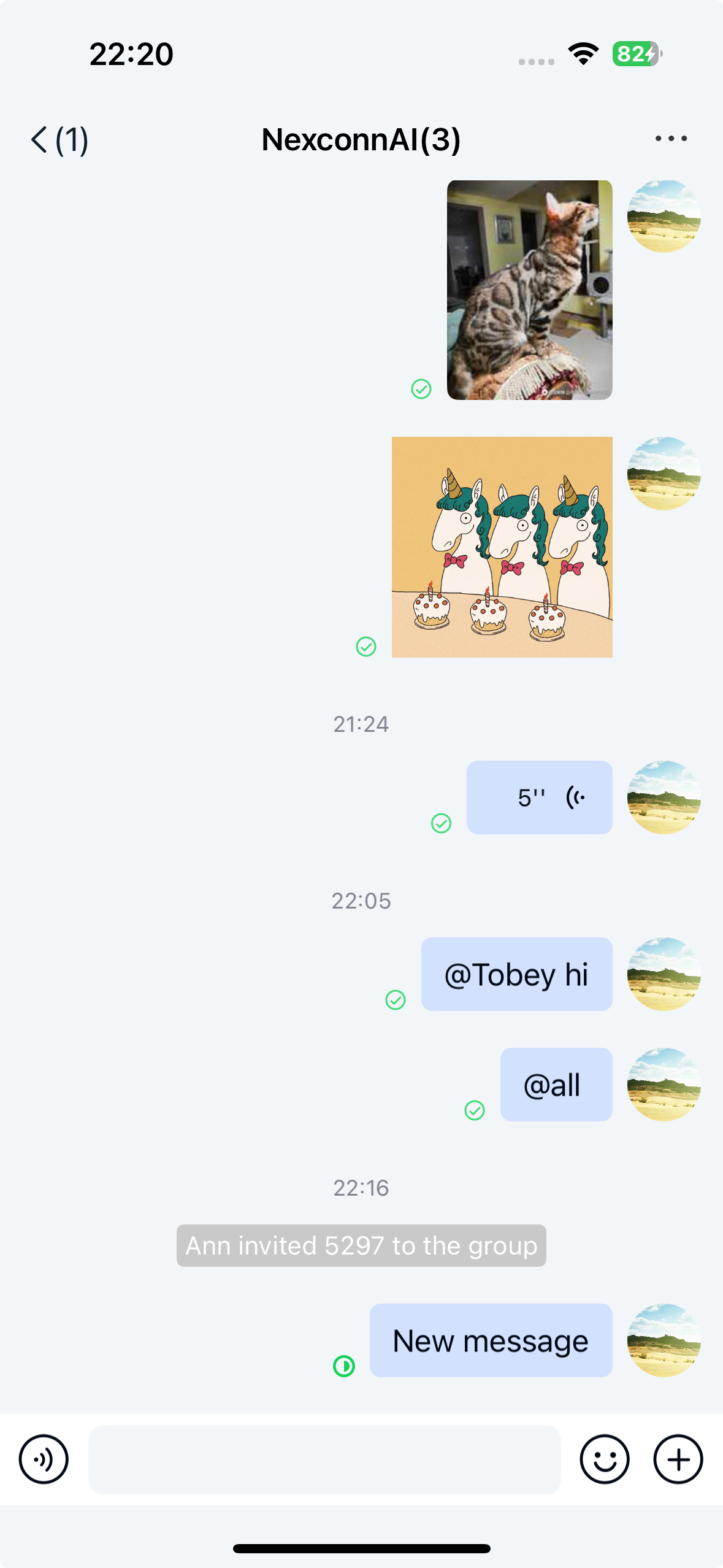
In group channels, the sender receives real-time updates on message read status. The Chat UI SDK built-in pages display group channel read status on the message list page in the lower-left corner of each message.
Message read status indicators:
- Gray circle: No members have read the message.
- Green pie chart: Some members have read the message. The chart represents the ratio of members who have read the message to total members.
- Green checkmark: All members have read the message.
Read receipt detail page
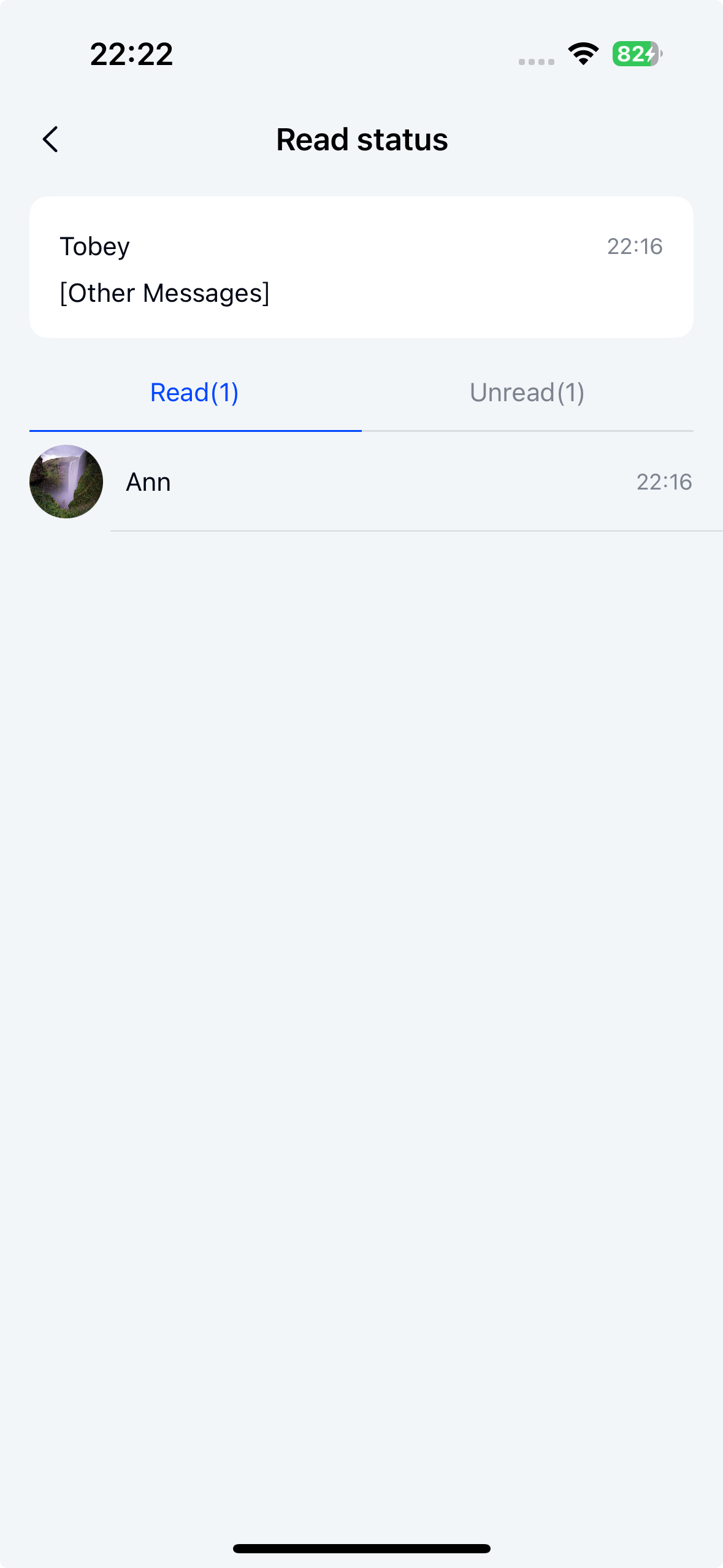
Tap the read status button in the lower-left corner of a message to open the read receipt detail page. This button is not tappable in direct channels.
The following components are related to the read receipt detail page:
- MessageReadDetailActivity: Container class for the group message read/unread page. Loads and displays
MessageReadDetailFragment. - MessageReadDetailFragment: Core component of the group message read/unread page. Displays read and unread user lists and handles user interaction events.
- MessageReadDetailViewModel: Data and business logic processing class. Fetches message read and unread user data from the server and passes the data to
MessageReadDetailFragment. - XML layout:
nc_page_message_read_detail.xml
Customize read receipt button click event
You can set a listener for channel page operations and override the onReadReceiptStateClick method to customize the click event. Return true to indicate that the business side handles the click logic and the SDK will not execute subsequent logic.
NCChatUIConfig.channelConfig().setChannelClickListener(
    new ChannelClickListener() {
        @Override
        public boolean onUserPortraitClick(
                Context context,
                ChannelType conversationType,
                UserInfo user,
                String targetId) {
            return false;
        }

        @Override
        public boolean onUserPortraitLongClick(
                Context context,
                ChannelType conversationType,
                UserInfo user,
                String targetId) {
            return false;
        }

        @Override
        public boolean onMessageClick(
                Context context, View view, Message message) {
            return false;
        }

        @Override
        public boolean onMessageLongClick(
                Context context, View view, Message message) {
            return false;
        }

        @Override
        public boolean onMessageLinkClick(
                Context context, String link, Message message) {
            return false;
        }

        @Override
        public boolean onReadReceiptStateClick(
                Context context, Message message) {
            return false;
        }
    });
Page customization
You can customize the Fragment as described in Page customization design.
// Custom Fragment (for example: CustomMessageReadDetailFragment)
public class CustomMessageReadDetailFragment extends MessageReadDetailFragment {

    // Override to return a custom ViewModel (for example: CustomMessageReadDetailViewModel)
    @Override
    protected MessageReadDetailViewModel onCreateViewModel(Bundle bundle) {
        return new ViewModelProvider(this, new ViewModelFactory(bundle))
                .get(CustomMessageReadDetailViewModel.class);
    }

    @Override
    protected void onViewReady(@NonNull MessageReadDetailViewModel viewModel) {
        super.onViewReady(viewModel);

        // Change the title text
        headComponent.setTitleText("New title");

        // Override the title bar back button click event
        headComponent.setLeftClickListener(new View.OnClickListener() {
            @Override
            public void onClick(View v) {
                // Custom back button logic
            }
        });

        // Override the title bar right button click event (if any)
        headComponent.setRightClickListener(new View.OnClickListener() {
            @Override
            public void onClick(View v) {
                // Custom right button logic
            }
        });

        // Set the title bar right button icon
        headComponent.setRightTextDrawable(R.drawable.nc_lively_right_arrow_light);
    }
}


public class CustomChatUIFragmentFactory extends ChatUIFragmentFactory {
    @NonNull
    @Override
    public MessageReadDetailFragment newMessageReadDetailFragment(@NonNull Bundle args) {
        CustomMessageReadDetailFragment fragment = new CustomMessageReadDetailFragment();
        fragment.setArguments(args);
        return fragment;
    }
}


// Set the custom factory. Initialize Chat UI in Application and set the custom Fragment factory
public class MyApp extends Application {
    @Override
    public void onCreate() {
        super.onCreate();
        // Set the custom Fragment factory
        NCChatUI.setFragmentFactory(new CustomChatUIFragmentFactory());
    }
}