Message mentions
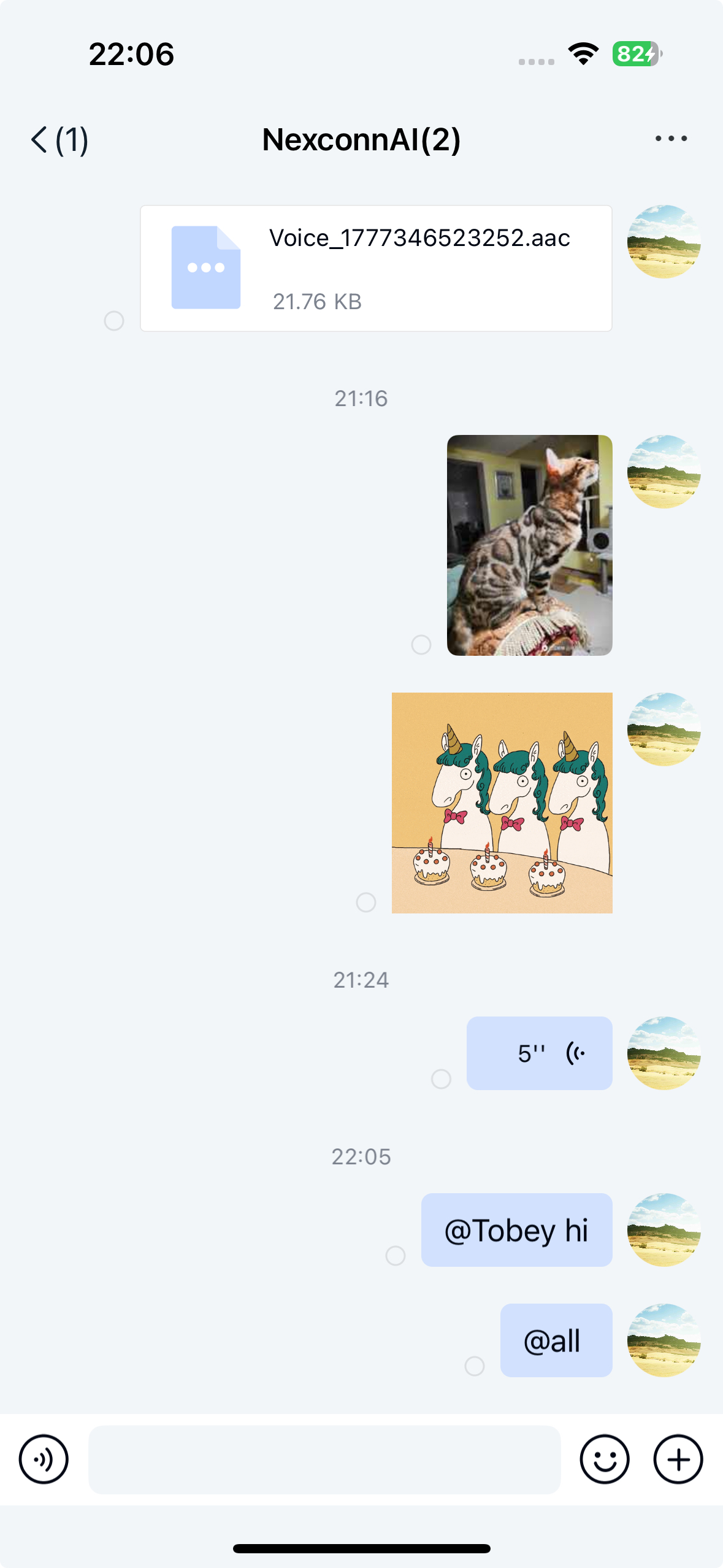
Mentions (@) are a common feature in group channels that let users mention specific members or all members to draw attention to a message. When you use the mention feature, the message content includes a MentionedInfo object. Chat UI enables mentions by default.
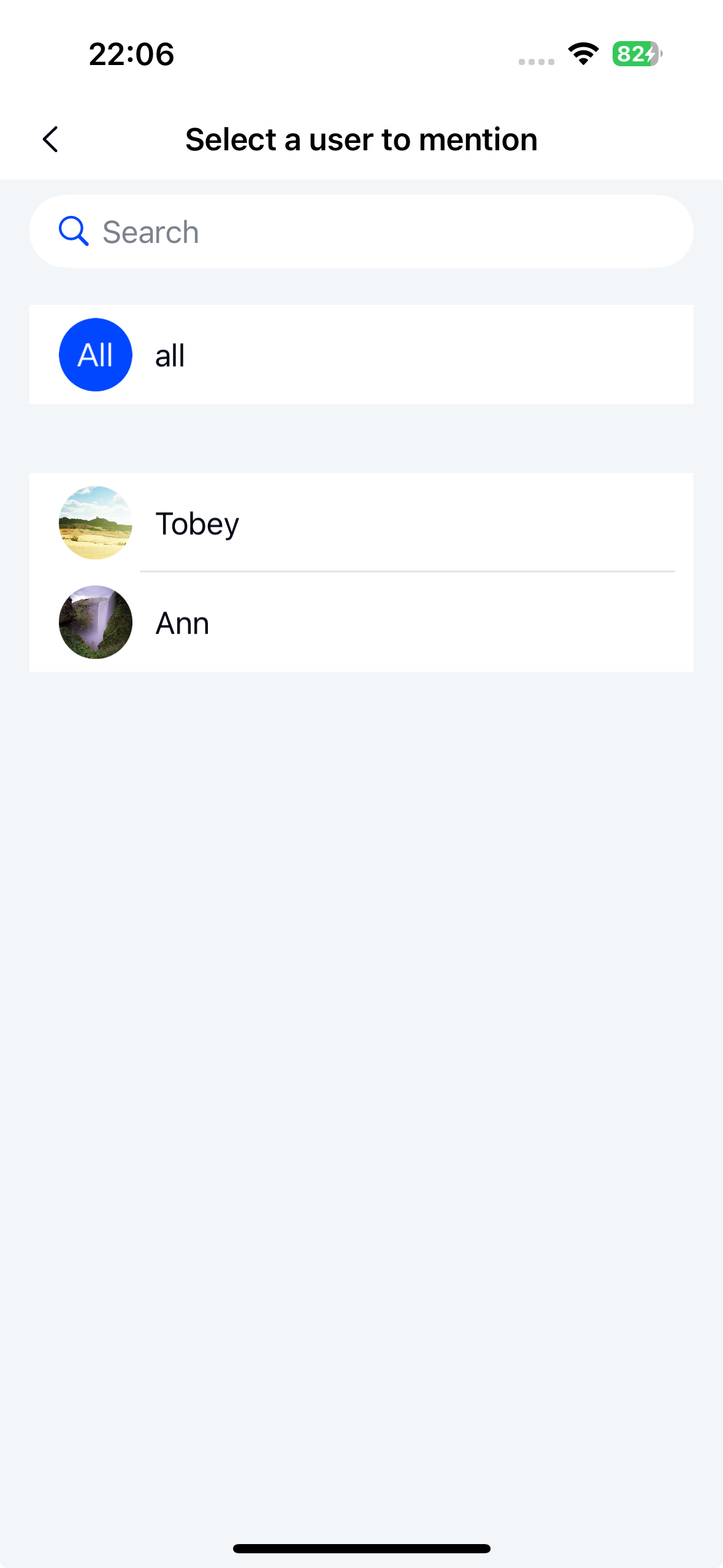
Chat UI does not implement @all functionality. The "@all" option shown in the design is for reference only. The member selection page displays data provided by your application; otherwise, it shows an empty list. Before using mentions, implement the group member provider.
Limitations
- Mentions are supported only in group channels.
- Chat UI implements mentions only for text messages and reference messages by default.
- Chat UI does not implement @all functionality.
- Mention messages can be forwarded, but the forwarded message is plain text without mention functionality.
Usage
Before using mentions, implement the group member provider.
Chat UI enables mentions by default. To use mentions:
- In the channel screen, long-press a user avatar to start composing a message that mentions that user.
- In the channel screen, type the @ character. Chat UI opens the member selection screen. If your application has not implemented the group member provider (
IGroupMembersProvider), the screen displays an empty list. After you implement the group member provider (IGroupMembersProvider), Chat UI calls thegetGroupMembersmethod to retrieve member data and display it in the list.
Customization
Customize the member selection screen
When mentions are enabled, typing the @ character opens the member selection screen (MentionMemberSelectActivity). You can replace this screen.
-
Call the
NCMentionManagermethod to set a listener that monitors @ character input.JavaNCMentionManager.getInstance().setMentionedInputListener(new IMentionedInputListener() {
/**
* Set listener
* @param conversationType Channel type. Group channel type
* @param targetId Channel ID. Group ID
*/
@Override
public boolean onMentionedInput(ChannelType conversationType, String targetId) {
// Navigate to your custom member list or perform other operations.
// Return true to intercept the event
return true;
}
}); -
In the
onMentionedInput()callback, navigate to your custom member selection screen and returntrue. -
After selecting members in your custom screen, call the
mentionMembermethod to return the selected member information asUserInfo.If you return
UserInfo, Chat UI displays the mentioned member's name in the input field using the nickname fromUserInfo.JavaNCMentionManager.getInstance().mentionMember(userInfo);If you use the following method, Chat UI retrieves the user nickname to display from the group member user info provider (
UserDataProvider.GroupUserInfoProvider) you implemented, using theuserId.JavaString targetId = "Group ID";
String userId = "User ID of the mentioned user";
NCMentionManager.getInstance().mentionMember(ChannelType.GROUP, targetId, userId);
Implement @all
Chat UI does not implement the @all feature. You can implement it yourself.
-
Create a
MentionedInfoobject and setMentionedTypetoMentionedType.ALL.JavaString targetId = "Group ID";
MentionedInfo mentionedInfo = new MentionedInfo(MentionedType.ALL, null, null); -
Set the
MentionedInfoobject in theMessageContent.JavaString content = "Hello @all";
TextMessage messageContent = new TextMessage(content);
messageContent.setMentionedInfo(mentionedInfo); -
Call the
NCChatUIcore class method to send the message.JavaChannelIdentifier identifier = new ChannelIdentifier(ChannelType.GROUP, targetId);
SendMessageParams params = new SendMessageParams(messageContent);
NCChatUI.sendMessage(identifier, params, new SendMessageHandler() {
@Override
public void onAttached(Message message) {
}
@Override
public void onResult(Message message, NCError error) {
if (error == null) {
// Send succeeded
} else {
// Send failed
}
}
});
Disable mentions
Chat UI enables mentions by default. You can disable mentions by modifying the global configuration.
NCChatUIConfig.channelConfig().NC_enable_mentioned_message = false;
To modify the Chat UI default configuration using XML resources, create an nc_config.xml file in your application's res/values directory and add the following configuration:
<bool name="nc_enable_mentioned_message">false</bool>