Forward messages
Chat UI SDK supports forwarding a single message or multiple messages through individual forwarding or combined forwarding. Users can forward messages to other channels from the chat page. Forwarded messages appear in the message list component on the target channel page.
Chat UI SDK disables combined forwarding by default. Enable it with NCChatUI.setEnableSendCombineMessage(true) before users enter a Chat UI channel page.
Limitations
- Forwarding is available only in direct and group channels. Other channel types do not show the forwarding action.
- Not all message types support forwarding.
- Individual forwarding supports text, voice, high-quality voice, short video, image, GIF, file, rich text, sticker (
RC:StkMsg), contact card, location, combined messages, and reference messages. - Combined forwarding supports text, voice, high-quality voice, short video, image, GIF, file, rich text, sticker (
RC:StkMsg), contact card, location, and combined messages. Reference messages and custom messages do not support combined forwarding. - Unsupported cases also include messages that failed to send, messages that are still sending, canceled messages, destruct messages, and messages whose content or message type is unavailable. The SDK shows an unsupported-message dialog or toast and stops the forwarding flow.
- Individual forwarding supports text, voice, high-quality voice, short video, image, GIF, file, rich text, sticker (
- Combined forwarding supports merging up to 100 messages.
Usage
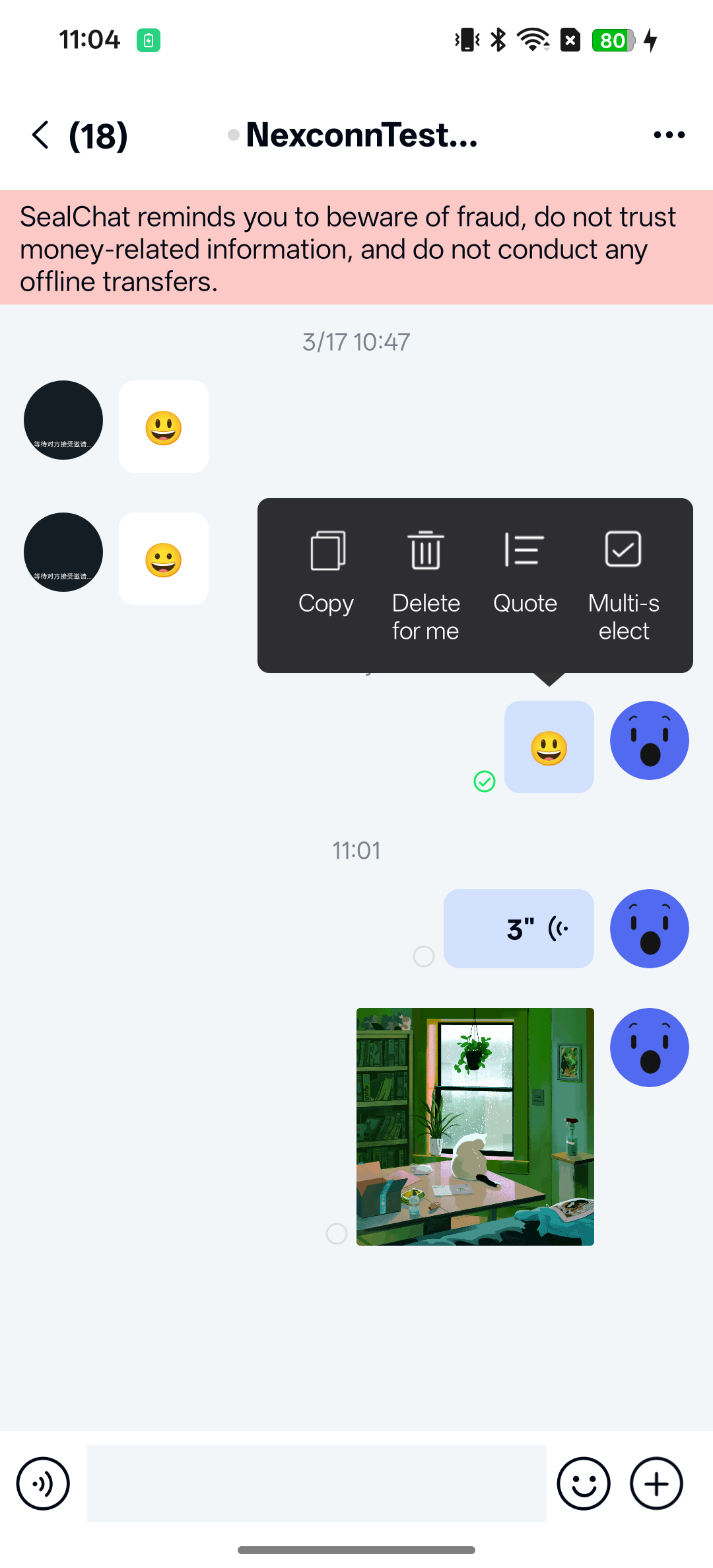
The Chat UI SDK channel page enables the forwarding entry by default. Users can long-press a message on the channel page and select More in the popup to display forwarding options.
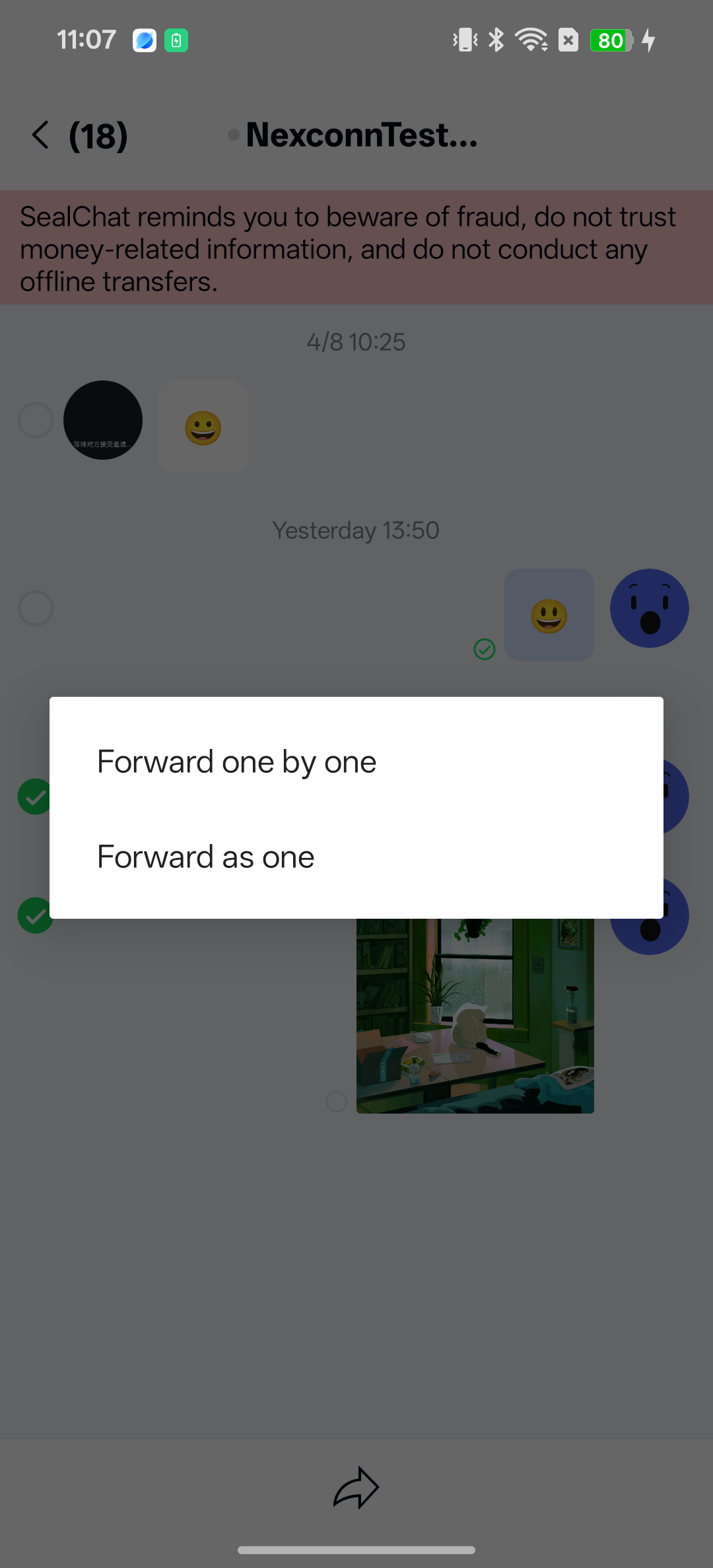
- Individual forwarding: Enabled by default. Forwards single or multiple messages to the target channel individually.
- Combined forwarding: Disabled by default and not displayed. When combined forwarding is used, the SDK merges selected messages into a single combined message containing a
CombineMessagecontent object (type identifier:RC:CombineV2Msg). Combined forwarded messages are collapsed by default and can be expanded by tapping.
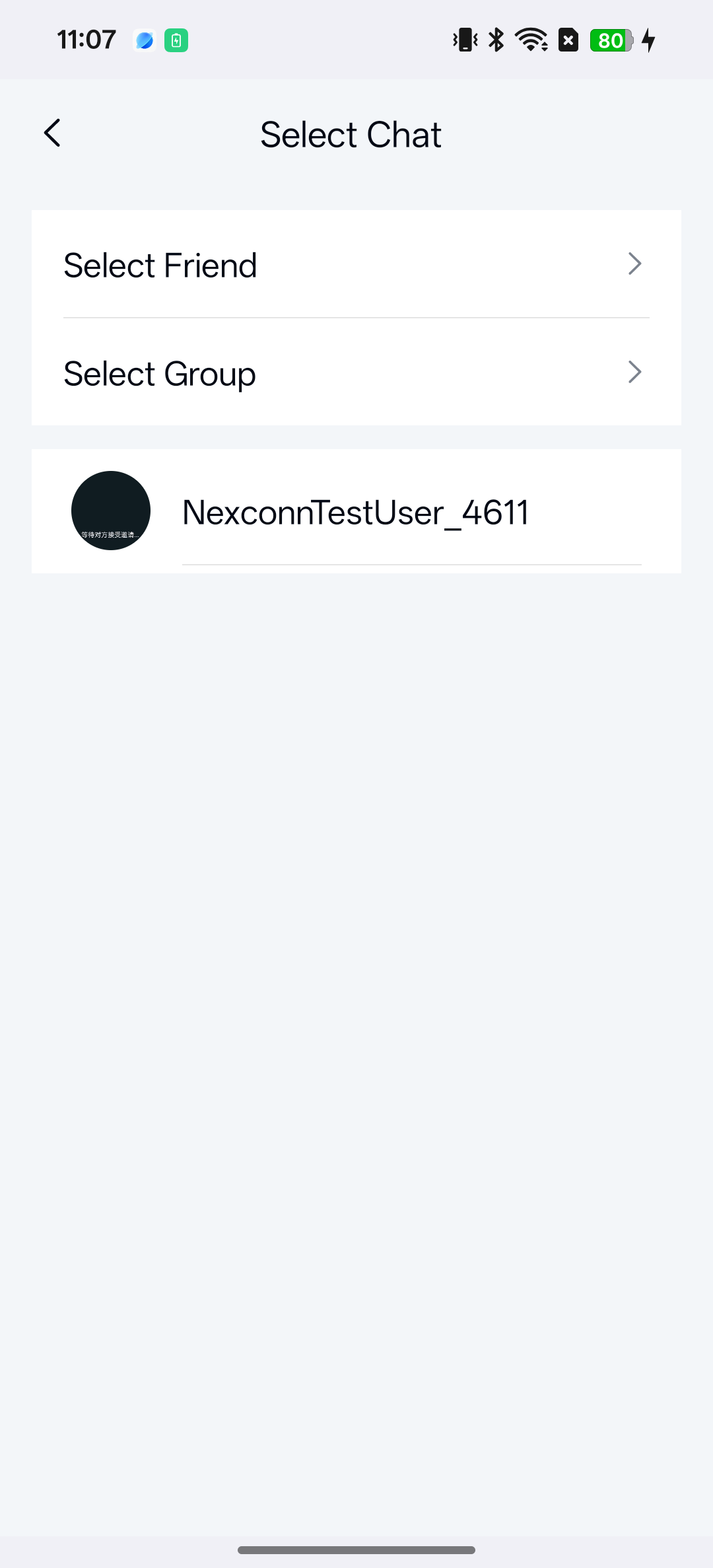
Register a forwarding target selection Activity before users enter the channel page. RouteUtils.routeToForwardSelectChannelActivity() returns after logging an error if ForwardSelectChannelActivity has not been registered, so the click may appear to have no effect.
Enable combined forwarding
Chat UI SDK supports combined forwarding, but this feature is disabled by default. Enable it through the public Chat UI API before users enter the channel page. Combined forwarding is currently supported only in direct and group channels.
NCChatUI.setEnableSendCombineMessage(true);
You can query the current setting when needed:
boolean enabled = NCChatUI.isEnableSendCombineMessage();
Customization
Modify the forwarding message limit
The forwarding message limit is controlled by the multi-select message feature. Chat UI SDK implements multi-select capability by default. You can modify the multi-select message limit. For details, see Channel page. Note that combined forwarding supports merging up to 100 messages, and this limit cannot be increased through configuration.
Navigate to a custom forwarding channel list
After selecting individual forwarding or combined forwarding in Chat UI SDK, route users to a target channel selection page. The SDK does not start a forwarding target page unless ForwardSelectChannelActivity is registered.
To navigate to a custom page when selecting channels for forwarding, register your custom Activity with the SDK by calling the following method in the built-in router RouteUtils. ForwardSelectChannelActivity is the route slot name in RouteUtils.ChatUIActivityType; implement the actual Activity in your app and register that class.
Configure before entering the channel page:
// This example uses a custom page named MyForwardSelectActivity.
RouteUtils.registerActivity(RouteUtils.ChatUIActivityType.ForwardSelectChannelActivity, MyForwardSelectActivity.class);
In your custom Activity, return selected direct or group channels by calling:
ArrayList<ChannelIdentifier> targets = new ArrayList<>();
targets.add(new ChannelIdentifier(ChannelType.DIRECT, "user_001"));
ForwardManager.setForwardMessageResult(this, targets);
Disable message forwarding
To disable message forwarding, hide the More option in the long-press message popup. For details, see Channel page.