Delete messages for everyone
Users can delete messages for everyone after sending them to remove the message from the recipient's message history. Chat UI SDK implements deleting messages for everyone by default.
When a message is deleted for everyone, Chat UI SDK marks the original message as deleted and displays a deletion notification in the message list. For the server-side notification object, see Notification message format in the server documentation.
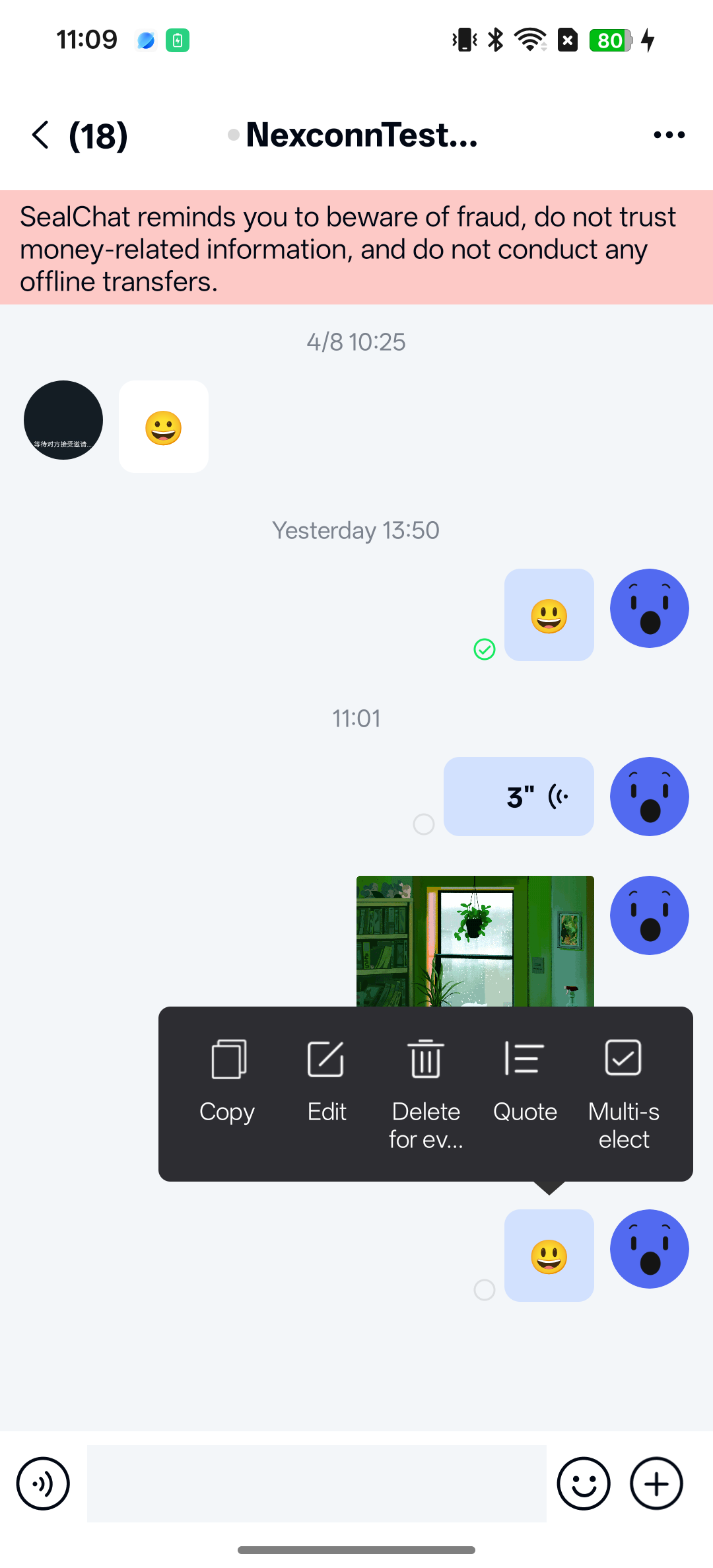
Usage
Deleting messages for everyone is enabled by default. Users can long-press a sent message in the channel screen to open the action menu and select delete. After deleting a message for everyone, users can re-edit it within a specified time window.
Customization
Restrict delete permissions
By default, the platform does not restrict who can delete messages for everyone. Any user can delete messages sent by others for everyone. To restrict this behavior:
- Implement client-side restrictions to control who can delete messages for everyone. For example, prevent regular users from deleting messages sent by others while allowing administrators to delete any message for everyone.
- To enforce "users can only delete their own messages for everyone," implement permission checks on the server and validate permissions in the client business layer.
Modify the delete time window
By default, Chat UI SDK allows messages to be deleted for everyone within 120 seconds after sending. You can adjust this limit through global configuration:
NCChatUIConfig.channelConfig().NC_message_recall_interval = 120;
To modify the default configuration through XML resources, create an nc_config.xml file in your app's res/values directory and add the following:
<integer name="nc_message_recall_interval">120</integer>
Modify the re-edit time window
By default, Chat UI SDK allows users to tap Re-edit within 300 seconds after deleting a message for everyone. Only text messages support delete and re-edit. You can adjust this limit through global configuration:
NCChatUIConfig.channelConfig().NC_message_recall_edit_interval = 300;
To modify the default configuration through XML resources, create an nc_config.xml file in your app's res/values directory and add the following:
<integer name="nc_message_recall_edit_interval">300</integer>
Additional customization
Chat UI SDK provides a complete implementation for deleting messages for everyone and displaying the deletion state by default. No additional channel-related API calls are required. If the default implementation does not meet your requirements, use the related APIs in NCChatUI. For details, see Delete a message for everyone.
Disable deleting messages for everyone
To disable deleting messages for everyone, modify the default Chat UI SDK configuration through XML. Create an nc_config.xml file in your app's res/values directory and add the following configuration:
<bool name="nc_enable_message_recall">false</bool>