Contact card messages
The Chat UI SDK does not include a contact card message plugin by default. To send contact cards, you must implement a custom message type, message item provider, and extension panel plugin.
The default channel page does not enable contact card messages. The current source code does not include ContactCardExtensionModule, ContactCardPlugin, or ContactMessage implementations.
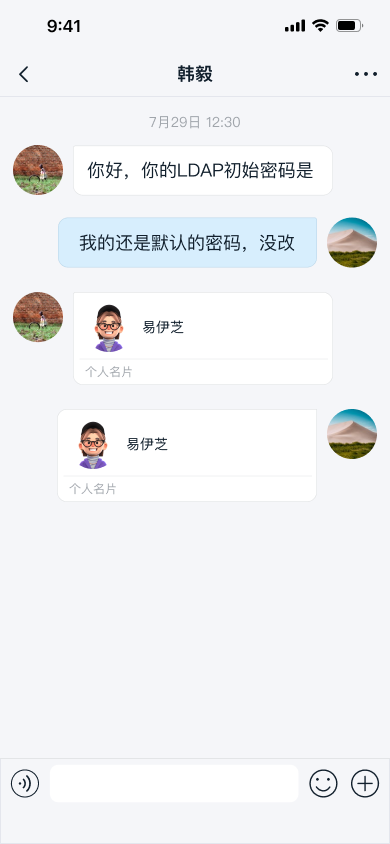
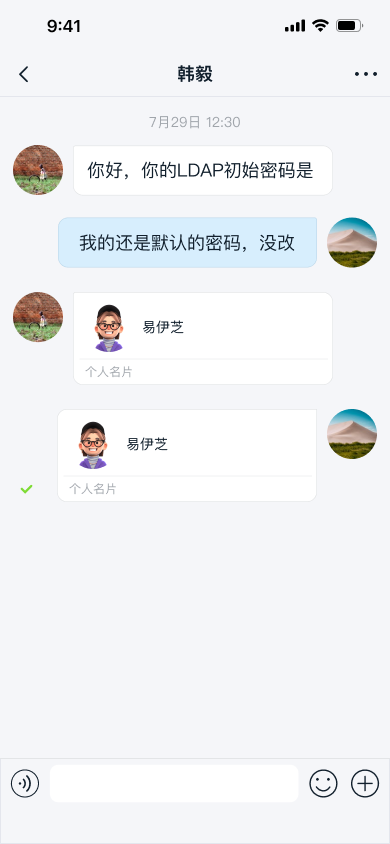
Usage
Follow these steps to integrate contact card messages:
-
Define your custom contact card message type and register it before you connect.
JavaNCEngine.registerCustomMessages(Arrays.asList(CustomCardMessage.class)); -
Implement a message item provider for contact cards and add it to Chat UI during initialization.
JavaNCChatUIConfig.channelConfig().addMessageProvider(new CustomCardMessageItemProvider()); -
Implement a custom plugin
IPluginModulethat opens the contact picker and sends the contact card message. -
Register the plugin to the input area using a custom
IExtensionModule. Complete this configuration after SDK initialization and before you enter the channel page.JavaNCExtensionManager.getInstance().registerExtensionModule(new CustomCardExtensionModule());
Send contact card messages
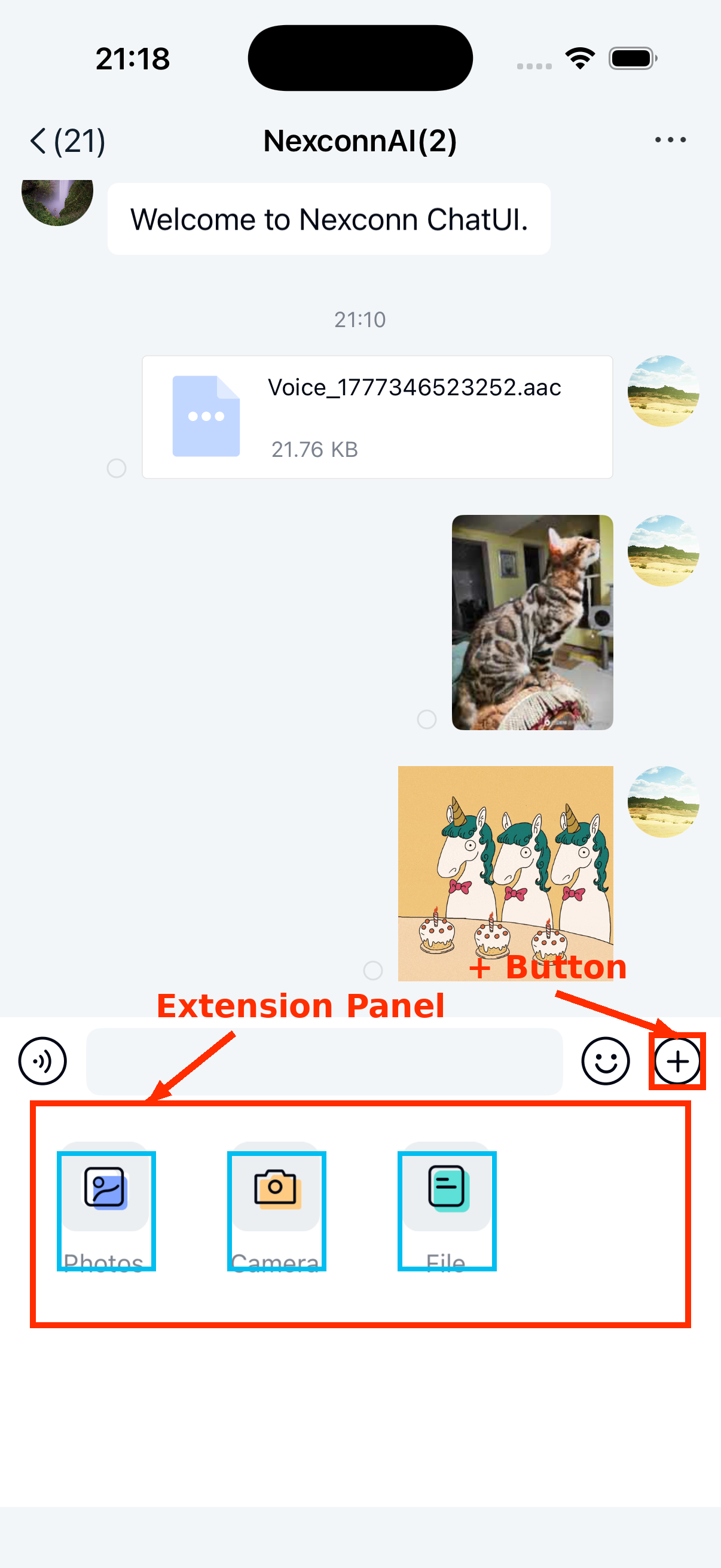
Tap the + button on the right side of the input bar to open the extension panel. Tap your registered contact card plugin icon to send a contact card.
Customization
Contact card functionality consists of three core components: the custom message content class, the custom message item provider, and the custom extension panel plugin.
Customize contact card message UI
To adjust the message style, implement your own message item provider class and provide it to the SDK.
All message item providers extend BaseMessageItemProvider<CustomMessage>. Your custom message item provider must also extend BaseMessageItemProvider<CustomMessage>. For details, see Customize message item styles.
You can also replace the style resources, string resources, and icon resources referenced in your custom template.