Friend request list page
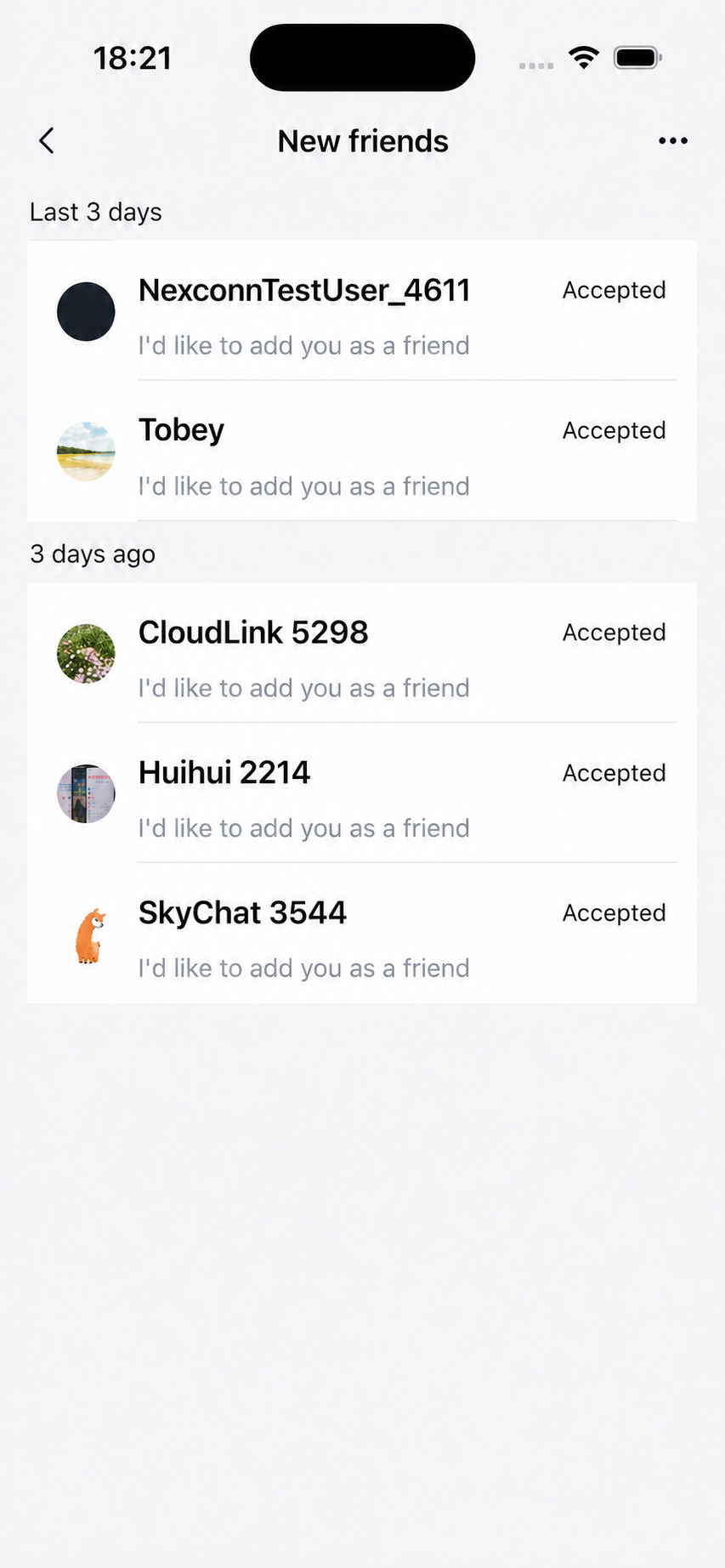
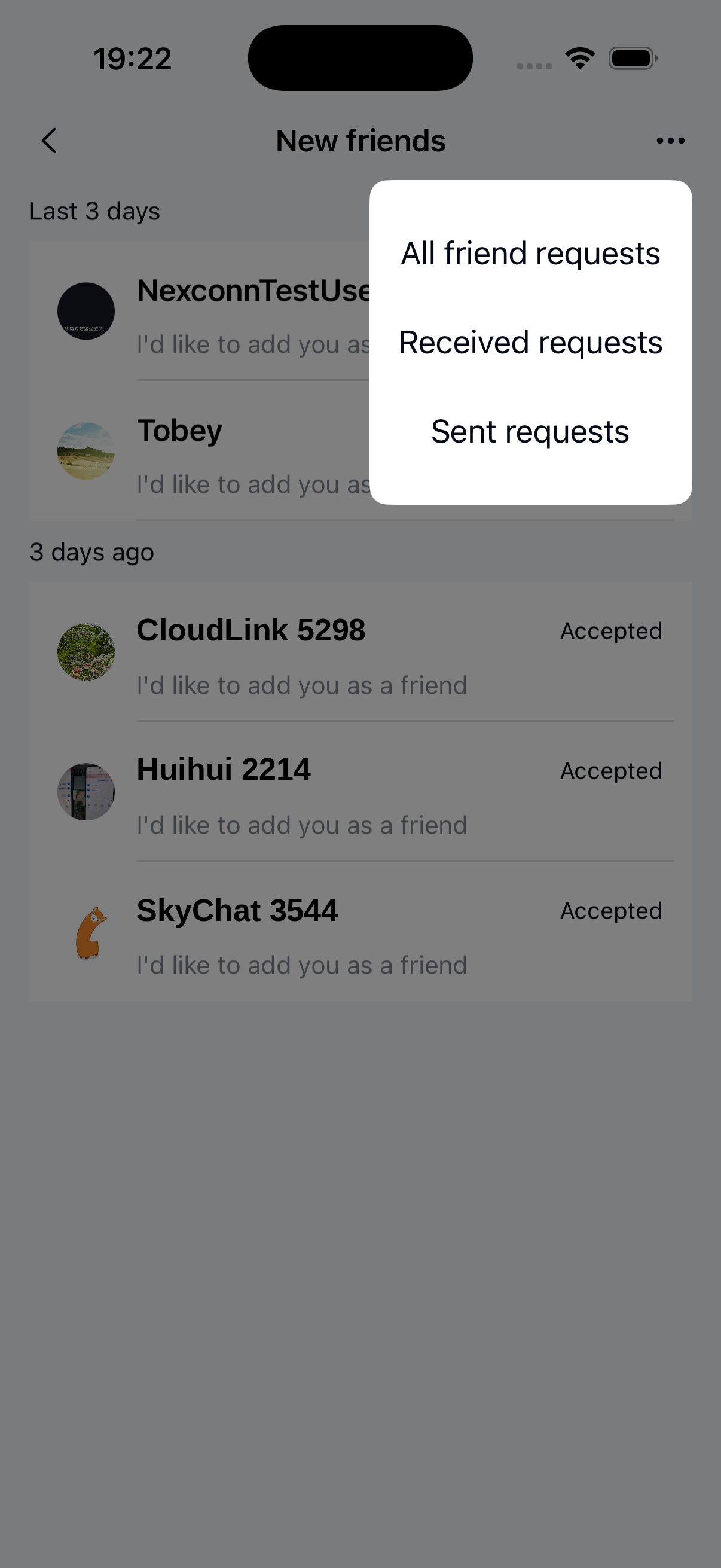
The friend request list page displays all friend requests on the current user's device. When the user opens this page, Chat UI automatically retrieves friend request data from the database and sorts it chronologically.
Friend request lists expire after 7 days. Expired requests require reinitiation and won't sync across devices.
Chat UI provides NCApplyFriendListViewController, a UIKit UITableView-based class for displaying friend requests. The page typically consists of a navigation bar and the friend request list.
Initialization
Initialize NCApplyFriendListViewController by creating an NCApplyFriendListViewModel object to handle business logic. Use NCApplyFriendSectionItem objects to group friend requests by time periods.
Parameters
| Parameter | Type | Description |
|---|---|---|
| viewModel | NCApplyFriendListViewModel | Handles UI configuration and friend request data retrieval |
| items | NSArray <NCApplyFriendSectionItem *>* | Groups friend requests by time periods using NCApplyFriendSectionItem objects |
| option | NCFriendApplicationsQueryParams | Query configuration |
| types | NSArray<NSNumber *> * | List of NCFriendApplicationType values. Example: @[@(NCFriendApplicationTypeSent),@(NCFriendApplicationTypeReceived)] |
| status | NSArray<NSNumber *> * | List of NCFriendApplicationStatus values. Example: @[@(NCFriendApplicationStatusUnHandled),@(NCFriendApplicationStatusAccepted),@(NCFriendApplicationStatusRefused),@(NCFriendApplicationStatusExpired)] |
Example code
- (void)showFriendApplyWithController:(UIViewController *)controller {
    NSMutableArray *sections = [NSMutableArray array];
    NCFriendApplyItemFilterBlock block = ^BOOL(NCApplyFriendCellViewModel *obj, NSInteger start, NSInteger end, BOOL * _Nonnull stop) {
        if (obj.application.operationTime >= start && obj.application.operationTime < end) {
            return YES;
        }
        return NO;
    };

    NCApplyFriendSectionItem *justNow = [[NCApplyFriendSectionItem alloc] initWithFilterBlock:block compareBlock:nil];
    justNow.title = @"Just now";
    justNow.timeStart = [self startOfToday];
    justNow.timeEnd  = [[NSDate date]timeIntervalSince1970] * 1000;
    [sections addObject:justNow];

    NCApplyFriendSectionItem *oneDays = [[NCApplyFriendSectionItem alloc] initWithFilterBlock:block compareBlock:nil];
    oneDays.title = @"Last 24 hours";
    oneDays.timeStart = [self startTimeOfDaysBefore:-1];
    oneDays.timeEnd  = [self startOfToday];
    [sections addObject:oneDays];

    NCApplyFriendSectionItem *threeDays = [[NCApplyFriendSectionItem alloc] initWithFilterBlock:block compareBlock:nil];
    threeDays.title = @"Last 3 days";
    threeDays.timeStart = [self startTimeOfDaysBefore:-4];
    threeDays.timeEnd  = [self startTimeOfDaysBefore:-1];
    [sections addObject:threeDays];

    NCApplyFriendSectionItem *longAgo = [[NCApplyFriendSectionItem alloc] initWithFilterBlock:block compareBlock:nil];
    longAgo.title = @"Older than 3 days";
    longAgo.timeStart = 0;
    longAgo.timeEnd  = [self startTimeOfDaysBefore:-4];
    [sections addObject:longAgo];

    NCApplyFriendListViewModel *vm = [[NCApplyFriendListViewModel alloc] initWithSectionItems:sections option:nil types:@[] status:@[]];
    NCApplyFriendListViewController *listVC = [[NCApplyFriendListViewController alloc] initWithViewModel:vm];
    [self.navigationController pushViewController:listVC animated:YES];
}

- (NSInteger)startOfToday {
    NSDate *now = [NSDate date];
    NSDate *date = [[NSCalendar currentCalendar] startOfDayForDate:[NSDate date]];
    return [date timeIntervalSince1970] * 1000;
}

- (NSInteger)timeOfDaysBefore:(NSInteger)dayDiff start:(BOOL)start {
    NSDate *now = [NSDate date];
    NSDate *date = [[NSCalendar currentCalendar] dateByAddingUnit:NSCalendarUnitDay
                                                            value:dayDiff
                                                           toDate:now options:NSCalendarMatchStrictly];
    NSDate *dateStart = [[NSCalendar currentCalendar] startOfDayForDate:date];

    if (start) {
        return [dateStart timeIntervalSince1970] * 1000;
    } else {
        NSDate *dateEnd = [[NSCalendar currentCalendar] dateByAddingUnit:NSCalendarUnitDay
                                                                value:1
                                                               toDate:dateStart options:NSCalendarWrapComponents];
        return [dateEnd timeIntervalSince1970] * 1000 - 1;
    }
}

- (NSInteger)startTimeOfDaysBefore:(NSInteger)dayDiff {
    return [self timeOfDaysBefore:dayDiff start:YES];;
}

- (NSInteger)endTimeOfDaysBefore:(NSInteger)dayDiff {
    return [self timeOfDaysBefore:dayDiff start:NO];;
}
Avoid overlapping time periods when creating multiple NCApplyFriendSectionItem objects to prevent duplicate data display.
Customization
Customize the appearance of the friend request list interface.
Custom title bar
NCApplyFriendListViewController uses the system navigation bar. Set the title by overriding viewDidLoad:
- (void)viewDidLoad {
    [super viewDidLoad];
    self.title = @"Custom title";
}
Custom friend request list cells
Customize cells by implementing NCApplyFriendListViewModel delegate methods.
1. Create NCCustomCell
@interface NCCustomCell : UITableViewCell
@property (nonatomic, strong) UILabel *titleLabel;
@property (nonatomic, strong) UILabel *contentLabel;
@end

@implementation
// Cell rendering
@end
2. Create NCCustomCellViewModel
Custom CellViewModel must inherit from NCApplyFriendCellViewModel.
typedef void(^NCPermanentCellViewModelBlock)(UIViewController *);
@interface NCCustomCellViewModel : NCApplyFriendCellViewModel
/// Initializer
- (instancetype)initWithTitle:(NSString *)title
                     portrait:(UIImage *)portrait
                   touchBlock:(NCPermanentCellViewModelBlock)touchBlock;
@property (nonatomic, copy) NSString *title;
@property (nonatomic, strong) UIImage *portrait;
@property (nonatomic, copy) NCPermanentCellViewModelBlock touchBlock;
@end

@implementation NCCustomCellViewModel

- (instancetype)initWithTitle:(NSString *)title
                     portrait:(UIImage *)portrait
                   touchBlock:(NCPermanentCellViewModelBlock)touchBlock{
    self = [super init];
    if (self) {
        self.title = title;
        self.portrait = portrait;
        self.touchBlock = touchBlock;
    }
    return self;
}

// Register and customize cell
- (UITableViewCell *)tableView:(UITableView *)tableView
         cellForRowAtIndexPath:(NSIndexPath *)indexPath {
    NSString *cellIdentifier = @"NCCustomCellIdentifier";
    [tableView registerClass:NCCustomCell.class forCellReuseIdentifier:cellIdentifier];
    NCCustomCell *cell = [tableView dequeueReusableCellWithIdentifier:cellIdentifier
                                                         forIndexPath:indexPath];
    cell.titleLabel.text = self.title;
    cell.contentLabel.text = self.detail;
    return cell;
}

@end
3. Set delegate
Set the delegate when initializing NCApplyFriendListViewModel:
NCApplyFriendListViewModel *viewModel = [[NCApplyFriendListViewModel alloc] initWithSectionItems:sections option:nil types:@[] status:@[]];
viewModel.delegate = self;
4. Modify data source
Implement delegate method:
- (NSArray <NCApplyFriendCellViewModel *> *_Nullable)applyFriendListViewModel:(NCApplyFriendListViewModel *)viewModel
                                                    willLoadItemsInDataSource:(NSArray *_Nullable)dataSource{
        NSMutableArray *list = dataSource.mutableCopy ?: [NSMutableArray array];
        NCCustomCellViewModel *customCellVM = [[NCCustomCellViewModel alloc] initWithTitle:@"title" portrait:[UIImage imageNamed:@"newFriend"] touchBlock:^(UIViewController * vc) {
            // Handle tap

        }];
        [list addObject:customCellVM];
        return list;
}
5. Custom cell tap handling
/// Configure custom tap handling. Return YES if handled by app, NO for SDK default handling
- (BOOL)applyFriendListViewModel:(NCApplyFriendListViewModel *)viewModel
                  viewController:(UIViewController*)viewController
                       tableView:(UITableView *)tableView
                    didSelectRow:(NSIndexPath *)indexPath
                   cellViewModel:(NCApplyFriendCellViewModel *)viewModel {

              }