User Profile Page
The user profile page displays basic user information. When you open this page, the SDK retrieves user information from the database and displays it.
Note: The Chat UI channel page does not automatically navigate to the user profile page. If you need this functionality, listen for channel page events (such as avatar clicks) and implement the navigation yourself.
Data source
The Nexconn-hosted data source is used by default. You can use this page directly. If your app uses app-managed profile data, configure DataSourceType.INFO_PROVIDER and provide the required user information from your app.
Current User Profile Page
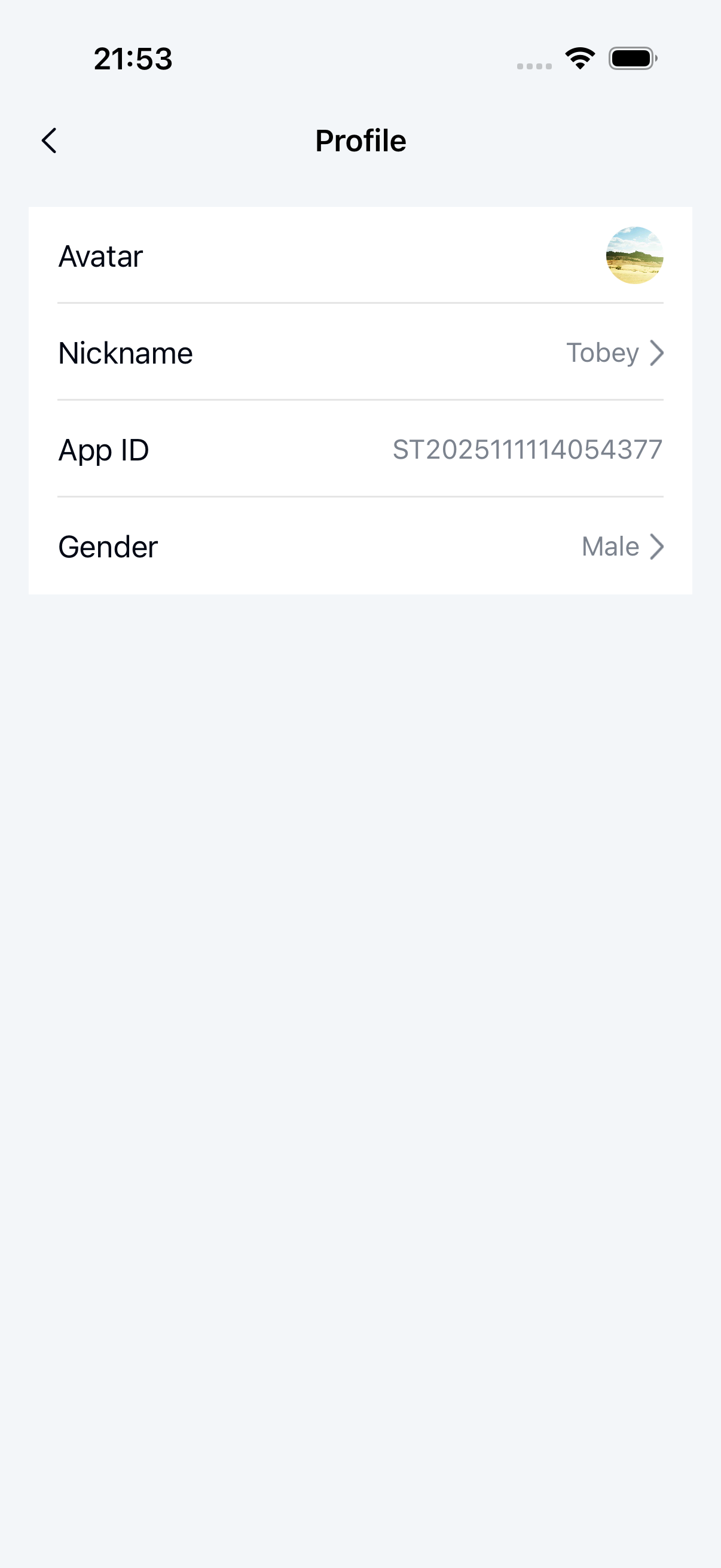
The current user profile page includes a title bar and user information details (avatar, nickname, app ID, gender, and more).
The MyProfile page displays and manages the current user's personal information. Users can view and modify their avatar, nickname, gender, and other details. The following components are related to the MyProfile page:
- MyProfileActivity: The container class for the personal information page. It loads and displays
MyProfileFragment. - MyProfileFragment: The core component of the personal information page. It displays user information and handles click events to navigate to the corresponding edit pages.
- MyProfileViewModel: The data and business logic handler. It retrieves the current user's personal information from the server and passes the data to
MyProfileFragment. - XML layout:
nc_page_my_profile.xml
Launch the Current User Profile Page
startActivity(MyProfileActivity.newIntent(getContext()));
Customize
See Page customization design for how to customize fragments.
public class CustomMyProfileFragment extends MyProfileFragment {

    @Override
    protected void onViewReady(@NonNull MyProfileViewModel viewModel) {
      super.onViewReady(viewModel);
      // Change the title text
      headComponent.setTitleText("New title");

      // Override the title bar back button click event
      headComponent.setLeftClickListener(new View.OnClickListener() {
            @Override
            public void onClick(View v) {

            }
        });
    }

    // Avatar click
    @Override
    protected void onUserHeaderClick(View view) {
        Toast.makeText(
                        getContext(),
                        "Custom avatar upload logic",
                        Toast.LENGTH_SHORT)
                .show();
    }
}
Other User Profile Page
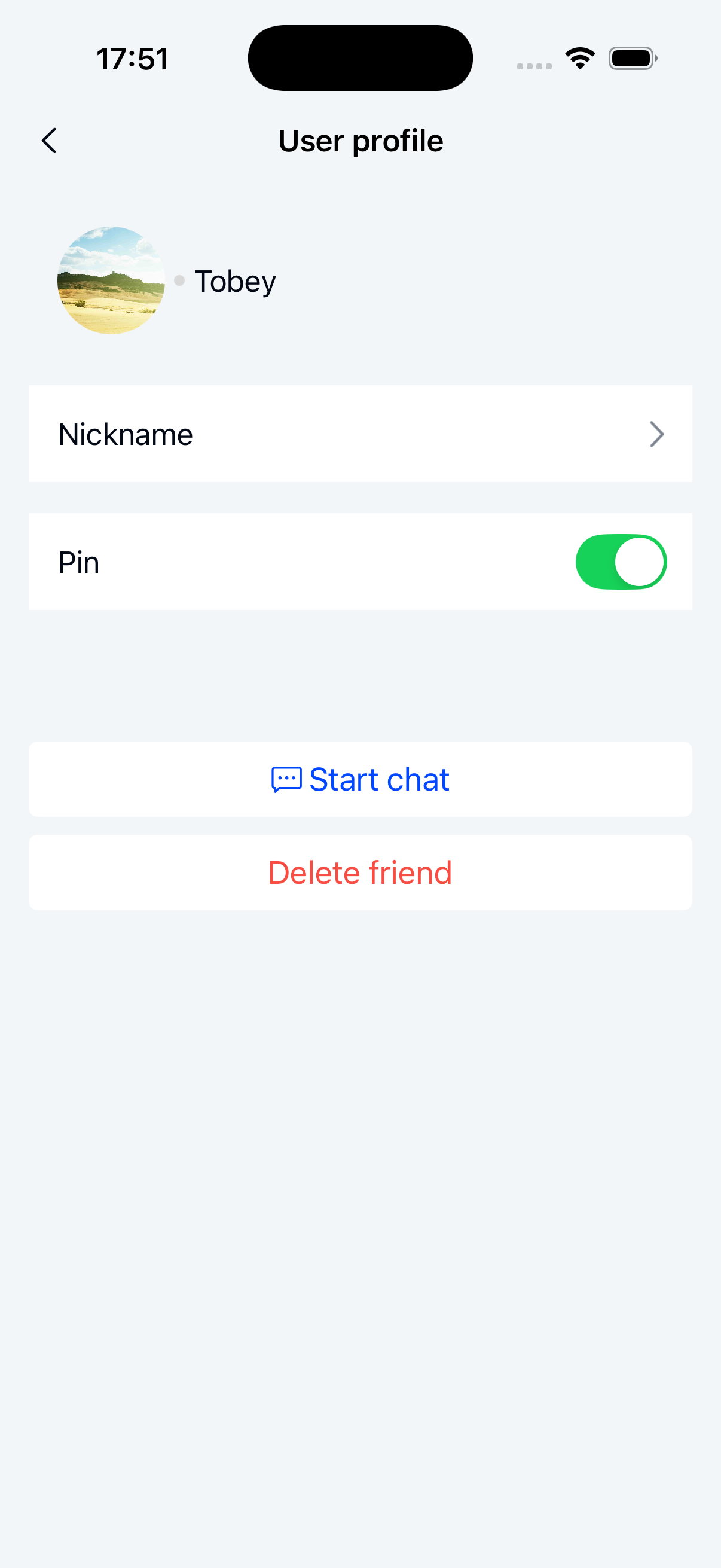
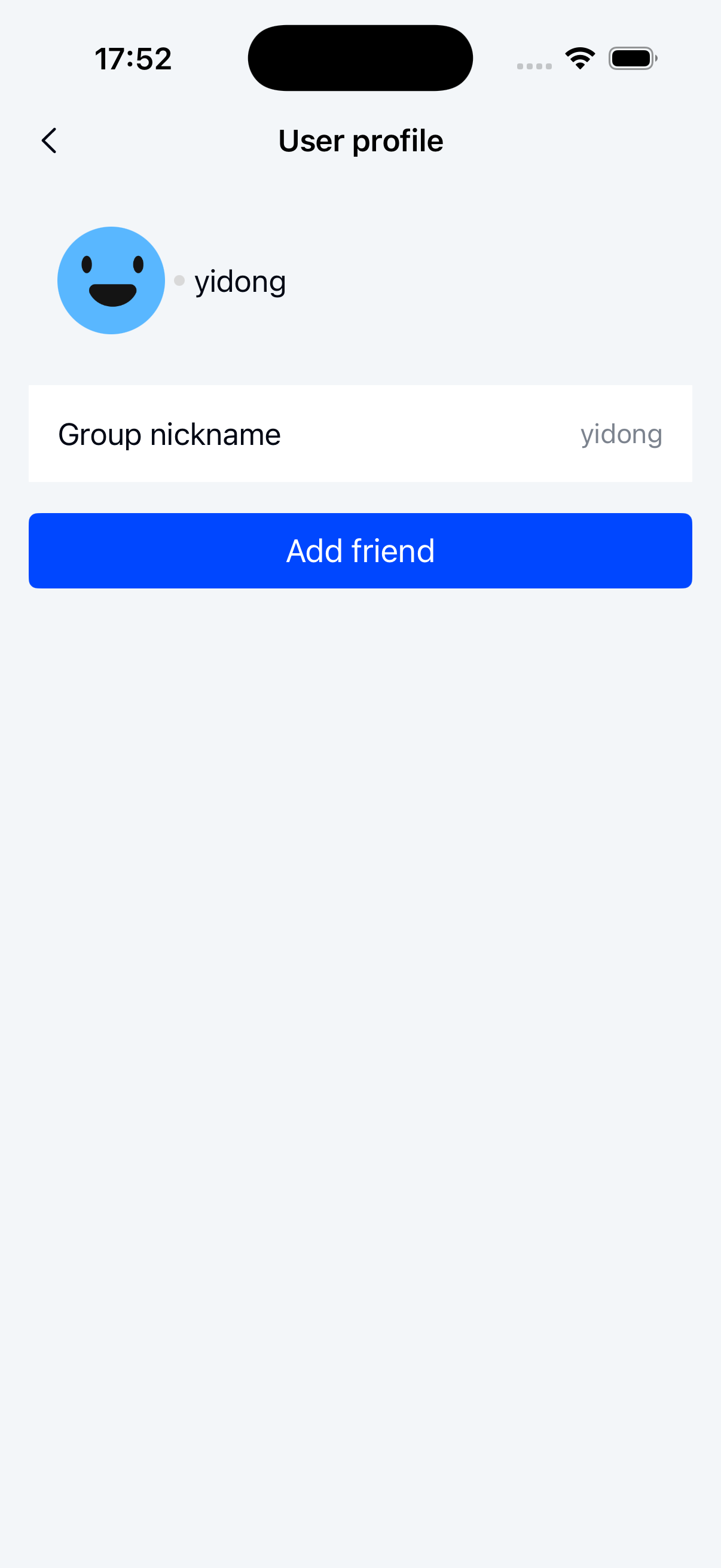
The UserProfile page displays detailed information about other users, including their avatar, nickname, and relationship status (whether they are friends). It provides actions such as adding friends, starting a chat, and deleting friends. The following components are related to the UserProfile page:
- UserProfileActivity: The container class for the user details page. It loads and displays
UserProfileFragment. - UserProfileFragment: The core component of the user details page. It displays user information, friend-related action buttons, and handles user interactions.
- UserProfileViewModel: The data and business logic handler. It retrieves user details, processes friend relationship operations, and passes the data to
UserProfileFragment. - XML layout:
nc_page_user_profile.xml
Launch the Other User Profile Page
String userId = "123";
startActivity(UserProfileActivity.newIntent(getContext(), userId));
Customize
See Page customization design for how to customize fragments.
public class UserProfileFragment extends BaseViewModelFragment<UserProfileViewModel> {

    protected HeadComponent headComponent;     // Header component with back button and page title.
    protected View btnStartChat;               // Start chat button. Click to start a chat with this user.
    protected View btnStartAudio;              // Start audio call button. Click to start an audio call with this user.
    protected View btnStartVideo;              // Start video call button. Click to start a video call with this user.
    protected View btnDeleteUser;              // Delete friend button. Click to remove this user as a friend.
    protected Button btnAddFriend;             // Add friend button. Click to send a friend request.

}
// Customize click events based on the views in UserProfileFragment
public class CustomUserProfileFragment extends UserProfileFragment {

    @Override
    protected void onViewReady(@NonNull UserProfileViewModel viewModel) {
      super.onViewReady(viewModel);
      // Change the title text
      headComponent.setTitleText("New title");

      // Override the title bar back button click event
      headComponent.setLeftClickListener(new View.OnClickListener() {
            @Override
            public void onClick(View v) {

            }
        });
    }

}