Group pages
Group-related pages include contact selection, group creation, group settings, and group member lists.
Data source
The Nexconn-hosted data source is used by default. You can use these pages directly.
Select or add contacts page
The select or add contacts page displays the current user's friend list from the hosted relationship data source by default.
Use the contact selection page to select friends from the friend list. Users can select multiple friends on this page for operations such as creating groups or sending invitations. The following components are related to the FriendSelect page:
- FriendSelectActivity: Container class for the friend selection page. Loads and displays
FriendSelectFragment. - FriendSelectFragment: Core component of the friend selection page. Displays the friend selection list, search box, and other UI elements, and handles user friend selection operations.
- FriendSelectViewModel: Data and business logic handler. Retrieves friend list data, processes user-selected friends, and passes data to
FriendSelectFragment. - XML layout:
nc_page_friend_list.xml
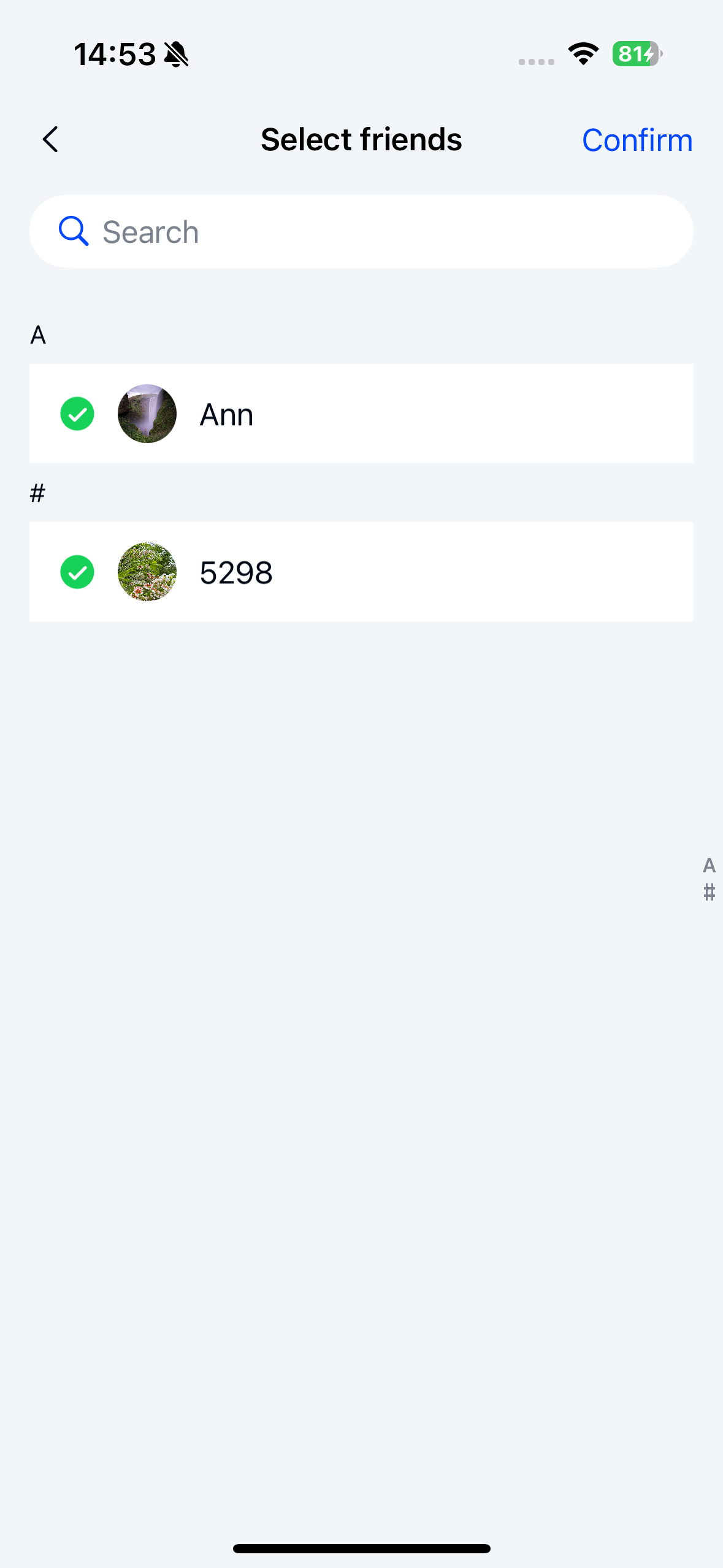
Launch the contact selection page and configure the maximum number of selectable contacts
The default maximum number of selectable contacts is 30. The configured value must be greater than 0 and less than or equal to 30.
   int maxCount = 30;
   startActivity(FriendSelectActivity.newIntent(this, maxCount));
For details, see Page customization design for custom Fragment.
Intercept the selection completion callback
// Custom CustomFriendSelectFragment
public class CustomFriendSelectFragment extends FriendSelectFragment {

    @Override
    protected void onViewReady(@NonNull FriendSelectViewModel viewModel) {
      super.onViewReady(viewModel);
      // Override the confirm click event
      headComponent.setRightClickListener(
                v -> {
                    // Selected contacts
                    List<ContactModel> value = viewModel.getSelectedContactsLiveData().getValue();
                    if (value == null || value.isEmpty()) {
                        return;
                    }
                    List<String> inviteeUserIds = new ArrayList<>();
                    for (int i = 0; i < value.size(); i++) {
                        Object bean = value.get(i).getBean();
                        if (bean instanceof FriendDetail) {
                            inviteeUserIds.add(((FriendDetail) bean).getUserId());
                        }
                    }
                    startActivity(GroupCreateActivity.newIntent(getContext(), inviteeUserIds));
                });
    }
}
Create group page
Use the create group page to create a new group. The page provides functionality to enter a group name, select group members, and create the group. The following components are related to the create group page:
- GroupCreateActivity: Container class for the create group page. Loads and displays
GroupCreateFragment. - GroupCreateFragment: Core component of the create group page. Displays the group name input field and group avatar, and handles user interaction events for group creation.
- GroupCreateViewModel: Data and business logic handler. Handles group creation operations and passes group creation results to
GroupCreateFragment. - XML layout:
nc_page_group_create.xml
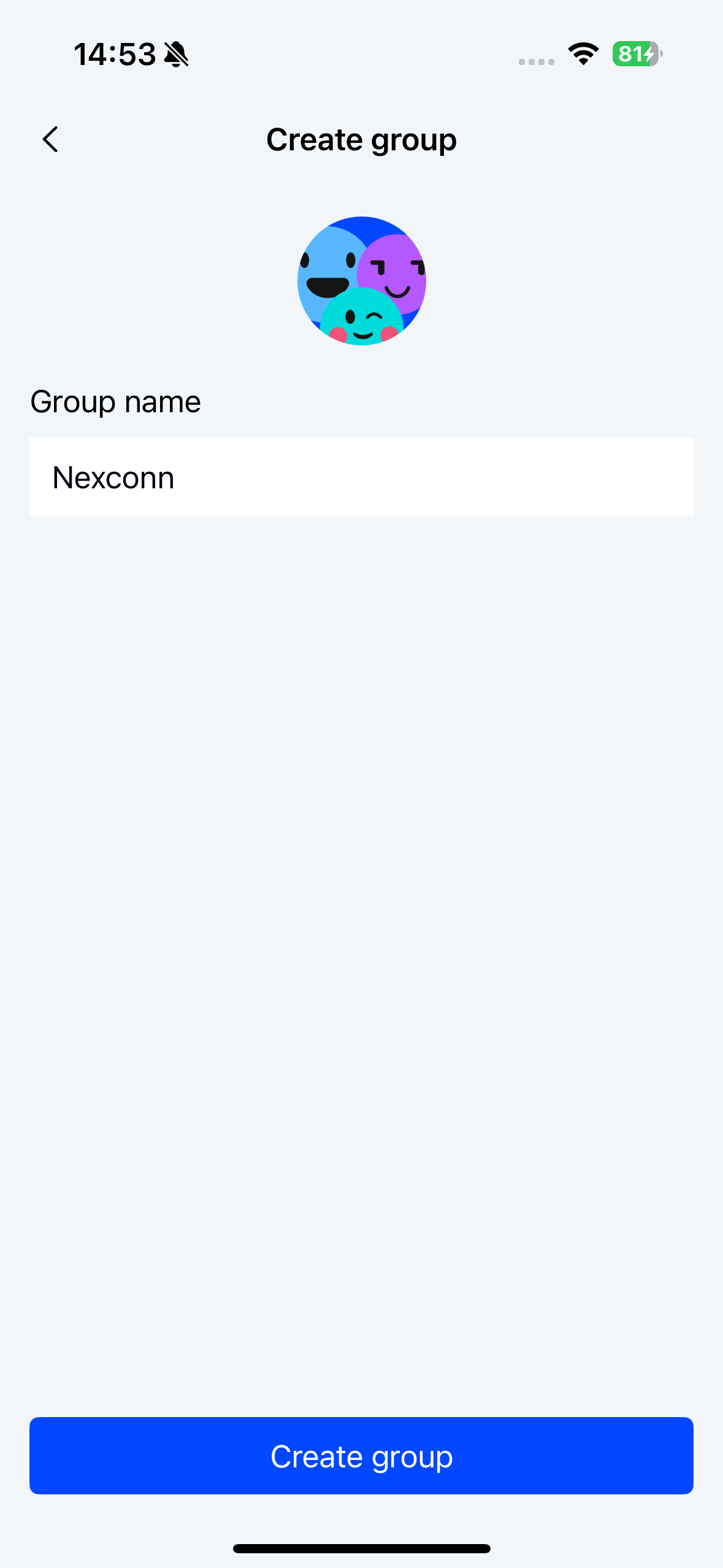
Launch the create group page
  List<String> inviteeUserIds = new ArrayList<>();
  String groupId = "groupId";
   startActivity(GroupCreateActivity.newIntent(getContext(), groupId, inviteeUserIds));
Customize the avatar click event
// Custom CustomGroupCreateFragment
public class CustomGroupCreateFragment extends GroupCreateFragment {

    @Override
    protected void onViewReady(@NonNull GroupCreateViewModel viewModel) {
      super.onViewReady(viewModel);
      // Customize the avatar click event
      ivGroupIcon.setOnClickListener(new View.OnClickListener() {
            @Override
            public void onClick(View v) {

            }
        });
    }
}
Group profile page
Use the group profile page to view and manage basic group information. The page provides functionality to view group members, edit group information, add or remove group members, and dissolve or leave the group:
- GroupProfileActivity: Container class for the group profile page. Loads and displays
GroupProfileFragment. - GroupProfileFragment: Core component of the group profile page. Displays group information and the group member list, and handles related user interaction events.
- GroupProfileViewModel: Data and business logic handler. Retrieves group and group member data from the server or local storage, and passes data to
GroupProfileFragment. - XML layout:
nc_page_group_profile.xml
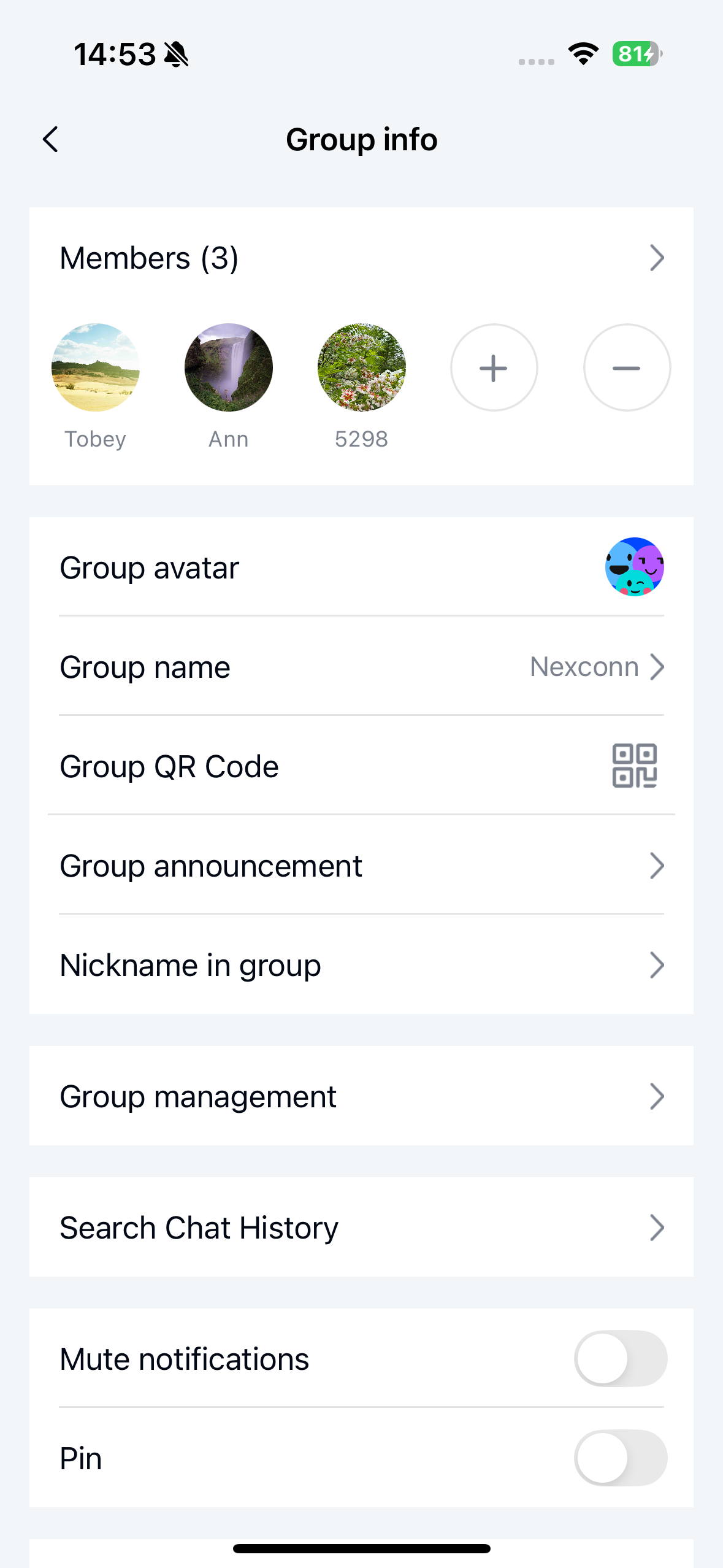
Configure the number of group members displayed on the group settings page
  // Maximum number of members to display, default is 30. displayMaxMemberCount must be at least 5 and no more than 50
  int displayMaxMemberCount = 30;
  startActivity(GroupProfileActivity.newIntent(this, conversationIdentifier, displayMaxMemberCount));
// Custom CustomGroupProfileFragment
public class CustomGroupProfileFragment extends GroupProfileFragment {

    @Override
    protected void onViewReady(@NonNull GroupProfileViewModel viewModel) {
      super.onViewReady(viewModel);
       // Handle add/remove member click events
        groupMembersAdapter.setOnGroupActionListener(
                new GroupMembersAdapter.OnGroupActionListener() {
                    @Override
                    public void addMemberClick() {
                        // Handle add member logic

                    }

                    @Override
                    public void removeMemberClick() {
                        // Handle remove member logic

                        }
                    }

                    @Override
                    public void onGroupClicked(GroupMemberInfo groupMemberInfo) {
                        // Handle member click logic
                    }
                });
    }
}
Group member list page
Use the group member list page to view all members in a group. The page provides search functionality and the ability to click to view member details. Developers can perform the following operations on this page:
- View the group member list
- Search for specific members
- Click to view member details
The components are as follows:
- GroupMemberListActivity: Container class for the group member list page. Loads and displays
GroupMemberListFragment. - GroupMemberListFragment: Core component of the group member list page. Displays the group member list, search box, and other UI elements, and handles related user interaction events.
- GroupMemberListViewModel: Data and business logic handler. Retrieves group member information from the server or local storage, and passes data to
GroupMemberListFragment. - XML layout:
nc_page_group_member_list.xml
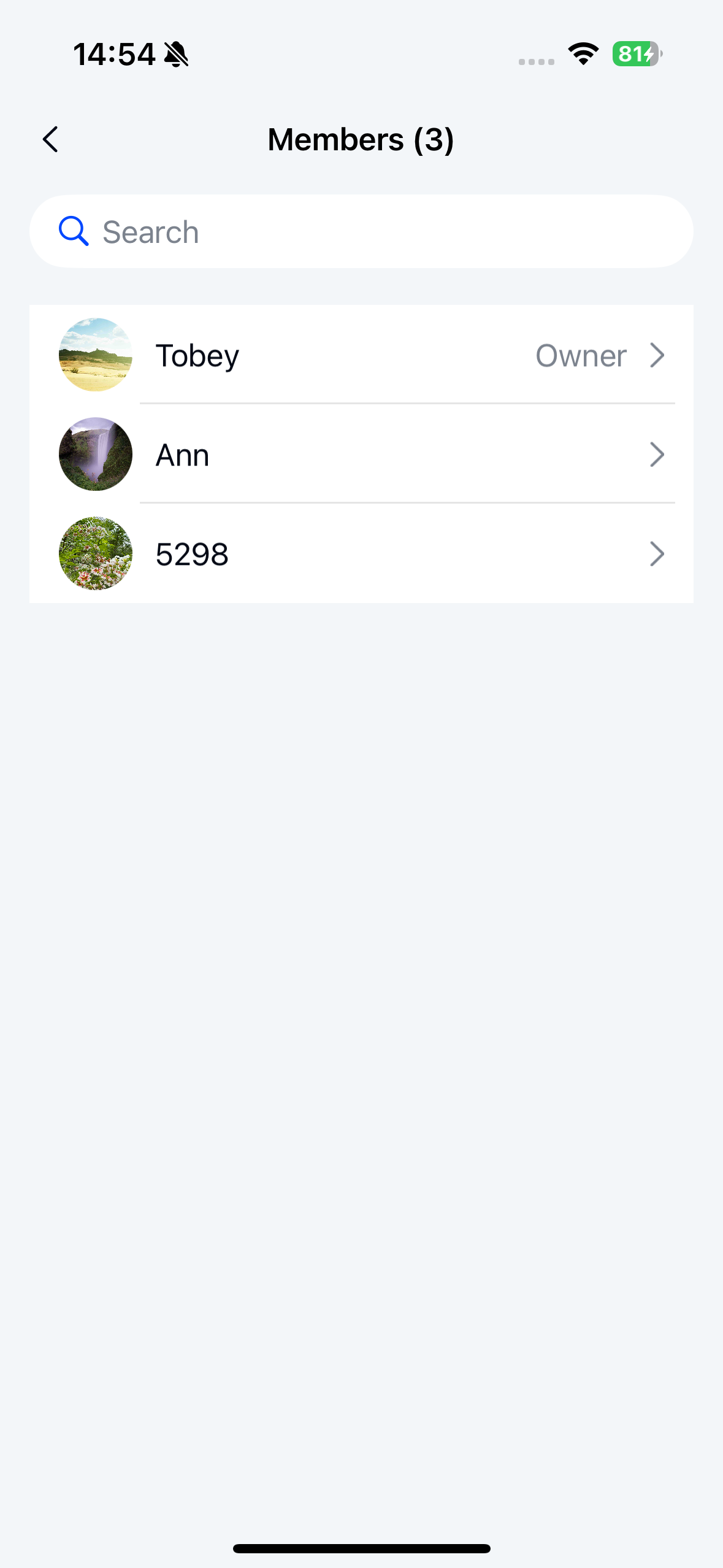
Launch the group member list page and configure the number of members loaded per page
  // Number of members loaded per page, default is 50, 0 < pageCount <= 100
  int displayMaxMemberCount = 50;
  startActivity(GroupMemberListActivity.newIntent(
                                        getContext(), conversationIdentifier, displayMaxMemberCount));
Add group members page
Use the add group members page to add new members to a group. The page provides functionality to view the contact list, select contacts, and invite them to join the group. The components are as follows:
- AddGroupMembersActivity: Container class for the add group members page. Loads and displays
AddGroupMembersFragment, manages page navigation, and passes necessary parameters. - AddGroupMembersFragment: Core component of the add group members page. Displays the contact list, searches for contacts, and handles user interaction events for inviting contacts to join the group. Retrieves data from
AddGroupMembersViewModeland updates the view. - AddGroupMembersViewModel: Data and business logic handler. Retrieves the contact list and group member information from the server or local storage, passes data to
AddGroupMembersFragment, and handles logic for selecting contacts, filtering contacts, and inviting contacts to join the group. - XML layout:
nc_page_group_add_member.xml
Launch the add group members page and configure the maximum number of selectable contacts
The default maximum number of selectable contacts is 30. The configured value must be greater than 0 and less than or equal to 30.
   int maxCount = 30;
   ChannelIdentifier conversationIdentifier = getConversationIdentifier();
   startActivity(AddGroupMembersActivity.newIntent(this, conversationIdentifier, maxCount));
Remove group members page
Use the remove group members page to remove members from a group. The page provides functionality to view the contact list, select contacts, and perform removal operations. The components are as follows:
- RemoveGroupMembersActivity: Container class for the remove group members page. Loads and displays
RemoveGroupMembersFragment, manages page navigation, and passes necessary parameters. - RemoveGroupMembersFragment: Core component of the remove group members page. Displays the contact list, searches for contacts, and handles user interaction events for removing group members. Retrieves data from
RemoveGroupMembersViewModeland updates the view. - RemoveGroupMembersViewModel: Data and business logic handler. Retrieves the contact list and group member information from the server or local storage, passes data to
RemoveGroupMembersFragment, and handles logic for selecting contacts, filtering contacts, and removing contacts. - XML layout:
nc_page_group_remove_member.xml
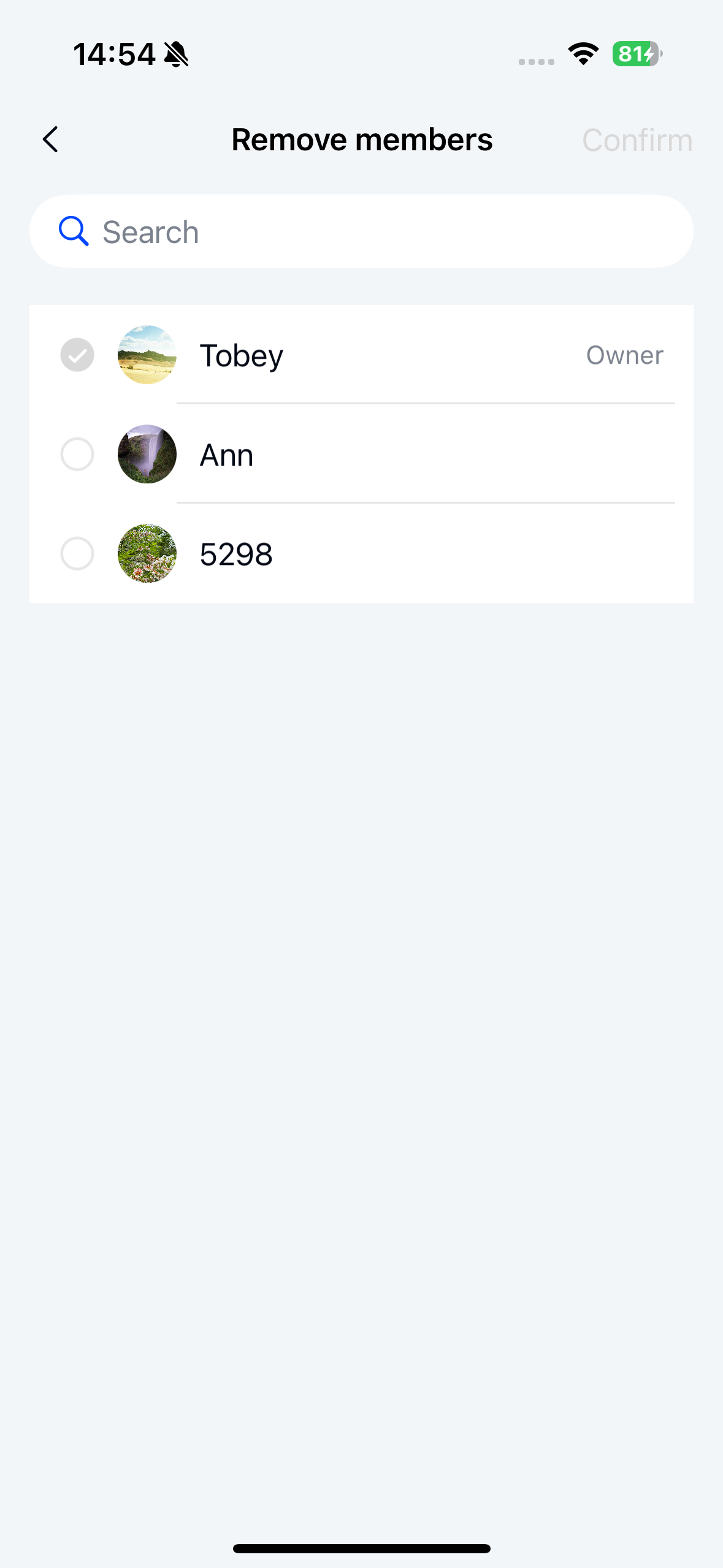
Launch the remove group members page
   ChannelIdentifier conversationIdentifier = getConversationIdentifier();
  GroupMemberRole role = GroupMemberRole.OWNER;
   startActivity(RemoveGroupMembersActivity.newIntent(this, conversationIdentifier, role));