Forwarding messages
Nexconn Chat UI supports forwarding selected messages to another channel. The default long-press menu shows a forward action, and multi-select mode can forward several messages.
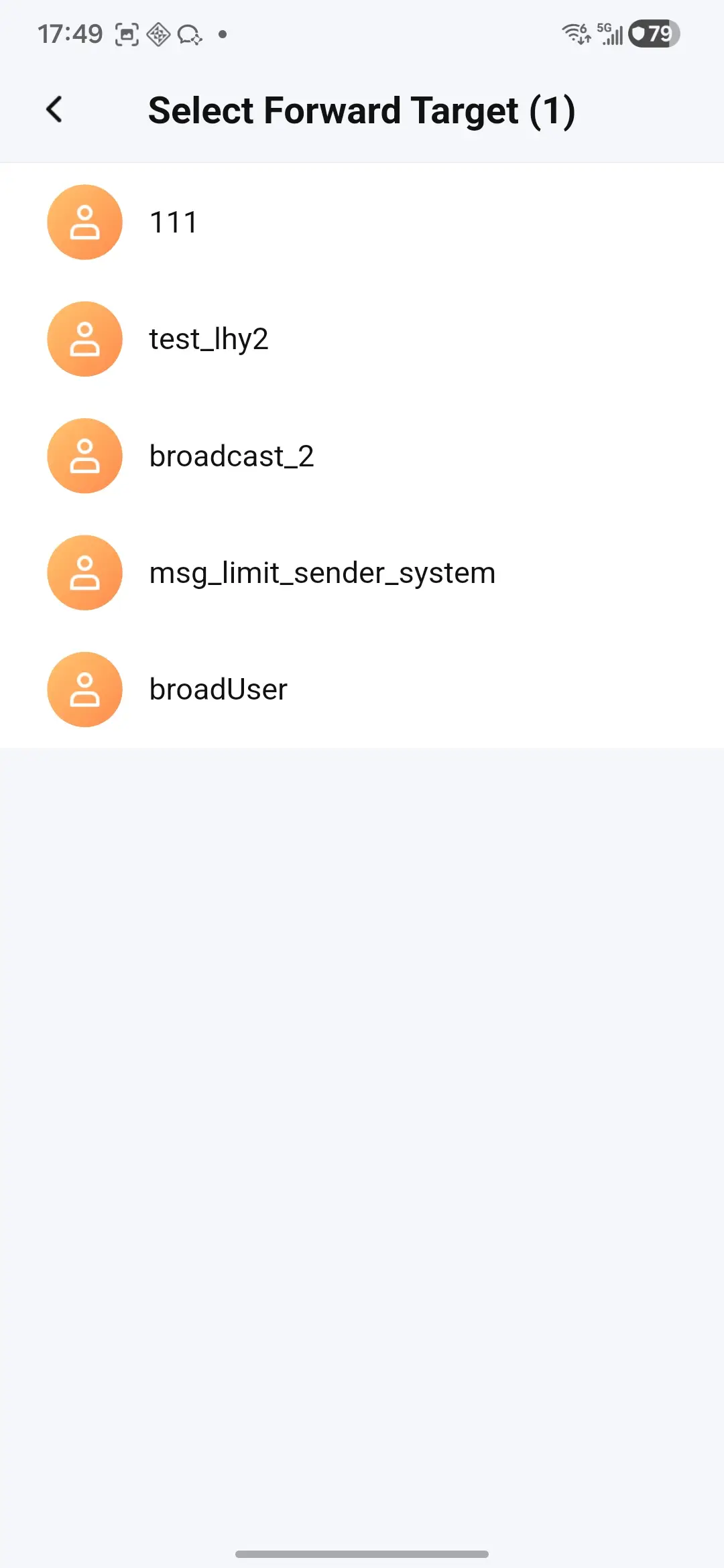
UI preview
The following image shows the default message forwarding UI.
Forward Modes
ChatProvider.forwardMessages supports two modes:
ChatForwardMode.individually: sends each supported source message as a new message in the target channel.ChatForwardMode.combined: sends one combined history message when the selected messages can be converted into combined-forward entries.
Unsupported message types are skipped and reported in ChatForwardResult.skippedCount.
Use the Default Select Page
ForwardSelectPage displays channels from a ChannelProvider and calls your forwarding callback after the user picks a target.
await Navigator.of(context).push(
  MaterialPageRoute(
    builder: (_) => ForwardSelectPage(
      provider: channelProvider,
      messages: chatProvider.selectedMessages,
      onChannelSelected: (targetChannel, mode) async {
        final result = await chatProvider.forwardMessages(
          targetChannel,
          chatProvider.selectedMessages,
          mode: mode,
        );
        if (result.error != null && !result.error!.isSuccess) {
          showError(result.error!.message ?? 'Forward failed');
        }
        return result.forwardedCount > 0;
      },
    ),
  ),
);
Override the Forward Action
Use ChatPageConfig.onForwardSelectedMessages when your app wants to present a custom target picker or confirmation flow.
ChatPageConfig(
  onForwardSelectedMessages: (context, sourceChannel, messages) async {
    final target = await pickForwardTarget(context);
    if (target == null) {
      return;
    }
    final result = await context.read<ChatProvider>().forwardMessages(
      target,
      messages,
      mode: ChatForwardMode.individually,
    );
    if (result.skippedCount > 0) {
      showInfo('${result.skippedCount} messages were skipped.');
    }
  },
)
Media forwarding requires a usable local or remote media path on the source message. If no path can be resolved, that message is skipped.