Delete channels
When you use the default channel list, Chat UI includes a built-in Delete action in the channel long-press menu.
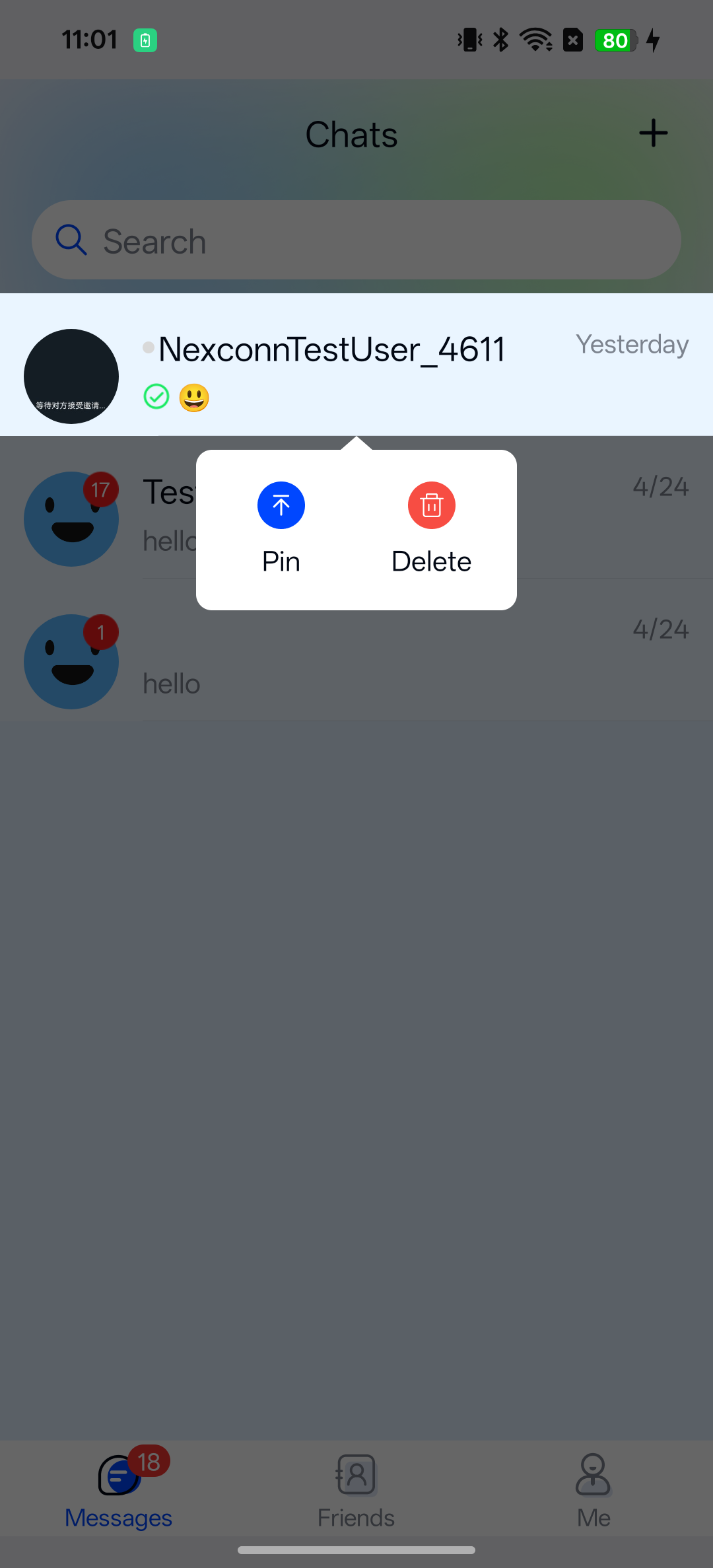
Use the Nexconn public APIs when you build a custom channel list, replace the default long-press menu, or need to delete channels programmatically.
Behavior
- Deleting a channel removes it from the channel list.
- Deleting a channel does not delete messages in that channel.
- To also remove message content, call the message delete APIs separately. See Delete messages.
Delete a specific channel
Create a channel instance from the channel identifier, then call delete.
- Kotlin
- Java
kotlin
val identifier = ChannelIdentifier(ChannelType.DIRECT, "user_001")
val channel = NCChatUI.createChannel(identifier)

channel.delete { result, error ->
  if (result == true && error == null) {
    // Channel deleted from the channel list
  }
}
Java
ChannelIdentifier identifier = new ChannelIdentifier(ChannelType.DIRECT, "user_001");
BaseChannel channel = NCChatUI.createChannel(identifier);

channel.delete((result, error) -> {
    if (Boolean.TRUE.equals(result) && error == null) {
        // Channel deleted from the channel list
    }
});
Delete channels in batch
Pass the identifiers of the channels to remove to BaseChannel.deleteChannels.
- Kotlin
- Java
kotlin
val ids = listOf(
  ChannelIdentifier(ChannelType.DIRECT, "user_001"),
  ChannelIdentifier(ChannelType.GROUP, "group_001")
)

BaseChannel.deleteChannels(ids) { result, error ->
  if (result == true && error == null) {
    // Channels deleted from the channel list
  }
}
Java
List<ChannelIdentifier> ids = Arrays.asList(
    new ChannelIdentifier(ChannelType.DIRECT, "user_001"),
    new ChannelIdentifier(ChannelType.GROUP, "group_001"));

BaseChannel.deleteChannels(ids, (result, error) -> {
    if (Boolean.TRUE.equals(result) && error == null) {
        // Channels deleted from the channel list
    }
});