Overview
This document provides an overview of Nexconn calling products, including the calling flow, client support, server-side requirements, and key terminology.
Service introduction
Nexconn's real-time audio and video calling service provides the Call SDK, a client library that encapsulates the complete calling workflow including dialing, ringing, answering, and hanging up. This enables you to implement calling functionality in your Web and mobile applications.
Use cases
Nexconn's calling service can be used for the following scenarios:
- 1-to-1 calls
- 1-to-1 consultation
- Group calls
- Customer support
- Webinars
- Virtual meetings
Before you integrate
Applications created in Nexconn don't have audio/video services enabled by default. Before using Nexconn real-time audio/video calling products, enable the service in the Console.
| Client SDK | How to Enable |
|---|---|
| Call SDK | Go to Console Audio/Video Calling page to enable service |
Calling flow
Audio/video calling business includes calling workflow and audio/video transmission. Signaling notification uses Nexconn's instant messaging capabilities (based on Chat SDK). After signaling transmission completes, audio/video transmission begins.
Flow explanation:
- User A initiates an audio/video call request to User B.
- When B is online, receives call invitation. Call SDK automatically replies with ringing message.
- A receives ringing message, knowing B's device is ringing.
- User B accepts the call invitation.
- A receives B's acceptance message.
- Audio/video call successfully established.
Audio/video calling business is designed on a room model. Caller and callee must enter the same audio/video room to transmit audio/video streams. Call SDK's implemented calling flow automatically handles room-related logic without additional handling.
Client support
Your application integrates the Call SDK to build audio and video calling functionality.
- Call SDK: A calling SDK that encapsulates the complete calling workflow including dialing, ringing, answering, and hanging up. It supports both one-to-one and multi-party calling capabilities. You can build your own calling UI from scratch based on Call SDK.
Platform compatibility
| Platform/Framework | API Language | Supported Architectures | Notes |
|---|---|---|---|
| Android | Java | armeabi-v7a, arm64-v8a, x86, x86-64 | System version 5.0 and above |
| iOS | Objective-C | --- | System version 9.0 and above |
| Web | Javascript | --- | See client documentation for Web Compatibility |
Server-side requirements
When integrating real-time audio/video service API, ensure:
- You've created an application in the Nexconn Console and obtained valid App Key / App Secret for Development or Production environment.
- Since audio/video services rely on instant messaging service as the signaling channel, clients must establish Chat connections with Nexconn servers. Therefore, your backend must implement the flow to get Tokens from Nexconn - your backend must call chat server API's Get Token endpoint and distribute valid Tokens to clients.
- You've prepared your own client and set up relevant business scenarios. For example, can obtain valid Token and establish Chat connection with Nexconn.
Some advanced features are only available in RTC Server API, such as cloud screenshots, cloud player, etc.
Audio/video service provides Server Callbacks (Webhooks) to sync business data and status notifications to your configured callback URL. All server callbacks must be enabled in Console.
Console and monitoring
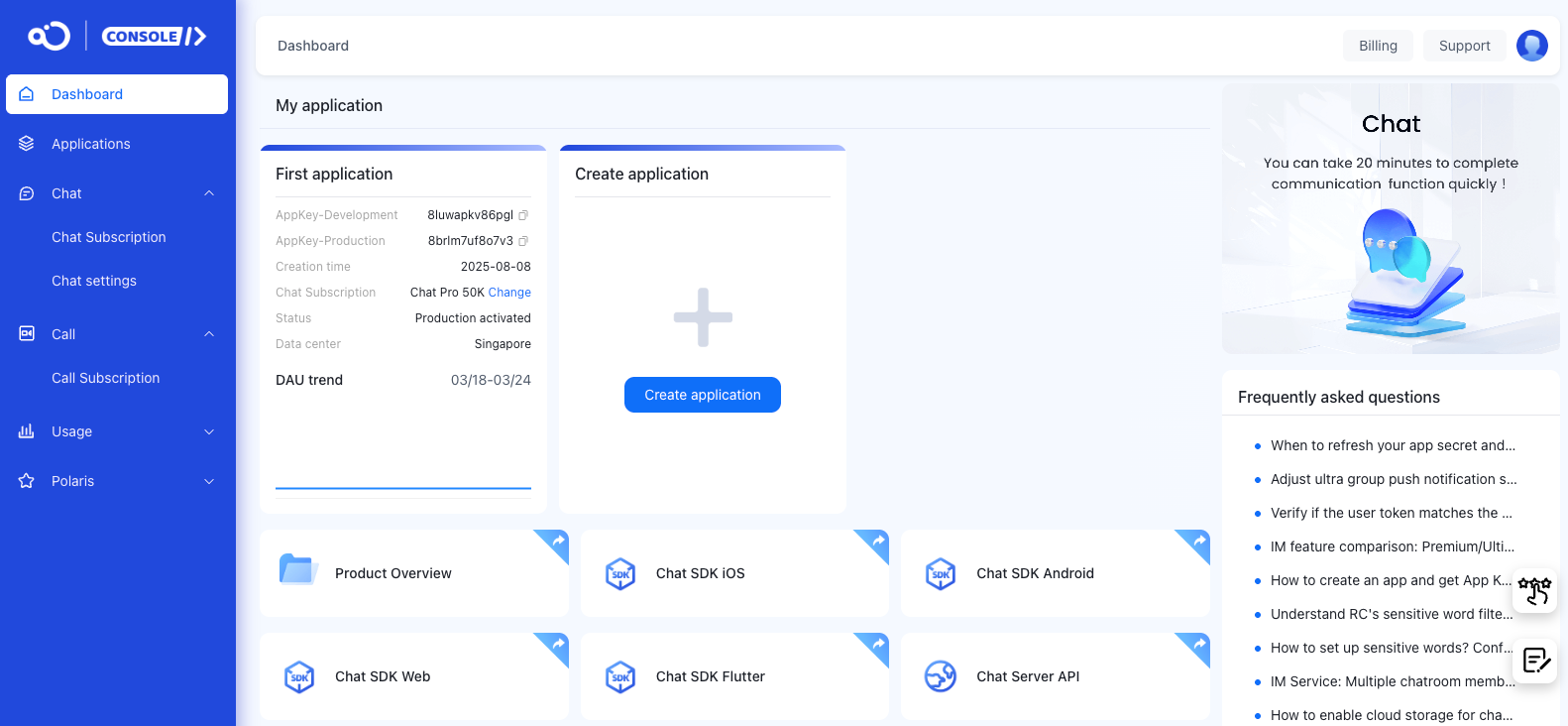
The Console provides access to App Key, App Secret, billing operations, and service configuration.
You can also use the Console to debug Chat Server API, query message status, query connection status, add Webhooks, and view audio/video usage and business health data.
Data and privacy
You can visit the Data Statistics page in the Console to view audio/video usage, business health checks, and related analytics.
Nexconn also provides real-time call quality monitoring tools that help identify call issues and improve troubleshooting efficiency.
Nexconn does not utilize customer data. Nexconn also provides comprehensive data privacy protection strategies. See SDK Privacy Policy.
Key concepts
For terminology such as application, user, room, CallID, and SessionID, see the Call glossary.