Multi-device message sync
In instant messaging, the same user account may be signed in on multiple devices. Multi-device message sync is a server-side service provided by Nexconn that syncs sent and received messages across all devices under the same user account.
By default, Nexconn does not sync messages across devices. Once a message is received by one device, other devices cannot retrieve it.
Use cases
Multi-device message sync applies in the following scenarios:
-
The same user account is online on multiple devices simultaneously (regardless of device type), and messages need to be synced across all devices. For example, a user may have multiple mobile devices, such as two Android phones and one iOS device.
tipNexconn supports multiple devices being online simultaneously by default — a single user account can be online on up to one device each of: mobile, Web, desktop, and Mini Program. To allow multiple mobile devices or multiple Mini Program instances to be online at the same time, submit a support ticket for each. See Multi-device Concurrent Access.
-
The same user account switches to a new device (regardless of whether it was previously used), and needs the message history to be synced. For example, a user goes offline on an Android device and then logs in from the Web on another device.
-
The same user reinstalls the app on the current device and needs the message history to be restored.
Messages supported for multi-device sync
Not all messages support multi-device sync. Status messages are only synced when the user is simultaneously online on multiple devices. Offline devices cannot receive these messages through multi-device sync.
Status messages include:
- Built-in message types classified as status messages. The built-in status message type is: typing indicator (
RC:TypSts) - Custom message types registered as status messages. See the "Custom Messages" documentation for each client platform.
- All messages sent via the server-side status message APIs are not synced, regardless of message type.
Configuring the service
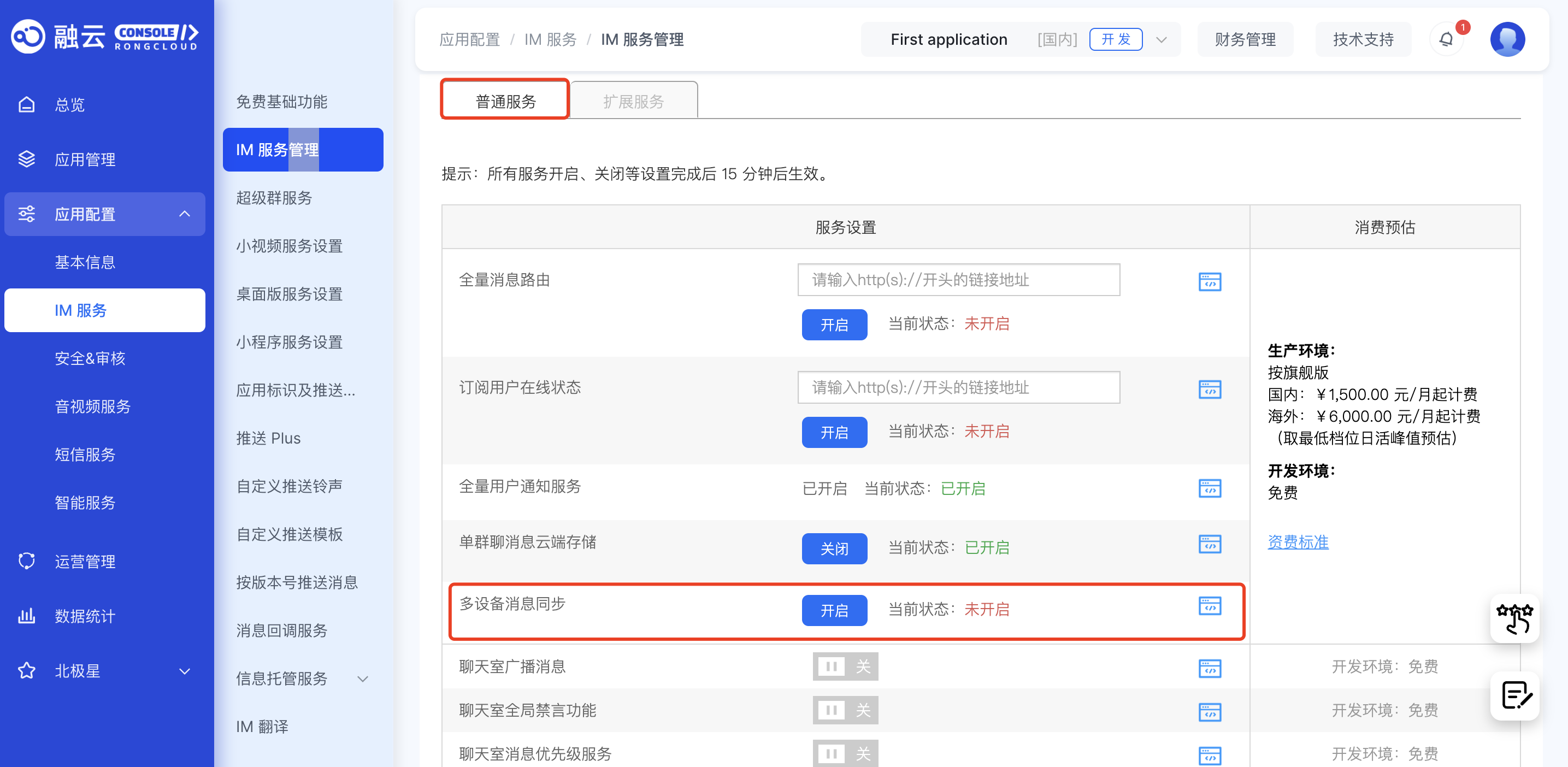
Go to the Chat settings page in the console to manage Message synchronization under Chat > Chat settings > Multi Client. This service is supported by default in both development and production environments. If you do not need it, you can disable it here.
Changes take effect within 15 minutes of enabling or disabling the service.
Impact on other features
The Multi-device Message Sync service affects missed message compensation?, message deletion, and Open Channel behavior.
Impact on missed message compensation
The Multi-device Message Sync service also controls the missed message compensation mechanism? on the Nexconn server.
When Multi-device Message Sync is enabled, the offline compensation mechanism is automatically activated. It triggers in the following scenarios:
-
Device switch: When a user signs in on a new device (regardless of prior use), the SDK retrieves messages sent and received on other devices within the configured compensation window (default: 1 calendar day).
-
App reinstall: Messages and channel lists are stored in a local database, which is deleted when the app is uninstalled. When the user reinstalls the app and reconnects, the offline compensation mechanism is triggered, and the SDK retrieves messages from other devices within the compensation window (default: 1 calendar day).
tipIn both device switch and app reinstall scenarios, the compensation mechanism only retrieves messages from the most recent period (default: 1 day, maximum: 7 days). Channels older than this window cannot be recovered. As a result, the channel list after compensation may differ from the original device or pre-uninstall state (some channels may appear to be missing).
To change the missed message compensation window, submit a support ticket. Be cautious when increasing the window — high per-user message volumes can create significant processing load on the client.
Impact on Web platform connections
After enabling Multi-device Message Sync, a single user can maintain up to 10 simultaneous Web connections (each browser tab counts as one connection). When this limit is exceeded, the earliest Web connection is automatically disconnected.
Impact on message recall
- When Multi-device Message Sync is disabled, recalled messages are not synced across devices.
- When Multi-device Message Sync is enabled, recalling a message on one device immediately syncs the recall to other online devices. If another device is offline, the recall is synced when that device comes back online.
Impact on server API message sending
When sending messages via the server API, some endpoints support an isIncludeSender parameter to control whether the sender's client can receive the sent message.
- When Multi-device Message Sync is disabled, messages sent via the Server API are only synced to the sender's online client in real time. Offline clients cannot receive them.
- When Multi-device Message Sync is enabled, messages sent via the Server API are synced to the sender's client when they next come online, even if the sender was offline at the time of sending.