Automatic moderation
Automatic moderation is a separate managed moderation feature. It reviews messages before delivery and helps identify risky content in communication scenarios, including political, prohibited, sexual, violent or terrorist, abusive, advertising, and off-platform solicitation content.
Automatic moderation does not replace the profanity filter. Enabling automatic moderation does not change your profanity word list, and disabling the profanity filter does not disable automatic moderation rules.
Supported scope
| Area | Support |
|---|---|
| Default moderation languages | English and Arabic |
| Channel types | Direct, group, open, and community channels |
| Message type options | Text, image, GIF, voice, and video |
| Built-in message types | RC:TxtMsg, RC:ReferenceMsg, RC:ImgMsg, RC:GIFMsg, RC:VcMsg, RC:HQVCMsg, and RC:SightMsg |
The Console message type options map to built-in message types as follows:
| Message type option | Built-in message types |
|---|---|
| Text | RC:TxtMsg, RC:ReferenceMsg |
| Image | RC:ImgMsg, RC:GIFMsg |
| Voice | RC:VcMsg, RC:HQVCMsg |
| Video | RC:SightMsg |
Enable automatic moderation
Before you enable automatic moderation, check the environment requirements:
- In the Development environment, you can enable automatic moderation for trial usage.
- In the Production environment, you must have a valid payment method before you can enable automatic moderation.
-
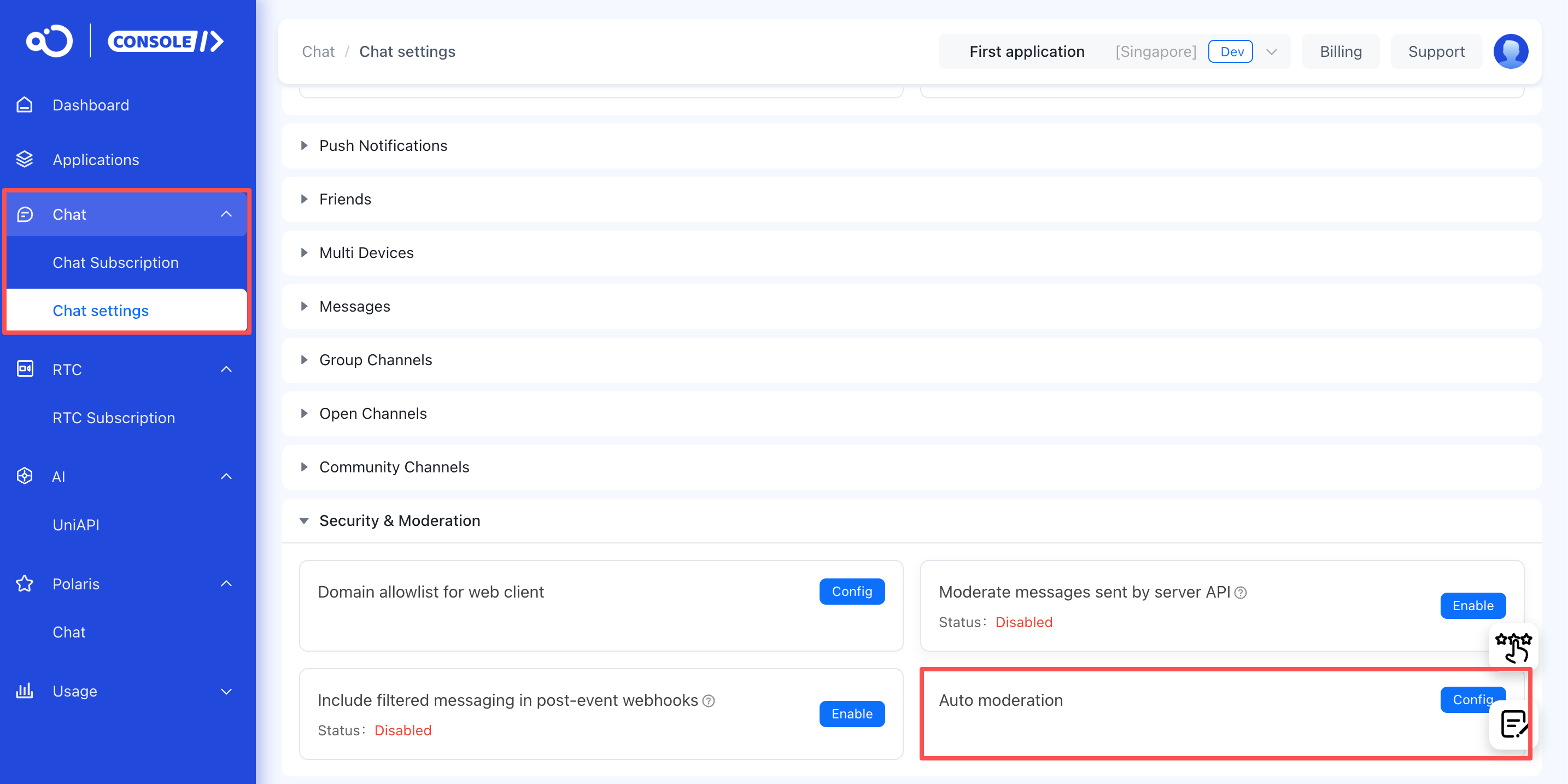
In the Console, open Chat > Chat settings > Security & Moderation.
-
Enable Auto moderation.
-
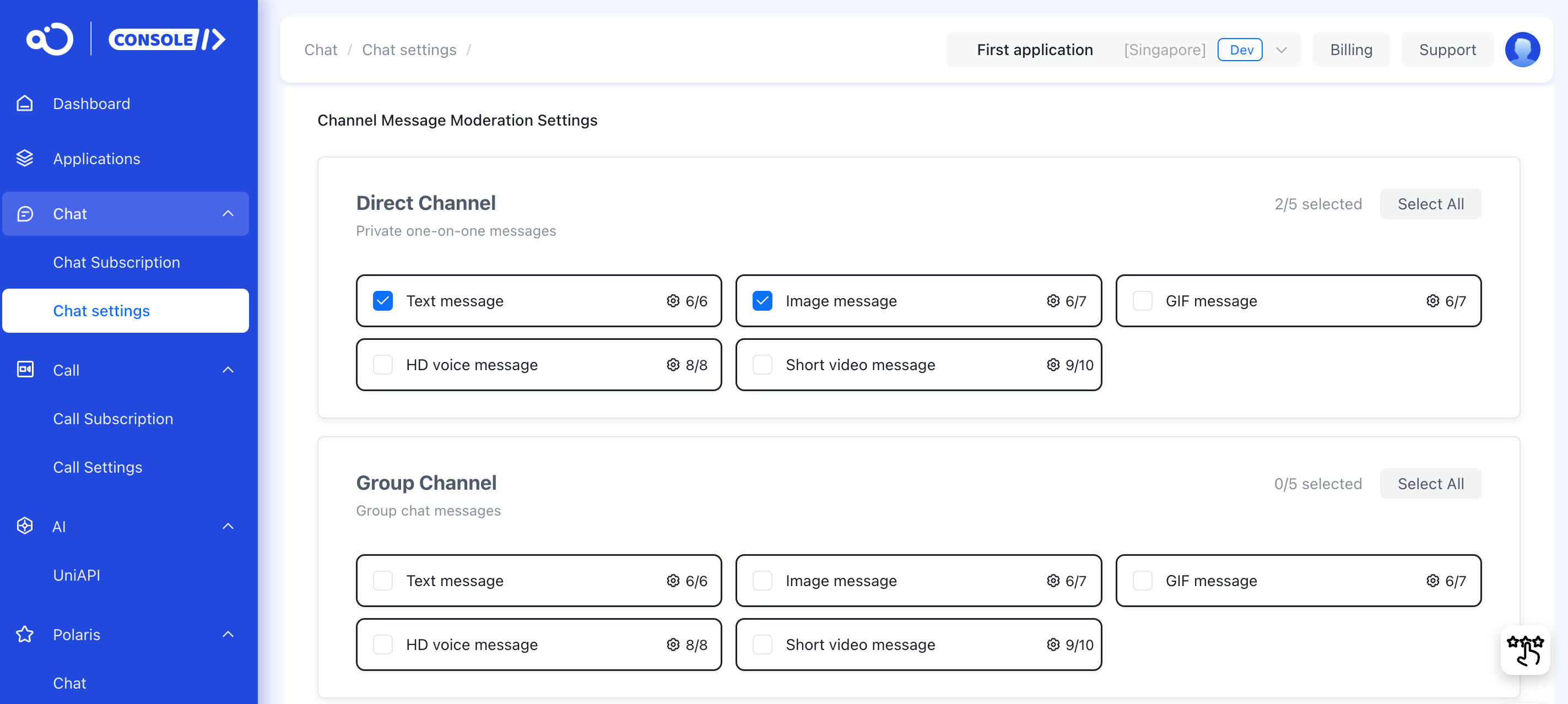
Configure the channel types and message types that you want to moderate.
-
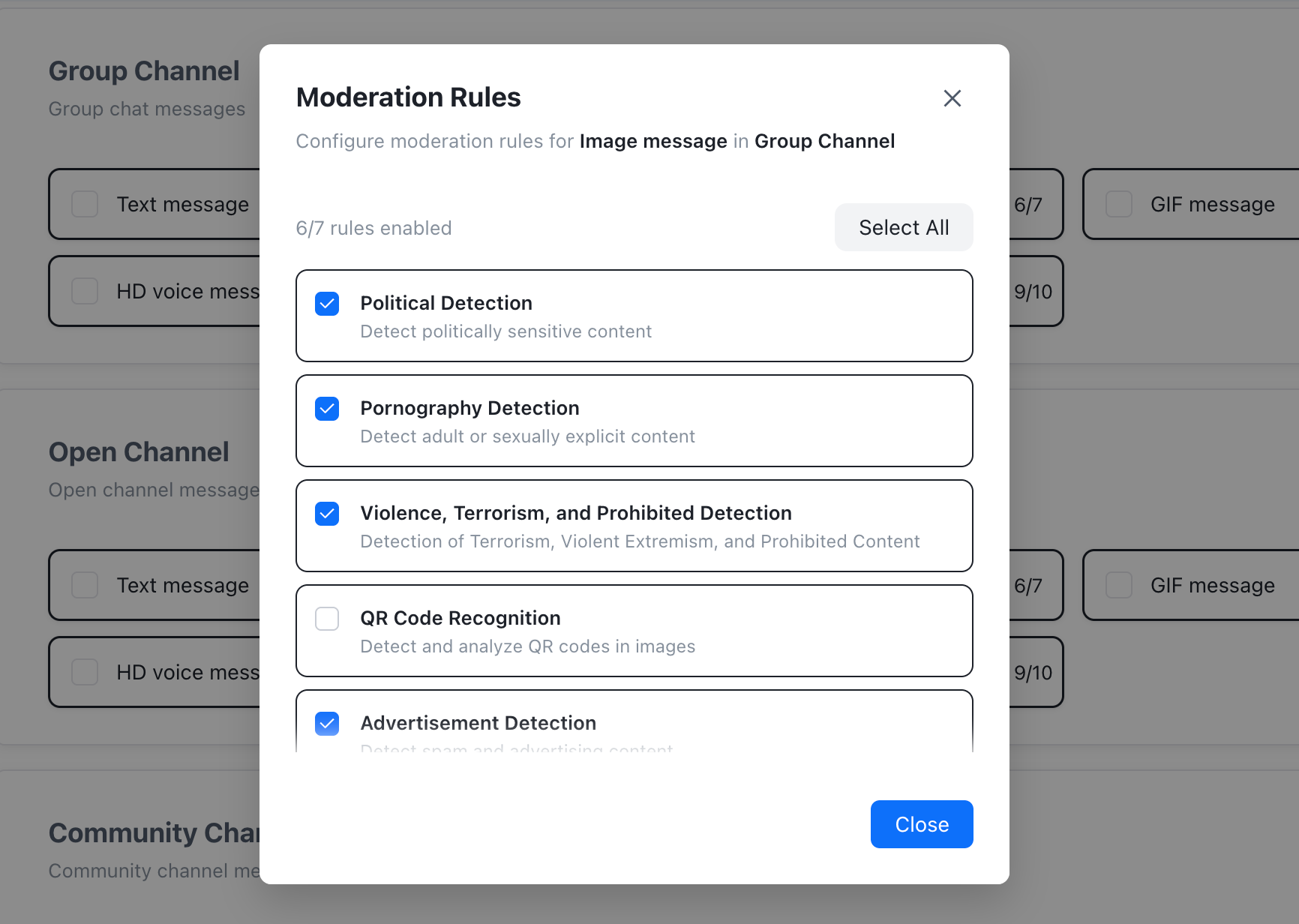
For each enabled message type, select the moderation rules that apply to your app.
-
Optional: Configure moderation result webhooks if your server needs to receive blocked or suspected moderation results.
Configuration behavior
Enabling Auto moderation only turns on the service. It does not automatically enable moderation for every channel or message type.
Moderation takes effect only for the channel type and message type combinations that you enable. For example, to moderate image messages in direct channels, enable the direct channel type and the image message type.
For each message type that you enable, keep at least one moderation rule selected. For video moderation, rule selection applies to both the image and audio content in the video. You cannot configure separate image-only and audio-only rule sets for the same video message.
Moderation results
Automatic moderation can return these result classes:
| Result | Meaning | Default handling |
|---|---|---|
PASS | The provider did not identify violating content. | The message can continue through the delivery flow. |
REJECT | The provider identified violating content. | The message is blocked and is not delivered. |
REVIEW | The provider identified suspected violating content. | Nexconn reports the result as a suspected moderation event. Use your own policy or manual review workflow to decide follow-up action. |
Text and image moderation results can come from a synchronous provider response. Voice and video moderation results can come from an asynchronous provider response. If you consume moderation result webhooks, do not assume that the raw provider payload has the same shape for all content categories.
When a message is blocked, the sender is not notified by default. Use the SDK's sensitive content interception callback to show an appropriate send-failed or blocked-message state in your app.
Billing and usage
For billing rates, see Pricing plans.
View moderation usage in the Console under Usage > Chat > Auto moderation.
Moderation result webhooks
Moderation result webhooks let your server receive moderation decisions from automatic moderation. They use the same Webhooks delivery infrastructure as other Chat webhooks.
Automatic moderation and Webhooks are independent switches:
- If automatic moderation is disabled, Nexconn does not produce moderation results.
- If automatic moderation is enabled but Webhooks are disabled, Nexconn still applies the moderation decision but does not send webhook events.
For event types, prerequisites, payload field reference, and examples, see Moderation result events.